Follow me on LinkedIn - AI, GA4, BigQuery

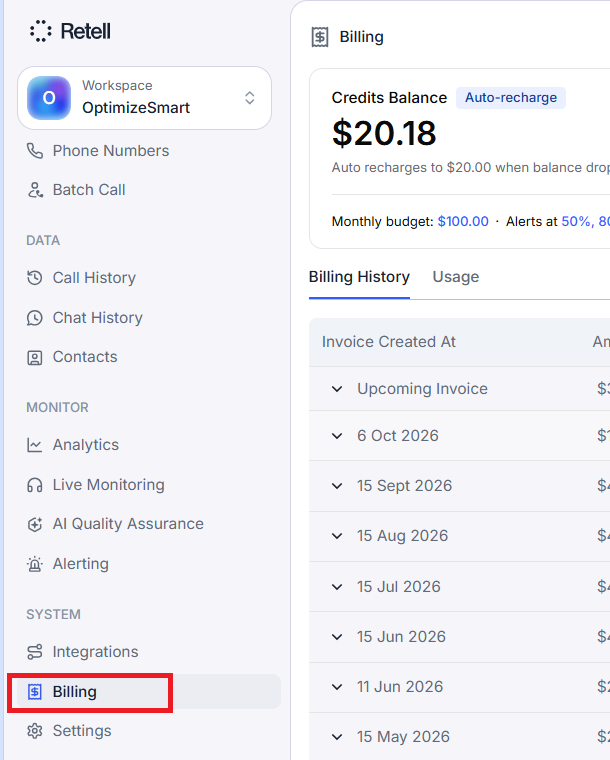
Retell bills each workspace separately, which means a card, credit balance, or invoice in one workspace does not apply to another, even under the same login.

A card added to one workspace does not automatically become available in another. Add a payment method to each workspace before running calls.

So it's wise to use separate workspaces for each client to keep billing separate and easy to manage.

Retell AI separates its charges into usage charges and monthly subscription charges.

#1 Calls, chat messages and other metered activity are paid for using prepaid credits. Retell deducts these charges from your credit balance in real time as you use the service. 


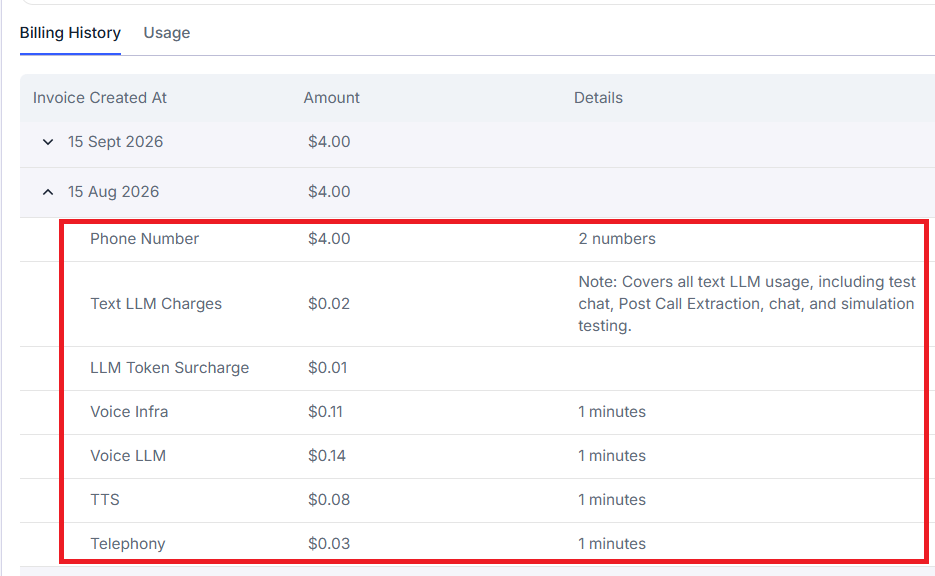
#2 The following items are charged to your card at the end of each calendar month and appear on your monthly invoice:

  • Phone numbers purchased through Retell.
  • Knowledge bases beyond the free tier.
  • Calls-per-second (CPS) upgrades.
  • Additional concurrency (the ability to handle more calls simultaneously).

Note(1): Anything added partway through the month is prorated, meaning you pay only for the portion of the month it was active.

Note(2): Enterprise workspaces remain on monthly invoicing.

Important points about Retell Credits.

# Credits must be added before calls can run.

# Credits are workspace specific. You can't use credit balance meant for one workspace in another workspace.

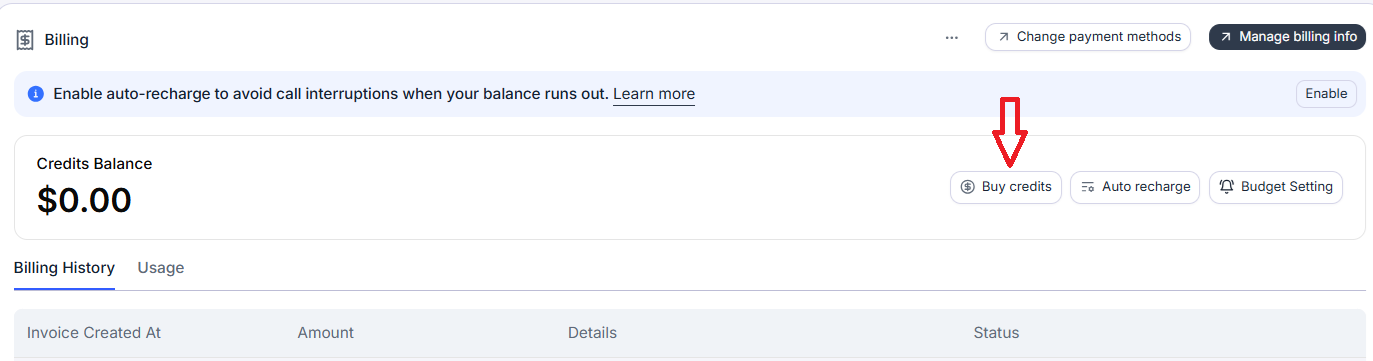
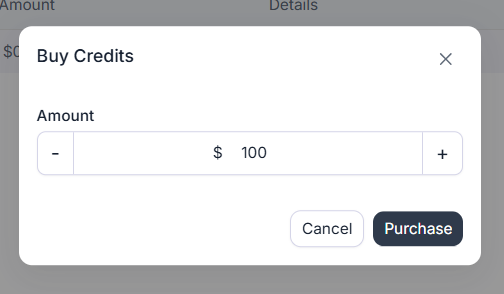
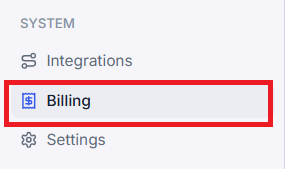
# You can buy credits in the Billing tab. Payments are charged to your card through Stripe.

# Your credits never expire, but they are also non-refundable.

# New Retell accounts receive $10 in free trial credit, once per email address. 

# Switching to prepaid credits does not provide another $10 trial credit.


# If your credit balance reaches zero, calls and chat stop immediately. Affected calls are logged as credit_exhausted. 

# If you want to use your remaining credits, spend them before closing the workspace. Unused credits are non-refundable.

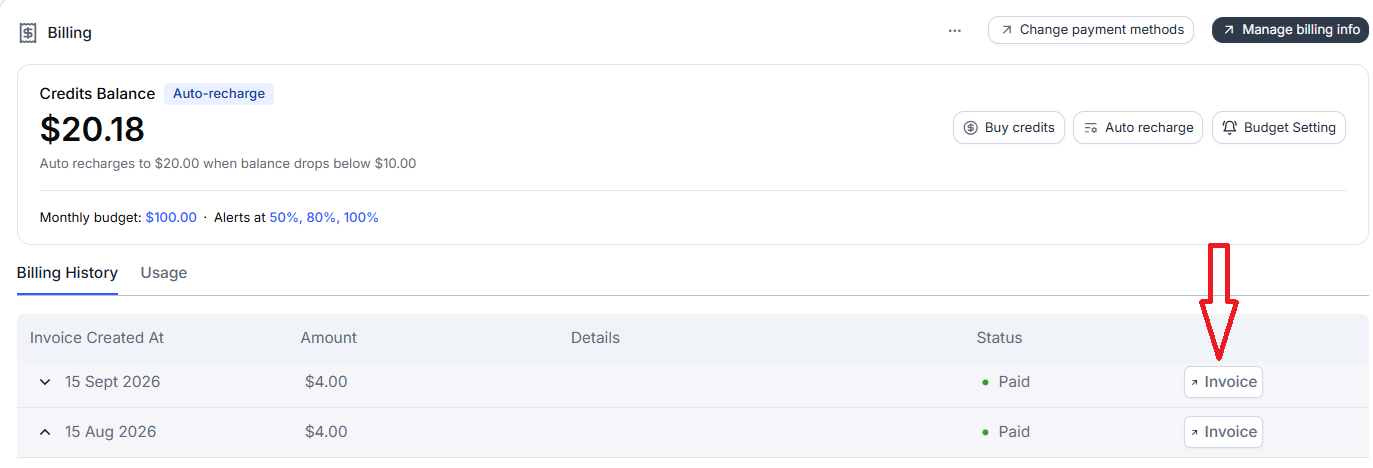
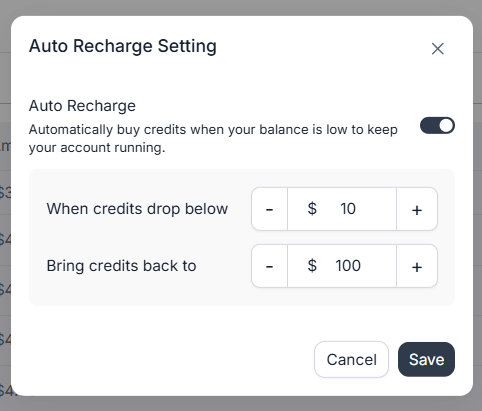
Always enable ‘Auto Recharge’ for each Retell Workspace.

To avoid call interruptions when your credit balance runs out, enable 'Auto Recharge ', which adds credits automatically when your balance falls to a level you choose:
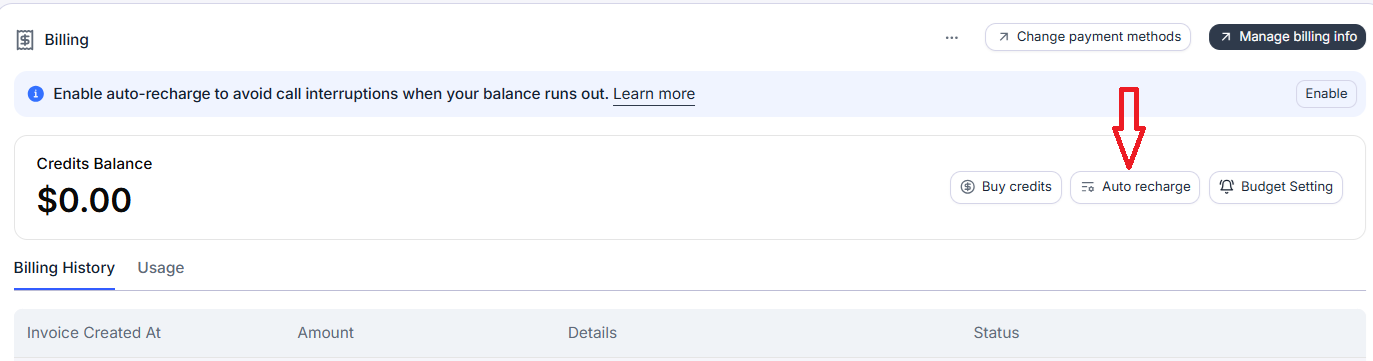
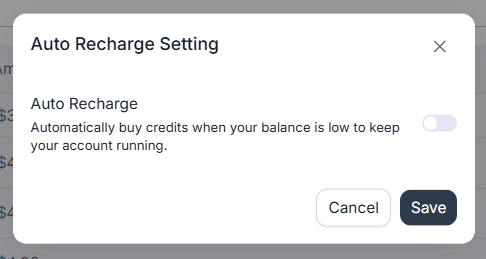
Note: You can’t set ‘when credits drop below’ to less than $10 or ‘Bring credits back to’ below $20.

The target balance must be higher than the recharge trigger. Each recharge is charged to your card.

For example, if your trigger is $50, then your target balance must be higher than $50.

If your target balance is $200, Retell purchases enough credits to bring your balance back to $200 when it reaches the trigger.


Note: For high call volumes, set both amounts higher. If a recharge payment fails, your service can still stop when the remaining credits run out.

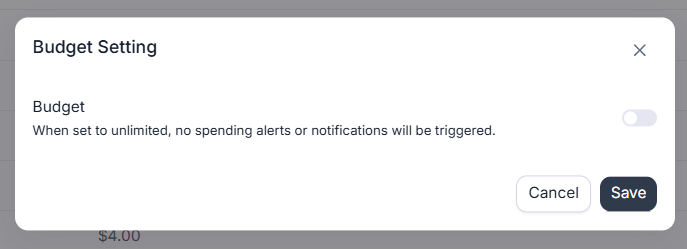
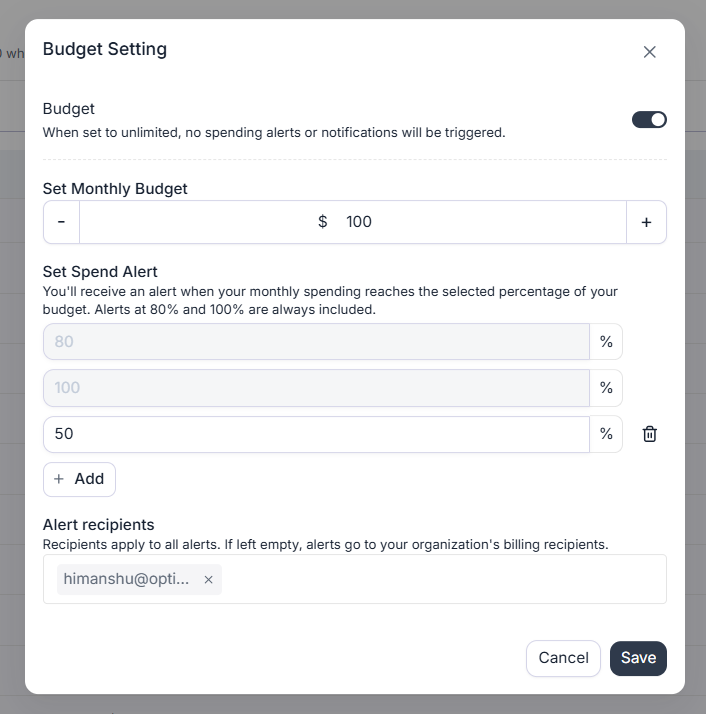
Use Budget Setting to set a monthly spending limit for your Retell Workspace.

Retell workspaces have a Budget Setting, which lets you set a monthly spending limit.
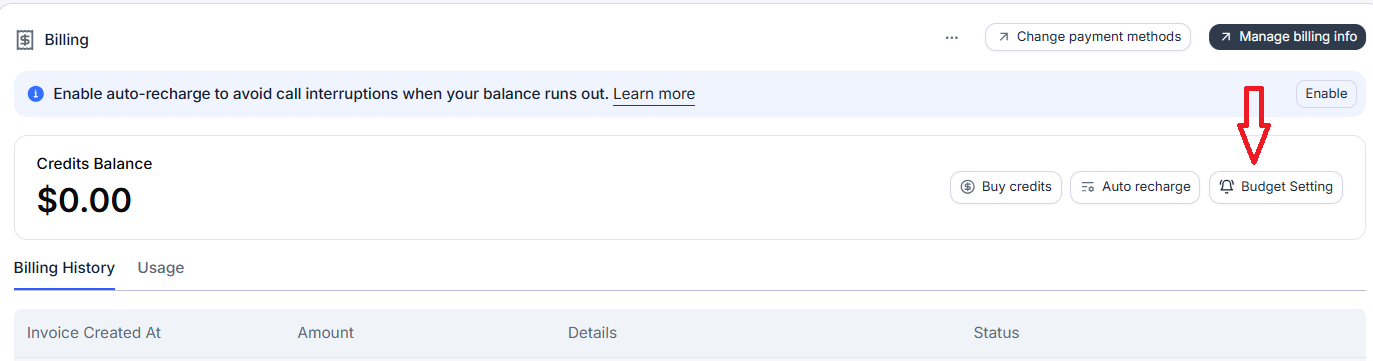

You can choose a limit between $10 and $100,000, in $10 increments.

  • Email alerts are sent when spending reaches 80%, 50% and 100% of the limit.
  • You can add up to four additional alert thresholds.
  • At 100%, calls and API requests pause, even if you still have credits available.
  • Affected calls are logged as budget_reached.

Usage resumes when you raise or remove the cap, or when the next calendar month begins according to UTC.

Note: Auto recharge adds credits; it does not increase or remove your monthly budget cap.

The monthly budget setting acts as an automatic cutoff during a toll-fraud attack. 

Toll Fraud (also called International Revenue Sharing Fraud) involves fraudsters tricking people or companies into making very expensive calls (or SMS messages) to special international or premium‑rate numbers they control.

The phone companies involved then share the revenue from those pricey calls with whoever owns those numbers, so the attacker gets a cut of every minute your AI Agent spends calling them.

An attacker finds a way to trigger outbound calls from your account (stolen API key, weak auth, misconfigured telephony) and directs calls to high‑tariff or revenue‑sharing numbers they control overseas.


Your carrier bills you for all these outbound calls; the destination carrier shares part of that revenue with the fraudster . So their direct financial incentive is the outbound spend you incur.

Fraudulent calls can exhaust your monthly budget in a single day. When that happens, Retell pauses calls and API requests when spending reaches 100% of the monthly budget, even if credits remain or auto recharge is enabled.

This stops attackers from continuing to generate calls through your Retell agents after the cutoff, helping prevent further losses until usage resumes.

Retell uses usage-based pricing and offers two plans: ‘pay-as-you-go’ and ‘Enterprise’.
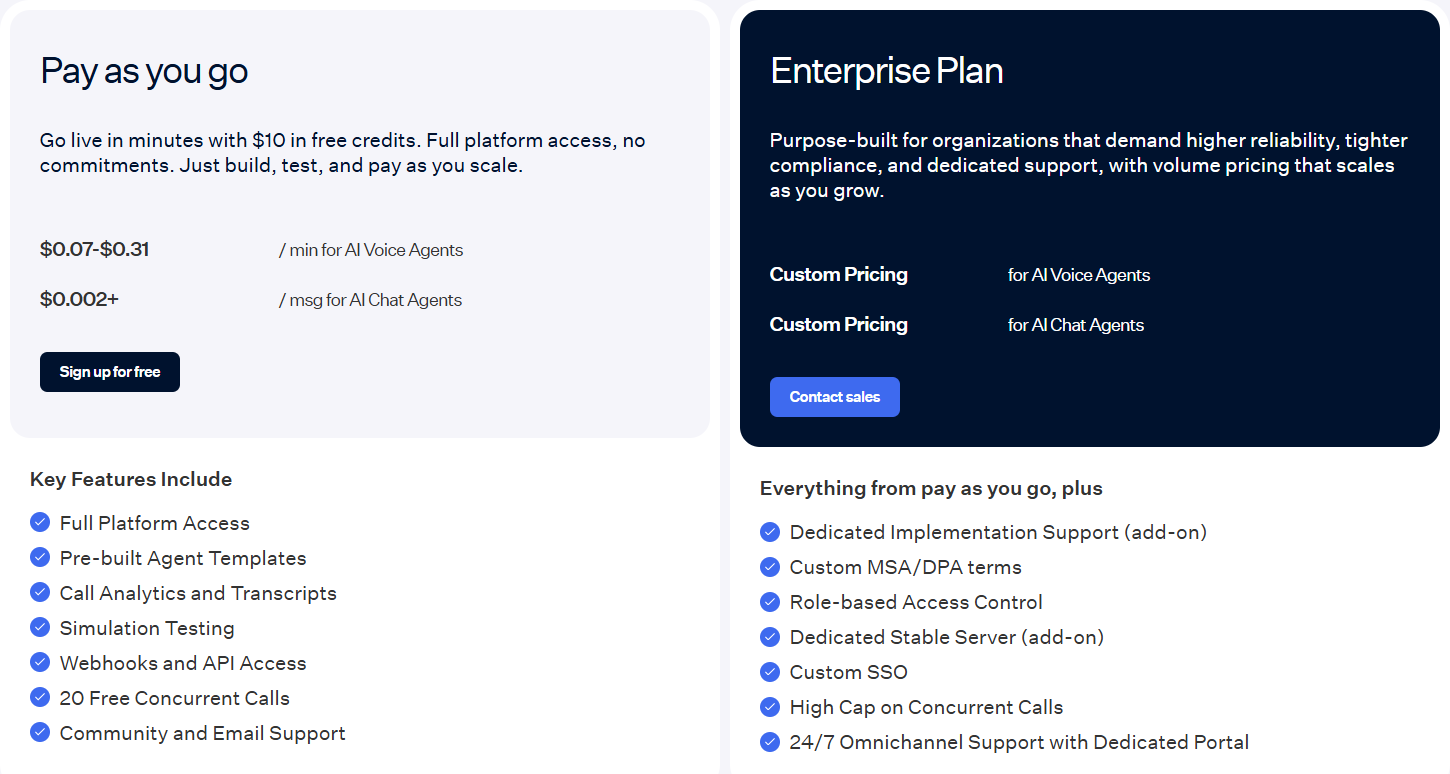

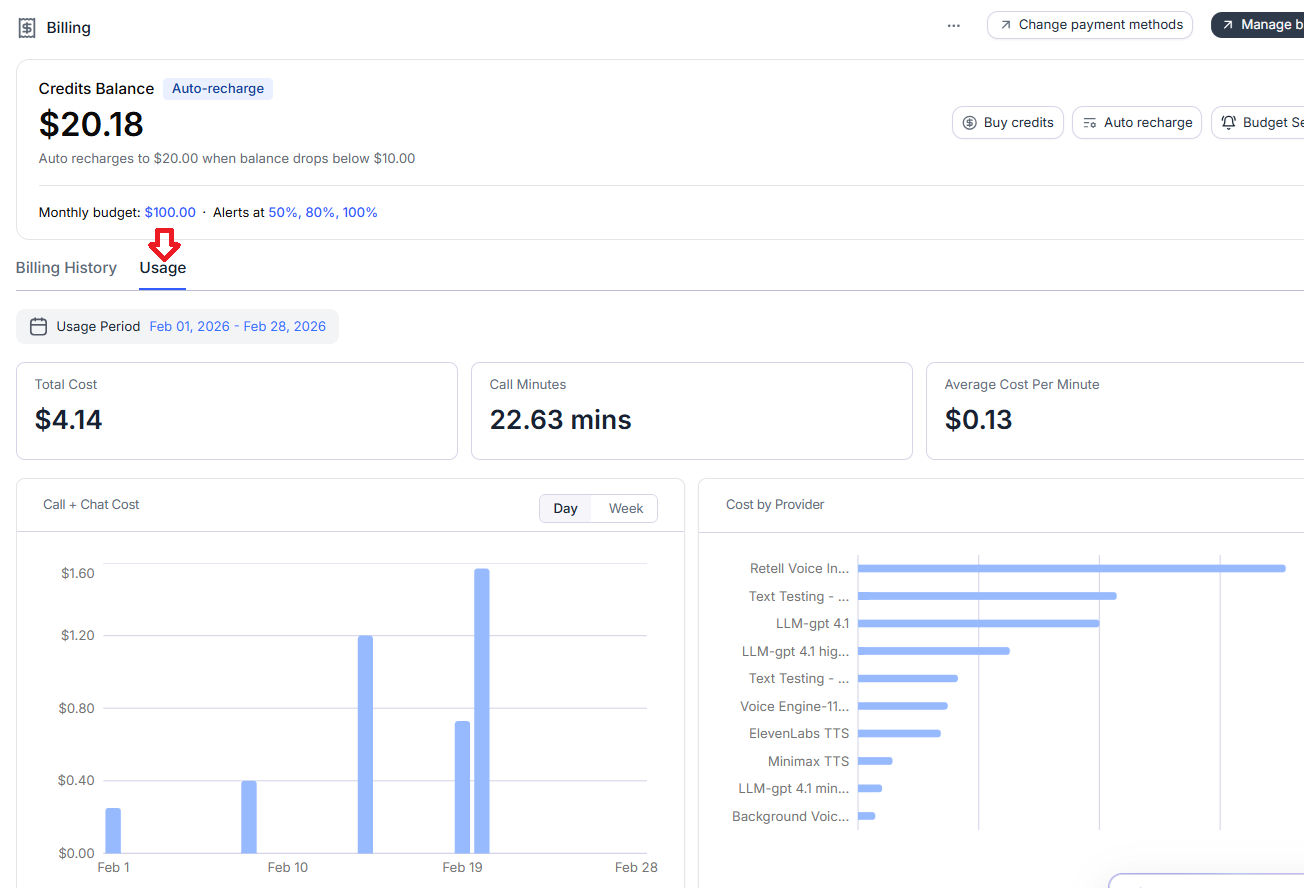
Retell charges you per minute, per message and monthly fees depending on the feature(s) you use. There is also an additional cost associated with API calls made to external systems (like n8n, GHL etc) which may or may not reflect in Retell Invoices.

The advertised 0.07–0.31 voice-agent range should not be treated as a maximum possible bill.
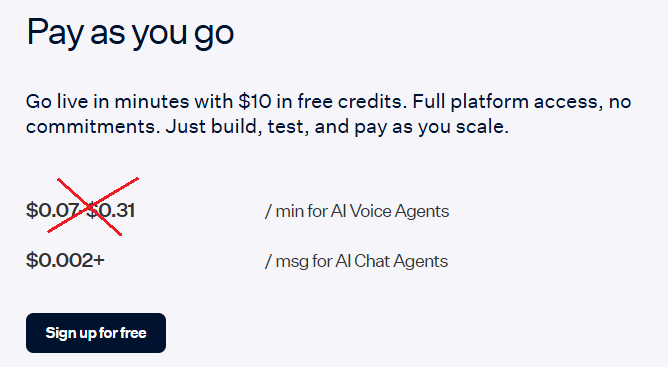

As you can see, the cost per minute of $0.430 in the Retell Pricing calculator below already exceeds the maximum $0.31 advertised above:

What makes up the per-minute cost?

  1. Retell voice infrastructure cost.
  2. The LLM model cost.
  3. Fast Tier LLM Cost.
  4. Voice provider (TTS Cost).
  5. Telephony (Retell Twilio/Telynx or Custom Telephony) cost.
  6. Call Agent Add-ons.
  7. Token usage cost.
  8. API calls cost to external systems.

1. Retell voice infrastructure ($0.055/min) cost.

You pay this regardless of which AI model or voice you select.


2. The LLM model cost.

The LLM (GPT 5.5, Claude 4.6 Sonnet, Gemini 3.8 Flash, etc) decides what the agent says. This is normally the component with the greatest pricing variation.


3. Fast Tier LLM Cost.


4. Voice provider (TTS Cost) .

Voice provider (Retell Platform Voices, OpenAI voices, ElevenLabs voices, etc.) converts the AI’s response into speech.


Note: ElevenLabs is the only outlier at $0.040/min, about 2.7× the flat $0.015/min every other provider charges.


5. Telephony (Retell Twilio/Telynx or Custom Telephony) cost.

Retell’s telephony line item is $0.015/min. Retell's country selector indicates that the precise rate can depend on the country and carrier.


Note: Retell does not disclose what an external carrier may charge when you use custom telephony; it only shows the cost of Retell’s telephony line item.

6. Call Agent Add-ons.

Knowledge base, Advanced denoising, Safety guardrails, PII removal, AI Quality Assurance.


*AI Quality Assurance: first 100 minutes are free, then $0.10/minute.

Note: Before removing an add-on purely to reduce cost, decide your safety, privacy and call quality requirements in advance.

7. Token usage cost.

Token usage can increase your effective per-minute cost.

Retell’s published LLM price per minute assumes that your agent uses no more than 4,000 tokens.

If the agent exceeds this allowance, Retell increases the billable duration in proportion to its token usage. This means you can be charged for more time than the call actually lasted.


Here is how the calculation works…

Scaling factor = LLM tokens ÷ 4,000
Billed duration = actual call duration × scaling factor

Retell rounds up the calculated billed duration.


Example-1:

A 60-second call uses 4,800 tokens:

  • Scaling factor: 4,800 ÷ 4,000 = 1.2
  • Billed duration: 60 seconds × 1.2 = 72 seconds

Although the call lasted one minute, the LLM charge is calculated using 72 seconds.


Example-2:

A three-minute call uses 6,000 tokens:

  • Scaling factor: 6,000 ÷ 4,000 = 1.5
  • Billed duration: 3 minutes × 1.5 = 4.5 minutes

Although the call lasted three minutes, the LLM charge is calculated using 4.5 minutes.


What counts towards the 4,000-token allowance?

It is not limited to the main agent prompt. Retell counts the complete context sent to the LLM, including:

  • The global prompt.
  • Tool descriptions.
  • The current state or node prompt.
  • The conversation transcript.
  • Previous tool calls and their results.
  • Content retrieved from knowledge bases.

The transcript grows after every exchange. An agent may therefore remain below 4,000 tokens during a short call but exceed the allowance during a longer conversation.


Flex mode can also increase token usage because it compiles node prompts, transitions and tool descriptions into one context.

Tool responses are another common source of unnecessary tokens. 

A single tool result can contain up to 15,000 characters by default. So an oversized API response may push the agent over the allowance by itself.


To control token-related costs, check out this article: How to build Cost Efficient Voice AI Agent.

Note: A voice agent that costs the advertised rate during a short demonstration may cost a lot more during real customer conversations if its context repeatedly exceeds 4,000 tokens.


8. API calls cost to external systems.

Retell’s invoice shows only the charges generated inside Retell. External API calls can create up to three separate costs

For example, when your voice agent checks a calendar, retrieves a CRM record or triggers an automation, this action can cost you in several places. 


1. The external system charges you.

Custom functions, code tools, MCP tools and integration tools may connect to platforms such as GoHighLevel, HubSpot, Cal.com, n8n, Make or Zapier. Depending on the platform, you may be charged for:
  • Each execution.
  • Each operation or task.
  • API usage.
  • A higher subscription tier.
  • Server or cloud hosting.

These costs do not appear on your Retell invoice.


2. Retell charges for the time spent waiting.

The telephone call remains connected while the agent waits for the external system to respond.

Connected time is billable time, even when the caller and agent are both silent. A slow API therefore increases the Retell cost of the call as well as the external-system cost.


3. Large responses may increase the LLM charge.

Tool results become part of the context sent to the LLM and count towards Retell’s 4,000-token allowance.

A large CRM record or API response can therefore cost you:

  • Once when the external platform processes the request.
  • Again while the connected call waits for the response.
  • A third time if the response pushes the agent into token-based billing adjustments.

Timeouts and retries matter.

The default timeout for a custom function is two minutes. You can increase it to up to ten minutes.

Retries are disabled by default but can be configured for up to five retries. The timeout applies separately to every attempt.


Maximum waiting time = timeout × total attempts, plus retry backoff

Because the first attempt is followed by the retries:

Total attempts = retries + 1

For example, a two-minute timeout with two retries allows three attempts:

  • First attempt: up to two minutes.
  • First retry: up to two minutes.
  • Second retry: up to two minutes.

A failed endpoint could therefore keep the call waiting for more than six minutes after retry backoff is included.


You pay Retell for the connected time. The external automation platform may also charge you for all three failed executions.

If the caller interrupts the agent, the external request is not automatically cancelled. It can continue running to completion and continue generating costs.

What makes up the per-message cost?

  1. Retell Conductor cost.
  2. Testing cost.
  3. Retell Chat Agent cost.

1. Retell Conductor cost.

Conductor is the built-in AI assistant from Retell that helps you build and test your Voice Agents using simple English.

Conductor is free to use up to 30 messages per day. But after that, it is $2 per 10 messages, making it the most expensive AI assistant in the market.

If you send 50 Conductor messages per day, you’d pay about $120/month on top of your normal Retell usage. 

If you send 100 Conductor messages per day, you’d pay about $420/month on top of your normal Retell usage.


So if you heavily use Conductor, it can cost you a lot more than the most expensive Claude Max plan.

There is also a 200 messages per workspace per day cap.


2. Testing Cost.

Many new users are surprised that Retell has no free sandbox. Testing bills at production rates.


In Retell, text chat (the Playground, simulation testing, batch testing, and chat agents) is billed per message, not per minute. 

Text chat is charged at the chat rate of whichever model you select, roughly $0.001 to $0.05 per message depending on the model.


In AI Simulated Chat, the model playing the user also bills per message. 

A routine message like a greeting, a confirmation, or collecting a field comes out the same from a $0.001 model and a $0.05 model.


A batch test is a set of test cases, where each case is one scripted scenario ("caller wants to reschedule", "caller asks about pricing", and so on). 

Running the batch plays out a full simulated conversation for every case, and each of those conversations is billed per message.

Retell charges you again each time you rerun the batch, typically after tweaking the prompt. With 20 cases rerun 3 times, you pay for 20 × 3 = 60 full conversations.


The 60th conversation costs the same as the first.

In money terms, assume each conversation has 10 agent messages and 10 simulated-user messages, since both bill:

60 runs × 20 messages = 1,200 messages

At $0.05/message, that's $60

At $0.001/message, that's $1.20

Same test coverage, 50× cost difference. 


Testing cost is a product of four levers:

Cost = cases × runs × messages per conversation × price per message

Smart test design attacks the first three.

Picking a cheap model only attacks the last. Because the levers multiply, cutting any one of them cuts the whole bill.


3. Retell Chat agent cost.


What makes up the monthly cost?


A knowledge base can therefore create two separate charges:

  1. $0.005 for each call minute in which the knowledge-base feature is used.
  2. $8/month for each knowledge base beyond the first ten.

How does billing time work?

#1 Calls are measured to the nearest second.

Retell does not round each individual call up to the next whole minute. It accumulates the actual connected seconds across the billing period and charges for the resulting total minutes.

For example:

Call 1: 1 minute 10 seconds

Call 2: 2 minutes 20 seconds

Call 3: 30 seconds

Total: exactly 4 billed minutes


#2 Failed calls are not billed - If the call never connects, there is no call charge.


#3 Voicemail can be billed - If the call connects to voicemail, you pay only for the time the AI agent remains active on the line.


#4 Silence and hold time are billed - The speech-to-text system remains active and listening, so the entire connected duration is billed even when nobody is speaking or the caller is on hold.


#5 The AI charge stops after a human transfer.

Once the AI transfers the call to a human agent:

  • AI voice-agent billing stops.
  • Telephony billing continues until the transferred call ends.

That makes a prompt transfer cheaper than leaving the caller with the AI or on hold unnecessarily.

Concurrent calls are not the same as monthly call volume.

Concurrency measures how many calls can be active at the same moment.

For example:

  • 10,000 calls spread evenly across a month might remain within the free 20 concurrency call limit.
  • A short campaign producing 25 simultaneous calls would require five additional concurrency slots.
  • Five additional slots would cost 5 * $8 = $40/month.

You can add or remove concurrency capacity as volume changes.

The Enterprise plan offers custom concurrency beginning at 50+ simultaneous calls.

  1. How to A/B Test in Retell AI.
  2. Automated Alerts in Retell AI to Monitor Voice AI Operations.
  3. Custom Reporting For Voice AI - Mini-Course.
  4. CRMs like GHL are overkill for building Voice AI Agents.
  5. How To Bill Your Voice AI Clients Like A Pro.
  6. Voice AI Knowledge Base Creation Best Practices.
  7. How to build Cost Efficient Voice AI Agent.
  8. When to Add Booking Functionality to Your Voice AI Agent.
  9. Without IP your AI company is worth nothing.
  10. AI Automation Agency Pricing Rules.
  11. How to Prevent Toll Fraud in Retell AI.
  12. Voice AI - Build once → Sell many → Collect monthly forever.
  13. State Machine Architectures for Voice AI Agents.
  14. Missing Context Breaks AI Agent Development.
  15. Avoid the Overengineering Trap in AI Automation Development.
  16. Retell Conversation Flow Agents - Best Agent Type for Voice AI?
  17. How To Avoid Billing Disputes With AI Automation Clients.
  18. Don't 'Build' AI Automation Workflows, 'Code' Them.
  19. Critical Aspect of Prompt Engineering - Domain Parameters.
  20. Zero Shot vs Single Shot vs Multi Shot Prompting.
  21. How to Build Reliable AI Workflows.
  22. Stop Building AI You Can't Fix.
  23. Automating 100% of your workflows is a disaster waiting to happen.
  24. How to build Voice AI Agent that handles interruptions.
  25. AI Automation Without CRM Is Useless for Business Growth.
  26. Structured Data in Voice AI: Stop Commas From Being Read Out Loud.
  27. Why Your Voice AI Sounds Robotic and How to Fix It.
  28. Why You Need an AI Stack (Not Just ChatGPT).
  29. AI Default Assumptions: The Hidden Risk in Prompts.
  30. Vibe Coding Fails Without Context and Expertise.
  31. How to make your Voice AI Agent Date & Time Aware.
  32. Why AI Agents lie and don't follow your instructions.
  33. How to Write Safer Rules for AI Agents.
  34. Two-way syncs in automation workflows can be dangerous.
  35. Using Twilio with Retell AI via SIP Trunking for Voice AI Agents.
  36. The Realistic Latency Target for Voice Agents.
  37. The required-field loop that breaks voice agents.
  38. Why your Voice prompt needs a clean-up pass.
  39. When to split your voice agent - The Bleed Test Framework.
  40. Abuse Ladder in Voice AI.