

Follow the steps below for connecting Supabase and Postgres to n8n:
#1 Understand the difference between Supabase and Postgres.
Supabase is a platform that lets you easily deploy and manage a cloud-based version of PostgreSQL, along with additional backend features like authentication, real-time updates, storage, and serverless functions.
PostgreSQL is a relational database that uses standard SQL for queries and transactions.
Supabase can also be used as a vector database by leveraging an extension to PostgreSQL called ‘pgvector’.
#2 Create a new Supabase account (if you don’t already have one).
#2.1 Sign up to Supabase by navigating to this page: https://supabase.com/dashboard/sign-up
#2.2 Once you have signed up, sign-in to your Supabase account.
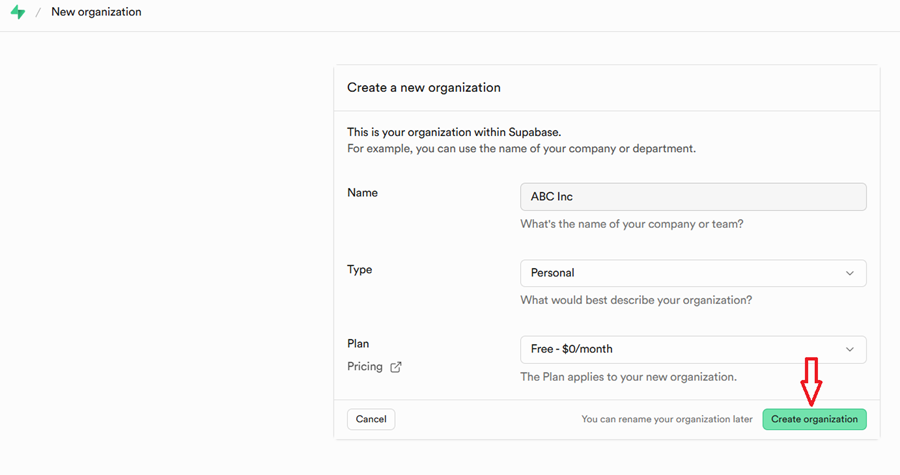
#2.3 Click on ‘New Organization’, change your organization details and then click on ‘Create Organization’ button:
#3 Create a new project in your Supabase account (if you don’t already have one).
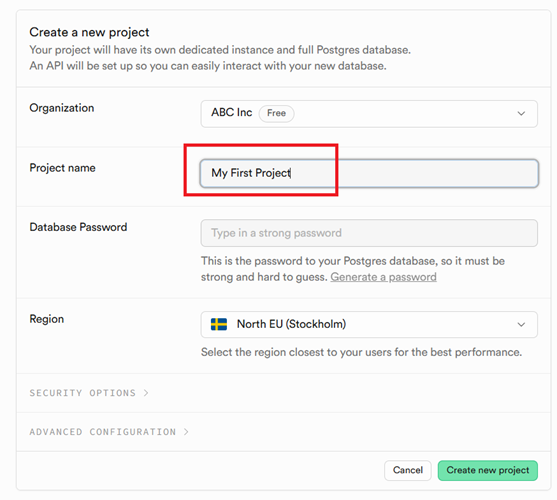
#3.1 Give your project a descriptive name:
#3.2 Set, copy and save your database password:
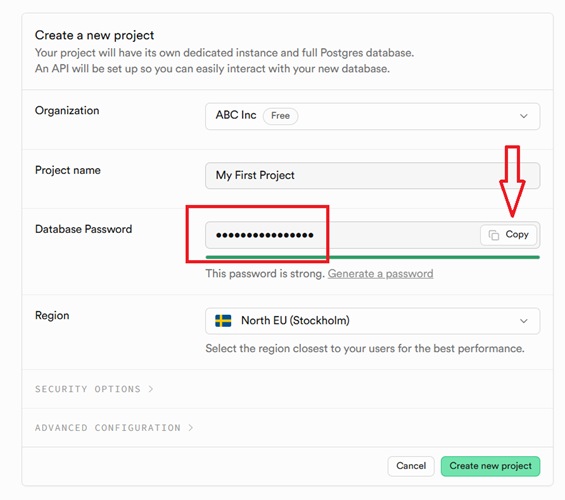
This is the password to your Postgres database.
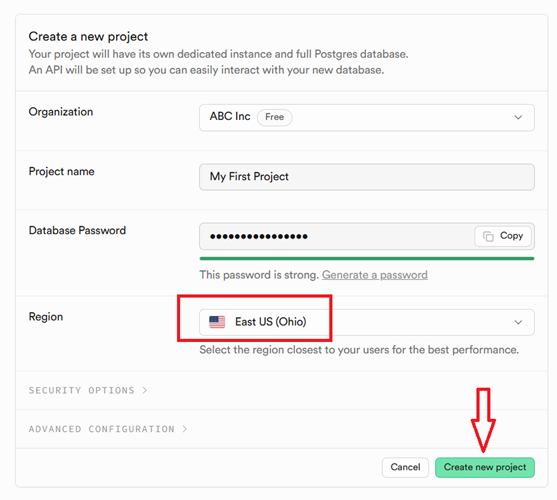
#3.3 Select the region closest to your users for the best performance, and then click on the ‘New Project’ button:
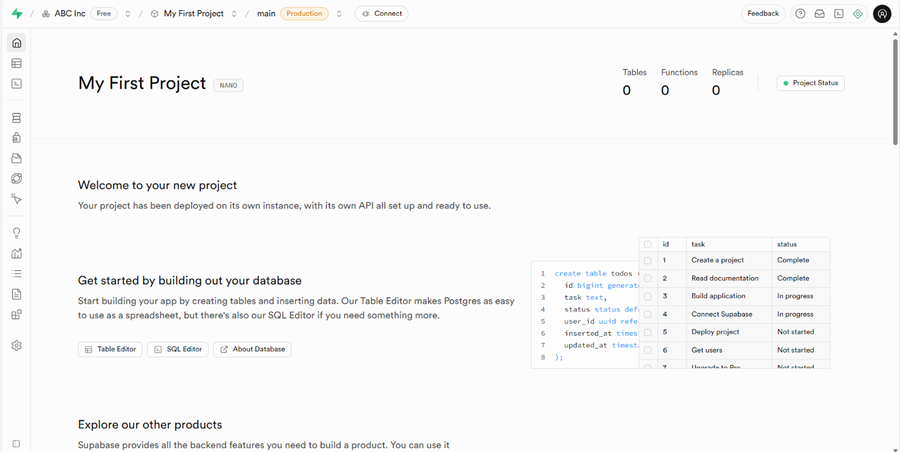
You should now see a screen like the one below:
#4 Copy and save your Postgres database password.
You should have copied and saved your Postgres database password from the last step.