

Self-hosting n8n is not optional but a necessary evil.
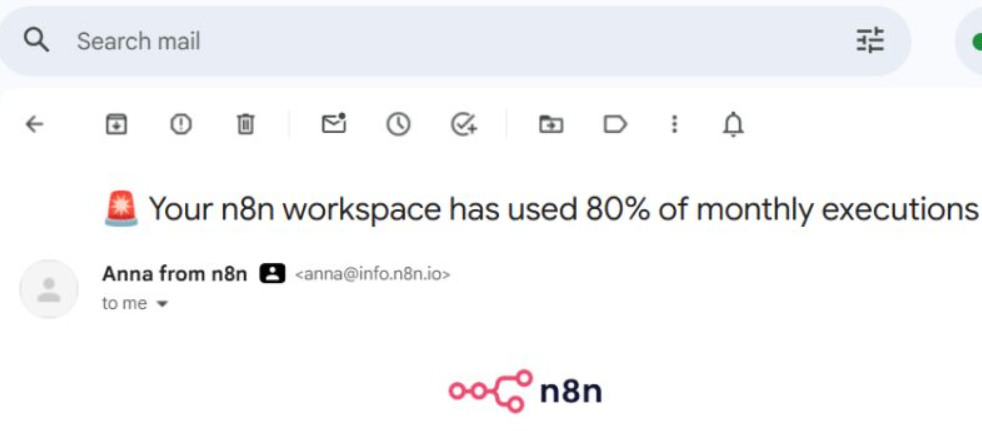
When a single workflow can use up to 80% of your monthly executions in a couple of days, you have to self-host n8n (unlimited executions).
Why Self-Host n8n?
Unlimited executions- This is the main reason. n8n Cloud plans cap your executions, and high-volume workflows (like Retell AI call processing, webhook listeners, or polling workflows) can burn through your monthly quota in days. Self-hosted has no limits; you pay for the server, not per execution.
No workflow timeout limits - n8n Cloud has execution time limits. Self-hosted lets long-running workflows (such as batch processing or complex multi-step automations) run for as long as needed.
Data stays on your server - All credentials (API keys, OAuth tokens) and workflow data live on your VPS. Nothing passes through n8n's servers. This matters when handling client data through your Retell AI and GHL integrations or when working for clients in sensitive industries (Finance, Legal, Health etc).
Lower cost at scale - A Hostinger VPS running 85+ workflows costs a fraction of what an equivalent n8n Cloud plan would cost with that execution volume.
Custom environment variables and configurations - Full access to the docker-compose.yml and server config. You can tune memory, set custom timezones, and configure reverse proxies however you want.
The big downside is setup and maintenance.
You're responsible for updates, backups, SSL renewals, and troubleshooting server issues. But that's what the install guide covers.
Platforms for Self-Hosting n8n.
When it comes to self-hosting n8n, there are two viable options:
#1 You can self-host n8n on Google Cloud. Since Google Cloud Run provides enterprise-level security. It is an excellent platform for self-hosting n8n for the enterprise clients.
#2 Hostinger VPS - The advantage of using Hostinger VPS for self-hosting n8n is that it is easier to set up and maintain than the same n8n instance on Google Cloud.
Why use Hostinger VPS for self-hosting n8n?
You can self-host n8n on any cloud provider (Google Cloud, AWS, DigitalOcean, etc.), but Hostinger VPS is relatively easier to set up and maintain:
- Fixed monthly pricing - no surprise bills. Google Cloud charges per resource (CPU, RAM, network egress, disk), and it's easy to get unexpected charges. Hostinger is a flat rate.
- Less setup complexity - you get a plain Ubuntu server ready to go. Google Cloud requires navigating the GCP console, creating a project, setting up a VM instance, configuring VPC firewall rules, reserving a static IP, and understanding IAM permissions, all before you even start installing n8n.
- Built-in browser terminal - open a terminal directly from the Hostinger panel. No need to set up SSH keys or install a local SSH client.
- Kodee AI chatbot - Hostinger includes an AI assistant built into the panel that can answer most VPS and server-related questions. If you run into issues, help is available without leaving the dashboard.
- No accidental cost traps - Google Cloud charges for things like static IPs when the VM is stopped and network egress beyond the free tier. With Hostinger, what you see is what you pay.
Note: Google Cloud does offer better reliability, security, privacy, one-click VM snapshots, and easier scalability. But for running a single n8n instance for your own business, Hostinger's simplicity and predictable cost make it the better choice.
How to Correctly Self Host n8n on Hostinger VPS.
I have divided the entire setup into the following stages: