

Retell lets you test your webhook by clicking the 'Test' button, which you should use to confirm that your endpoint accepts Retell's request and returns a 2xx response.
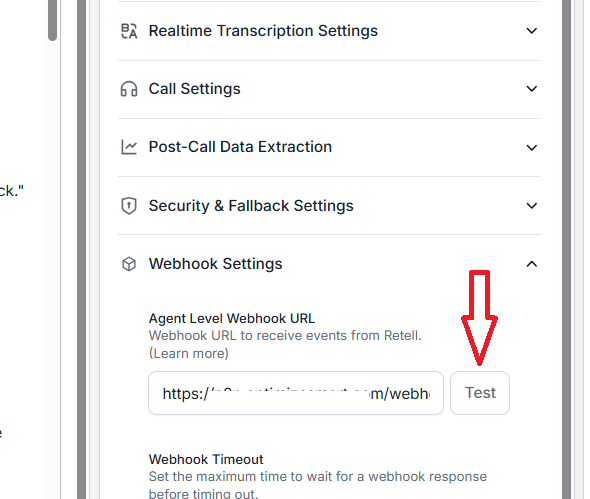
But sometimes, your test webhook failed, and you get the response code 403:
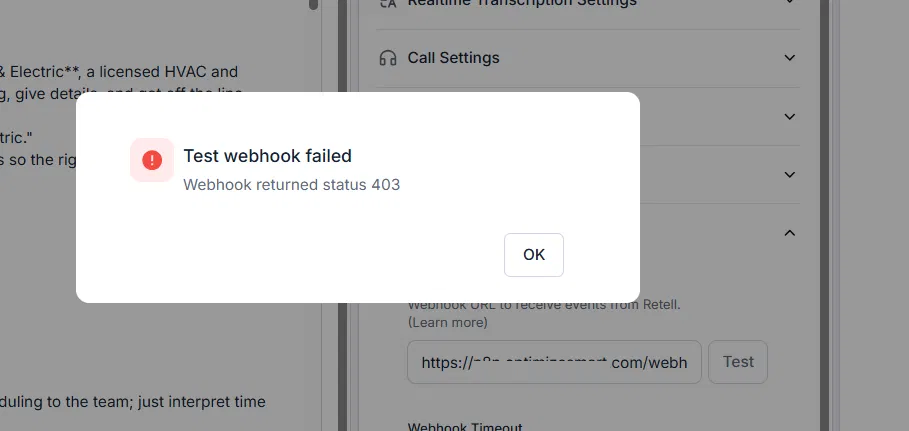
If you see webhook returned status 403, it means Retell tried to POST your webhook payload to the URL you configured, and the server at that URL answered with HTTP status 403 Forbidden instead of a success code.
So the request physically reached a server, but that server refused to accept it. Retell is just reporting the response code it got back.
In webhook setups, generally, a 403 almost never comes from the application (like n8n) you are trying to reach. It comes from something guarding it. The decisive clue is in the response body, which Retell logs alongside the status.
If that body is a Cloudflare page, the 403 is Cloudflare's, not n8n's, and the exact wording tells you which Cloudflare layer: "Sorry, you have been blocked" is a WAF or firewall block, while "Just a moment..." with references to challenges.cloudflare.com is a bot challenge, the JavaScript check that a server cannot solve.
- A 404 response code means the path does not exist, which in n8n points to an inactive workflow or an incorrect path.
- A 401 response code would mean authentication is required or has failed.
- A 500 response code would mean the request was accepted, but something broke while processing it, which is the application's own error.
- A timeout would mean nothing answered at all.
A 403 response code sits apart from all of those: the server is up, it found the route, but it is actively rejecting the caller before any of your workflow logic runs.