

In this guide (42 pages), I will show you how to set up and use Claude Code (step by step) in Visual Studio (VS) Code Editor, even when you have never used any command-line interface tool before.
Introduction to Claude Code.
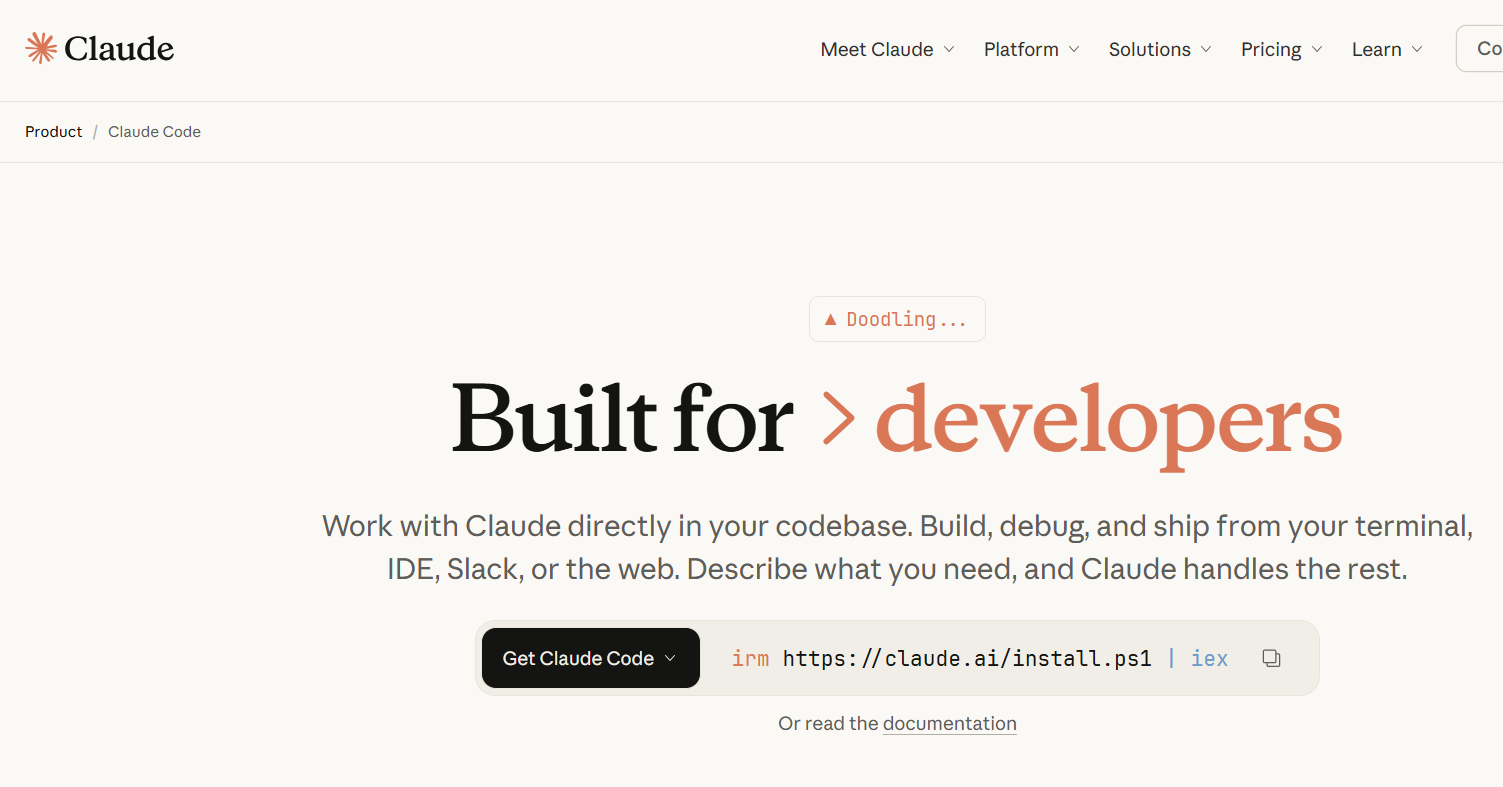
Claude Code is a command-line interface (CLI) tool from Anthropic that lets you use Claude as an AI coding agent directly in your terminal.
What is CLI?
CLI (command-line interface) is a text-based way of interacting with your computer or a program by typing commands into a terminal instead of clicking buttons in a graphical window.
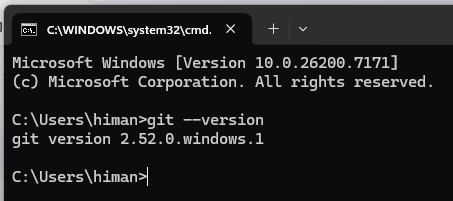
A CLI is a user interface where you type commands like claude, git status, or mkdir my-project and see text output in response.
On Windows, tools like Command Prompt and PowerShell are examples of CLIs; Claude is a program you run within one of them.
What Claude Code does:
- Reads, writes, and edits files in your codebase.
- Runs terminal commands (git, npm, pip, etc.).
- Searches your codebase to understand context.
- Creates and deploys code.
- Interacts with external tools via MCP servers.
- Works autonomously on multi-step tasks.
Claude Code is different from Claude.ai and Claude desktop.
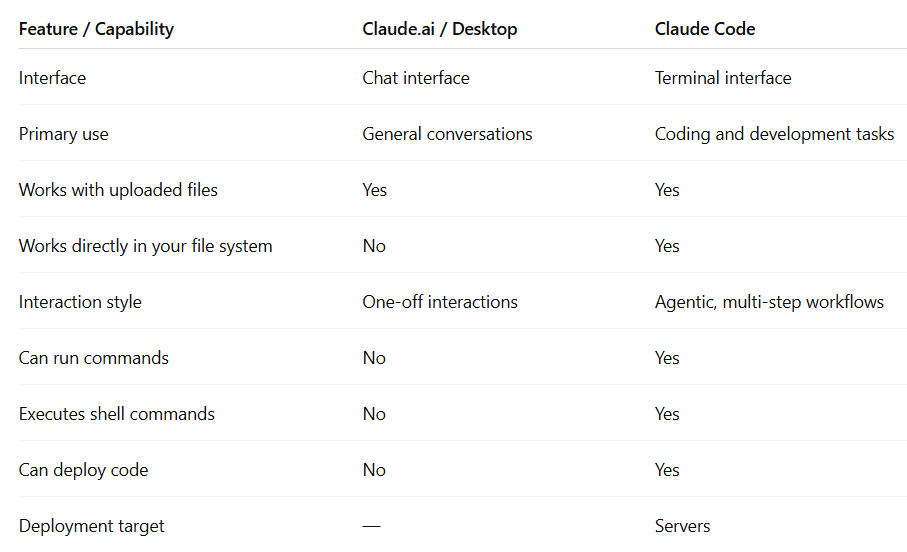
Q: Why not just use Claude Desktop instead of Claude Code to build AI agents?
Claude Desktop is meant for high-level planning and research. Whereas, Claude Code is more suitable for implementation and code editing.
Claude Code is better for building agents mainly because it understands and manipulates full codebases, not just individual prompts or files.
Q: Does Claude code access the MCP servers like the Claude desktop?
Yes, Claude Code can access MCP servers in a way very similar to Claude Desktop, with slightly different configuration files and a slightly different UX.
Here is how billing works for Claude Code.
Claude Code is a feature of your Claude Pro/Max account.
You sign in with the same Anthropic account, and your usage is drawn from the same overall limits/credits as regular Claude chats.
So if you are a Max user, your Claude Code sessions simply consume your Max plan’s usage (and any promotional Claude Code credits Anthropic has granted to Pro/Max users), rather than requiring a second subscription just for the coding tool.
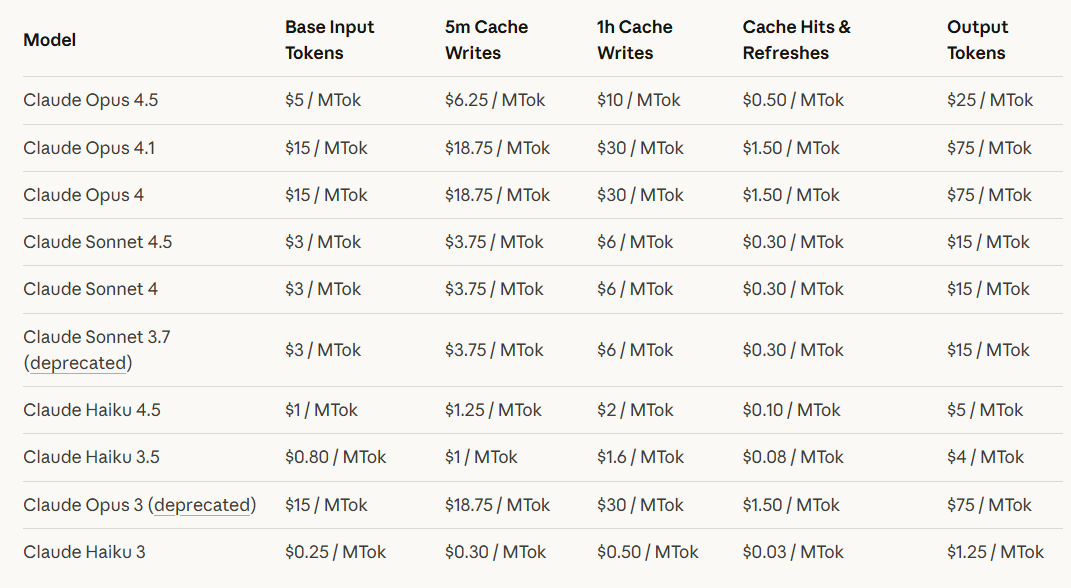
Note: If you also choose to use the Claude API on a pay‑per‑token basis with your own API key, you will be billed independently regardless of whether you are a Pro/Max user or have a separate Claude Code subscription.
The following table shows pricing for all Claude models across different usage tiers:
Source: https://platform.claude.com/docs/en/about-claude/pricing