

What is Agent Kit?
Agent Kit is a set of tools developed by OpenAI that helps users build, deploy, and improve Chat AI agents.
What tools are included in AgentKit?
#1 Agent Builder (still in beta) – It is a visual drag-and-drop canvas for designing AI agent workflows. You can connect models, tools, and logic in one place. It lets you preview, test, and publish your agent.
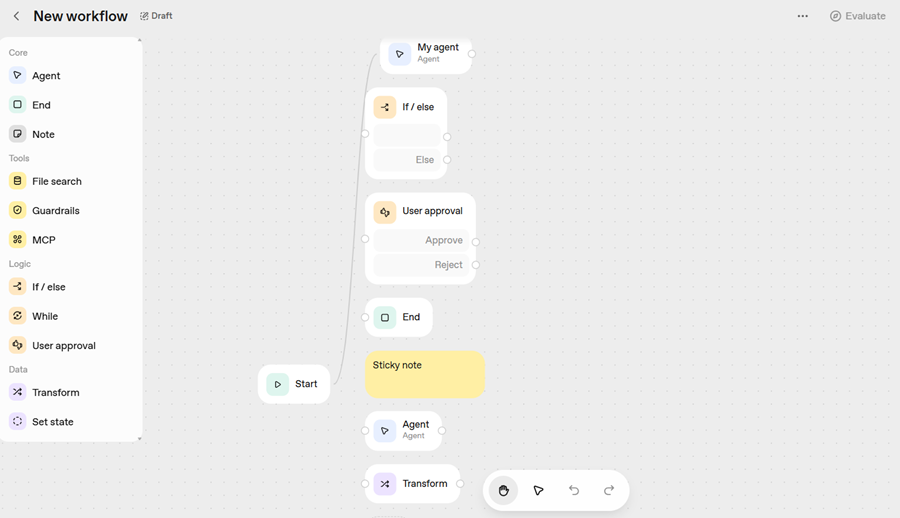
#2 ChatKit - It's a toolkit for deploying your agents by adding them as chat widgets to websites or apps. It lets you create custom chat widgets that match your brand. It can handle conversation history, message streaming, and UI design.
#3 ChatKit Connector Registry - A central place for managing data connections and APIs. It allows admins to link data sources (including Google Drive, Dropbox, SharePoint, Microsoft Teams) and other third-party connectors via MCP servers.
#4 Evals and Trace Grading - Tools to test, measure, and improve how well your agents perform.
#5 Agents SDK - Lets you write your own code to build and orchestrate agents outside the visual canvas.
#6 Guardrails and Tools - Used to control safety, connect external services, and manage knowledge through file search and vector stores.
How to Access the Agent Kit?
#1 Navigate to: https://platform.openai.com/docs/overview
#2 Sign up or login.
#3 If you are signing up for the first time, you would be asked to create your organization, create a project and generate a key to make your first API call. Generating API key is optional.
#4 Purchase API credits ($5, $10 or $20). This step is also optional, but is recommended. You'll need to set up billing before you can create workflows.
#5 Click on the ‘Dashboard’ link from the top right hand side of your screen: