

What is n8n AI Workflow Builder?
The AI Workflow Builder in n8n turns natural-language prompts into working automations.
It selects, places, configures, and connects nodes to generate a draft workflow that you can refine directly in the editor.
It’s useful for starting from scratch, validating an approach, and exploring new nodes. Multi-turn interaction lets you iterate step by step toward a production-ready workflow.
Availability & rollout of n8n AI Workflow Builder.
Who gets it first: Cloud users on 14-day Trial, Starter, and Pro plans.
Coming later: Cloud Enterprise in a future update; options for self-hosted are being explored.
Version & timing: Rolling out to users on v1.115.0 over approximately a week, so access may not be available immediately after upgrading.
Status: Currently in beta.
How to use the n8n AI Workflow Builder?
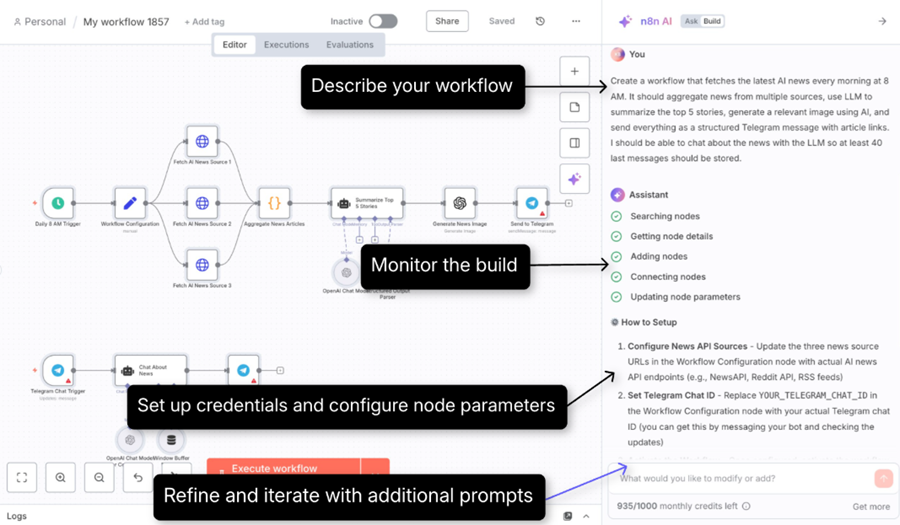
Image source: https://docs.n8n.io/advanced-ai/ai-workflow-builder/
Step-1: Make sure you’re on n8n v1.115.0 or higher.
Step-2: Create a new workflow in n8n.
Step-3: Click on 'Build with AI' node:
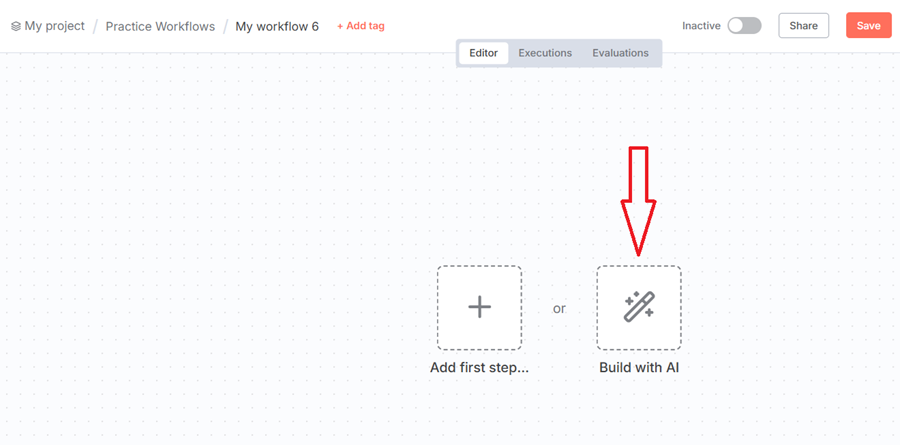
You should now see the n8n AI Chatbot with the 'Build' tab enabled:

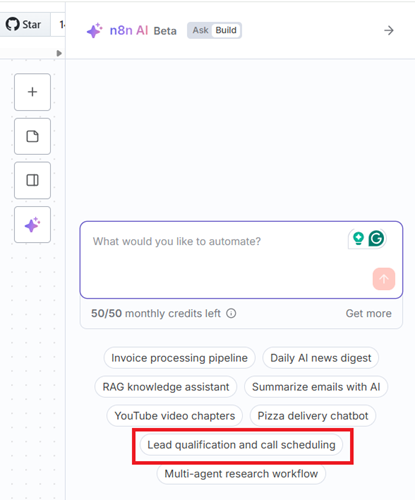
Step-4: Describe your workflow - choose an example prompt or write your own. Let's select 'Lead qualification and call scheduling':
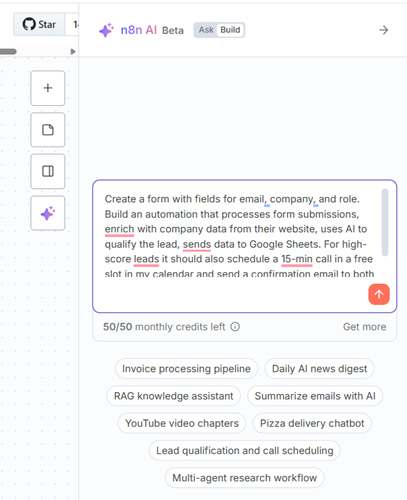
Step-5: Monitor the build - the builder provides progress feedback in real time.

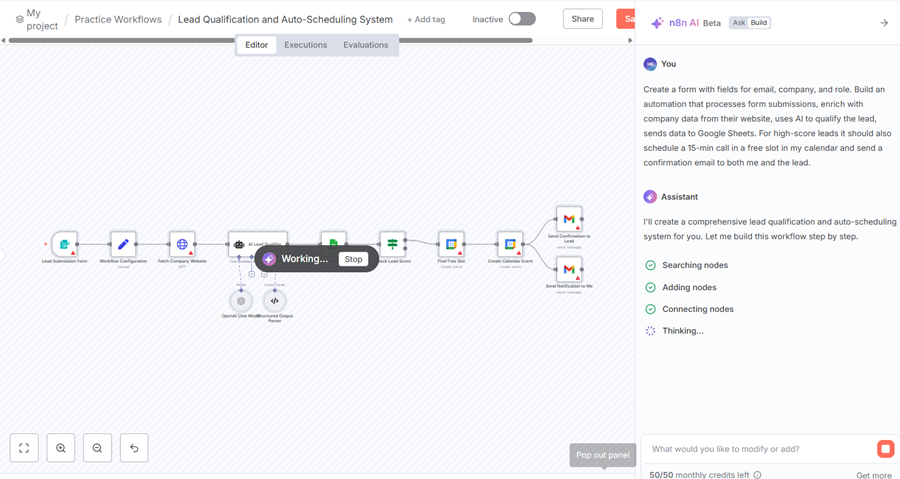
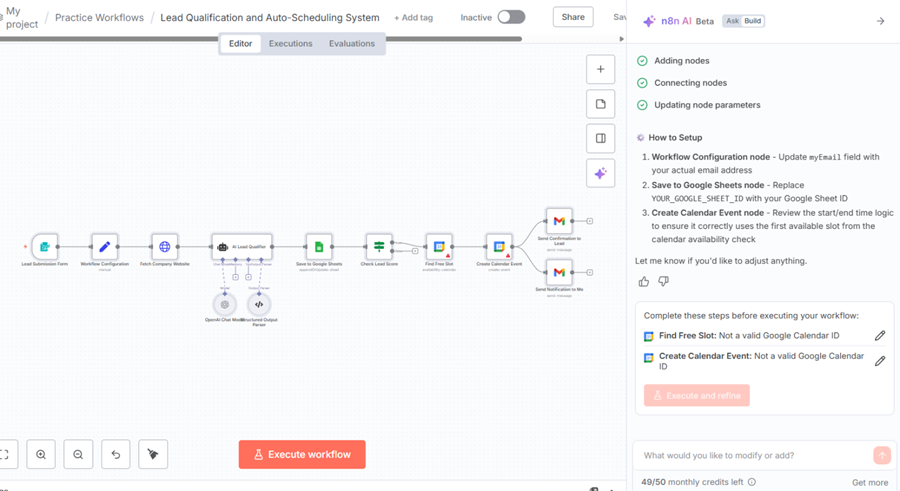
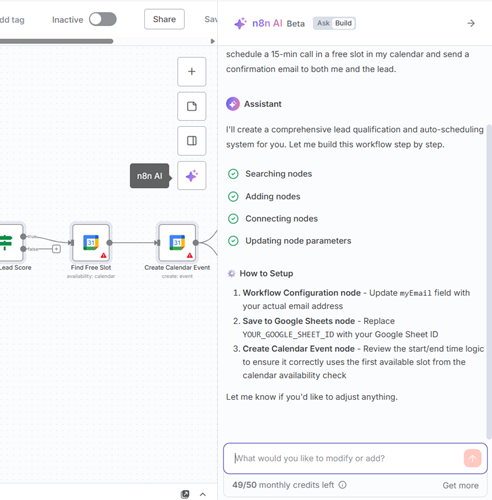
Step-6: Review required credentials/parameters and refine the workflow using prompts.
Data handling.
When you use the AI Workflow Builder in n8n, certain information is shared with the AI model (LLM) to help it create or refine your workflow. Other sensitive information stays private.
Shared with the AI - Your written prompts, workflow details (including nodes, their configurations, and connections), and any test data you load during the building process.
Not shared with the AI - Your login credentials and any data from past workflow executions.
The cost of using the n8n AI Workflow Builder.
- Each prompt/interaction with the Workflow builder (including “Execute and refine”) uses 1 credit.
- Monthly credit limits by plan: Trial 20, Starter 50, Pro 150.
- Failed generations or requests you manually stop do not consume credits.
- There’s no way to buy extra credits within a plan right now; you can upgrade to a higher plan if you need more.
n8n AI Workflow Builder Video Review.
In the video below I used the n8n AI workflow builder to scrape a website content via Firecrawl.
My conclusion:
If you can't debug AI, you can't build it even with a workflow builder.
n8n AI Workflow Builder Alternatives.
If the workflow builder is not available to use or you don’t want to spend credits, here is what you can do.