

User properties in GA4 are attributes of your website visitors, such as age, gender, geographic location, language preference, membership level, etc.
Technically speaking, a user property is a GA4 dimension with user scope.
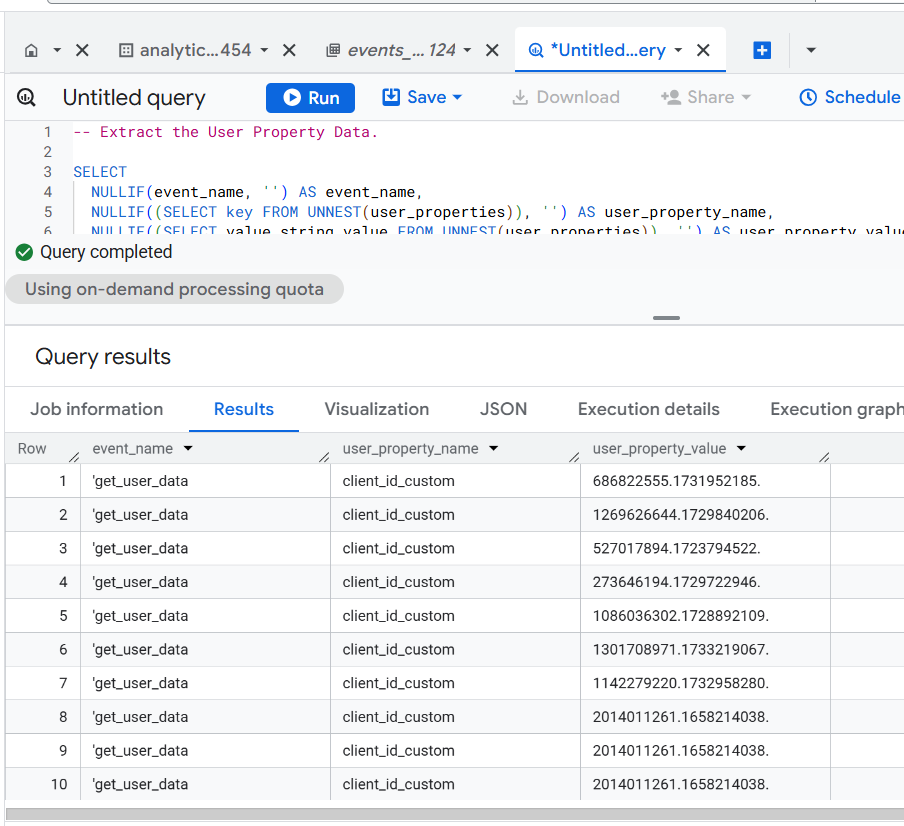
User-scope means the value of the dimension is calculated and sent once for each user.
Example of User Properties:
- You can send the ‘client ID’ to GA4 as a user property.
- You can send the ‘Subscription Status’ to GA4 as a user property.
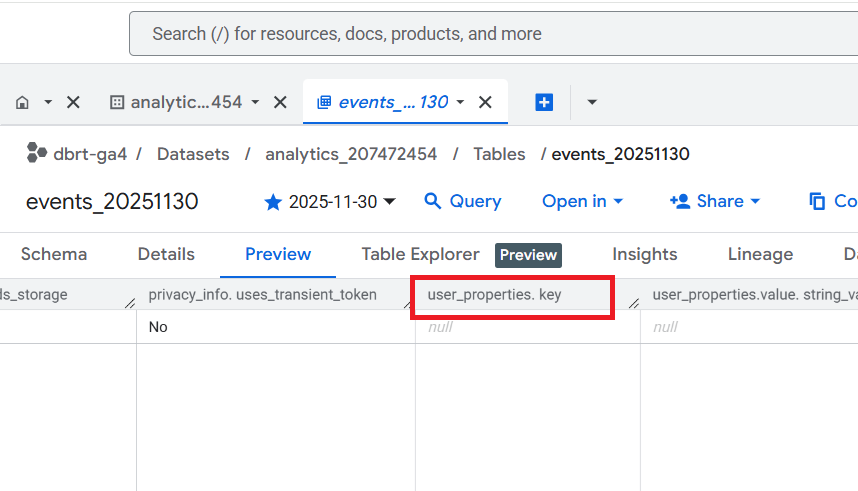
In the GA4 BigQuery Export table, you can retrieve the name of a user property from the ‘user_properties.key’ field.
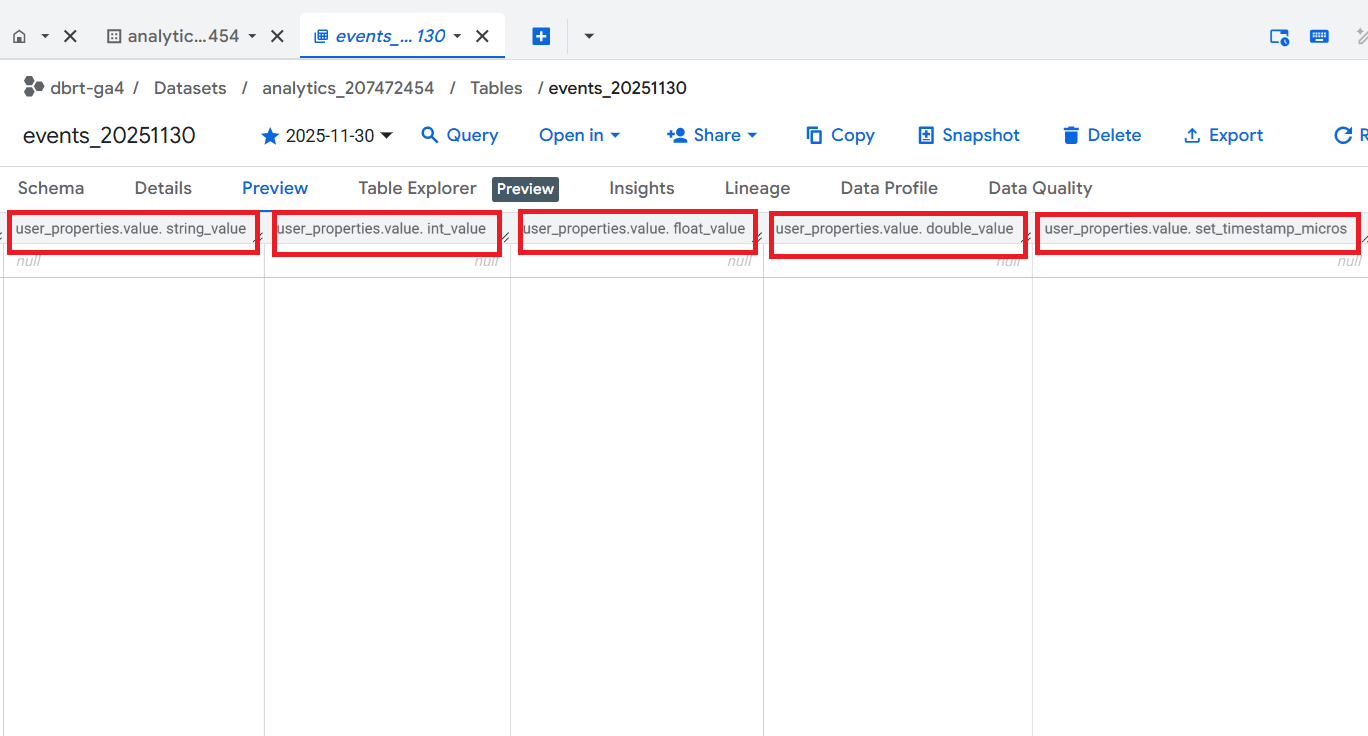
In the GA4 BigQuery Export table, you can retrieve the value of a user property from one of the following fields:
- user_properties.value.string_value
- user_properties.value.int_value
- user_properties.value.float_value
- user_properties.value.double_value
- user_properties.value.set_timestamp_micros
GA4 User property data is not available by default in BigQuery export tables. So, you first need to set up a user property.

Follow the steps below to extract GA4 User Properties in BigQuery:
Step-1: Set up user property via Google Tag Manager.
For example, you can send a client ID to GA4 as a user property.
Step-2: Note down the event name through which you are sending the user property.
For example, you could send user properties via the 'get_user_data' event.
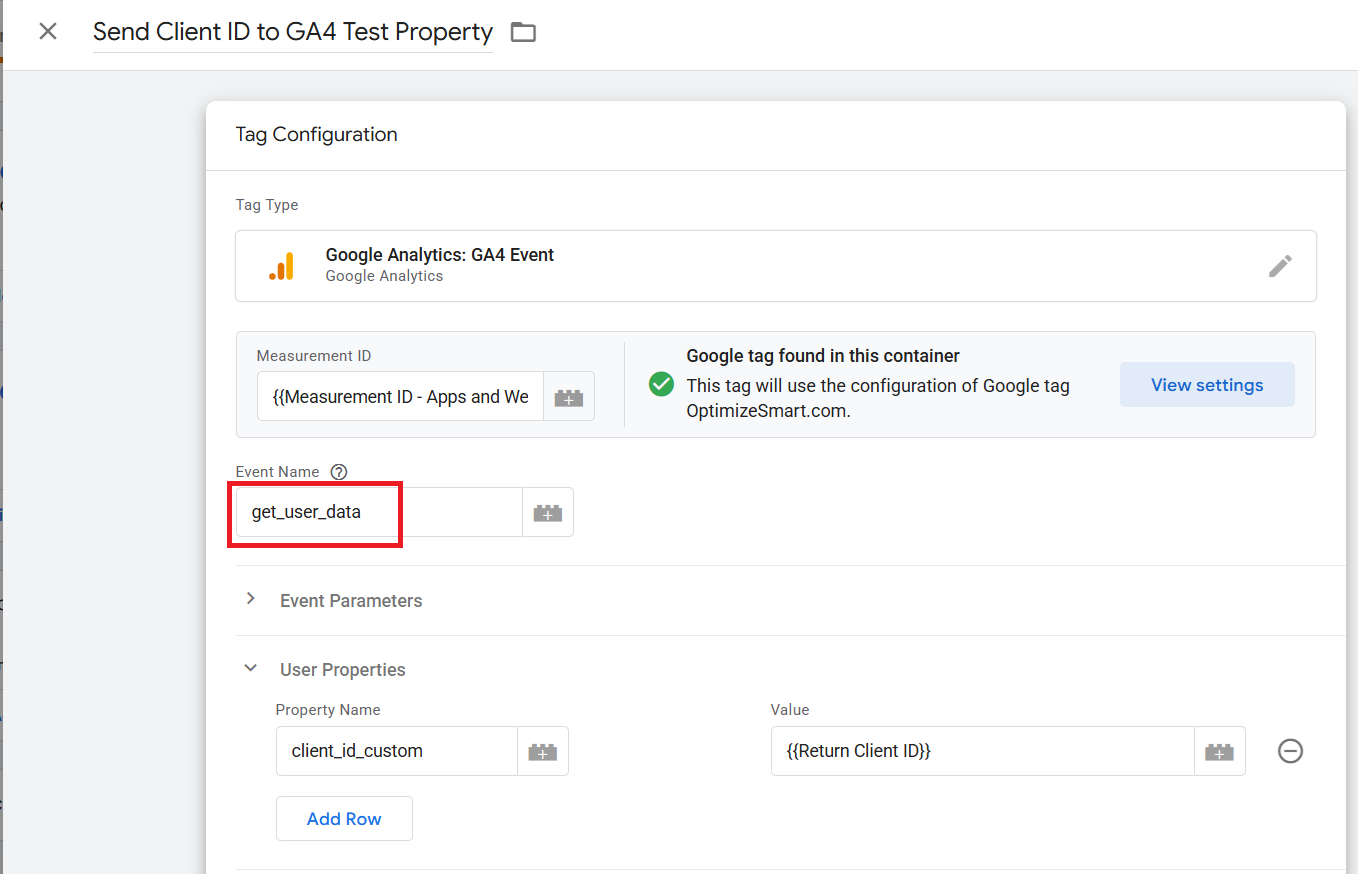
Step-3: Note down the name of the user property.
For example, 'client_id_custom'
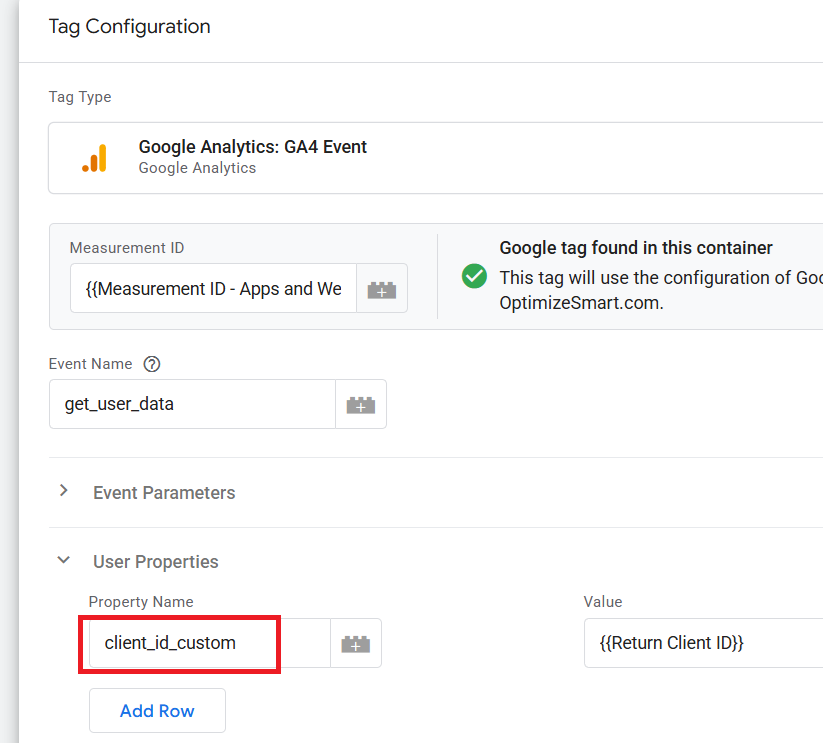
Note: If the name of your user property is 'client_id_custom', you should expect to see this value under the 'user_properties.key' field in the GA4 BigQuery 'events_' data table.