

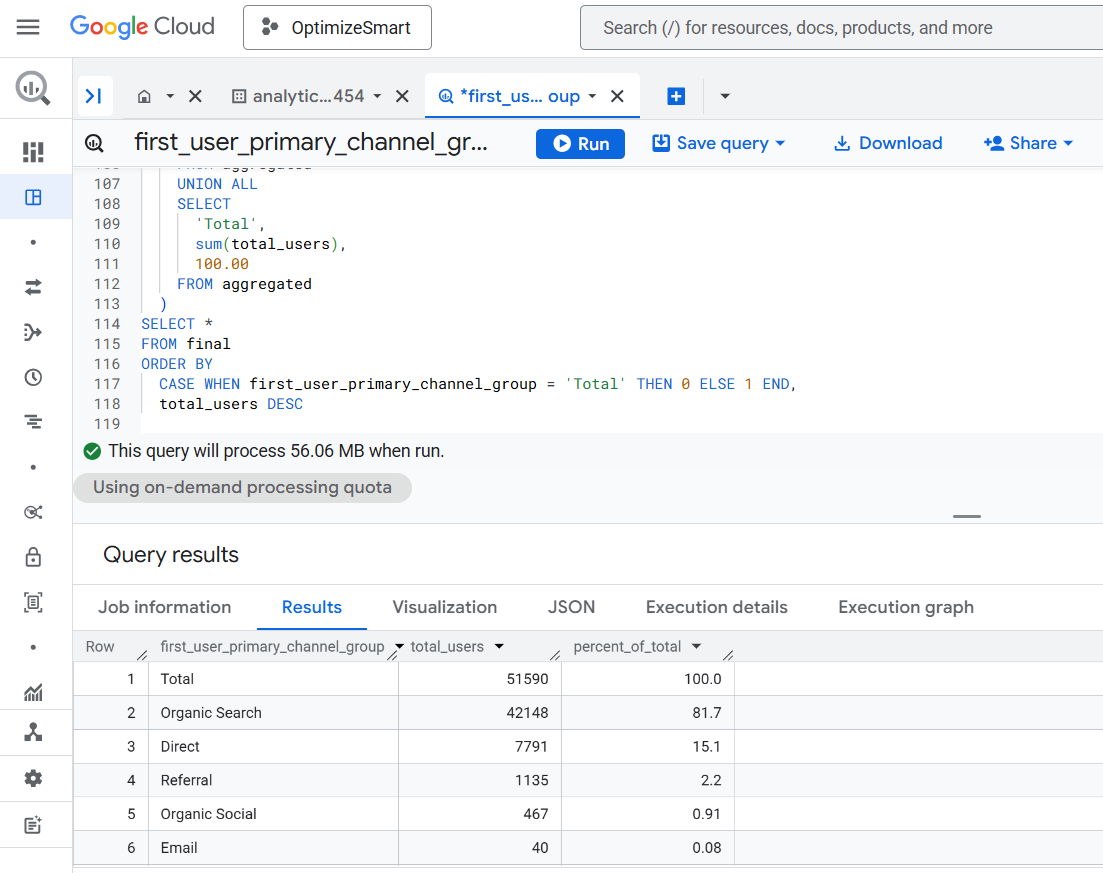
The following is an overview of my query logic for calculating the 'First User Primary Channel Group' in GA4 BigQuery:
Step-1: Use the following logic to define 'First User Primary Channel Group', based on conditions applied to 'traffic_source. source', 'traffic_source. medium', and 'traffic_source. name':
>> 'Direct' when Source exactly matches "(direct)" AND Medium is one of ("(not set)", "(none)")

>> 'Paid Shopping' when Source matches a list of shopping sites OR
Campaign Name matches regex ^(.*(([^a-df-z]|^)shop|shopping).*)$
AND Medium matches regex ^(.*cp.*|ppc|retargeting|paid.*)$
Note: You will need to download the list of shopping sites from the Google documentation on the 'GA4 default channel group' and then use the list in your logic.
>> Likewise, define other channels. Use the definitions from the Google documentation on 'GA4 default channel group'.
Step-2: Include only users who triggered the 'session_start' event.
Step-3: For each 'First User Primary Channel Group', count the distinct number of 'user_pseudo_id' values as 'Total Users'.
Step-4: Calculate % of Total as: (Total Users for the channel group / Total Users across all groups) * 100, rounded to 2 decimal places.
Step-5: Add a top row labelled 'Total':
>> It should display the sum of Total Users across all channel groups.
>> It should show 100.00 under % of Total.

Once you understand the logic, calculating the 'First User Primary Channel Group' via text prompt should be easy and take only a few seconds.
Later, you can use the generated SQL as a baseline to create similar reports.
The SQL below is automatically generated via a text prompt in GA4 BigQuery Composer (a custom chatGPT) that calculates 'First User Primary Channel Group' in GA4 BigQuery: