

Google BigQuery is a product of the Google Cloud Platform.
BigQuery is a data storage and management system used to consolidate data from multiple sources for reporting and analysis.
Following is the visual walkthrough of the BigQuery User Interface:
Following is the home page of the Google Cloud Console, which you can access by navigating to https://console.cloud.google.com/
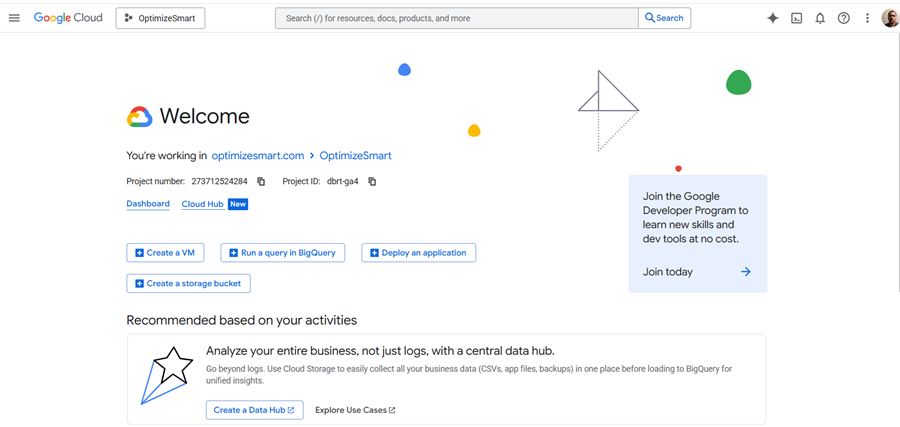
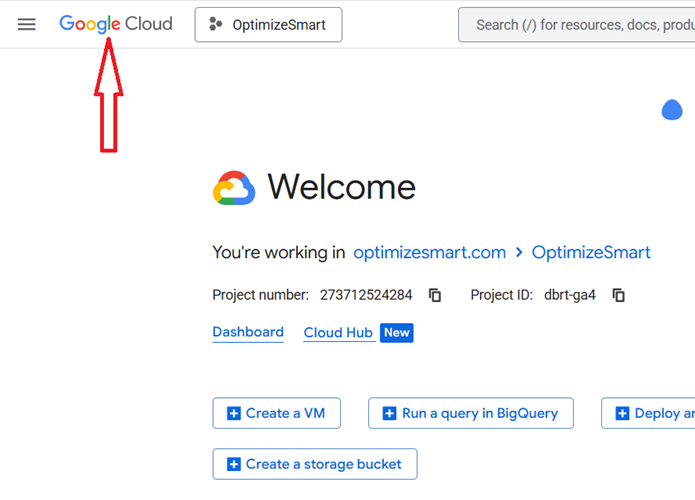
You can also access the home page of the Google Cloud Console by clicking on the ‘Google Cloud’ icon:
Google Cloud Platform (GCP) can consist of one or more organizations:
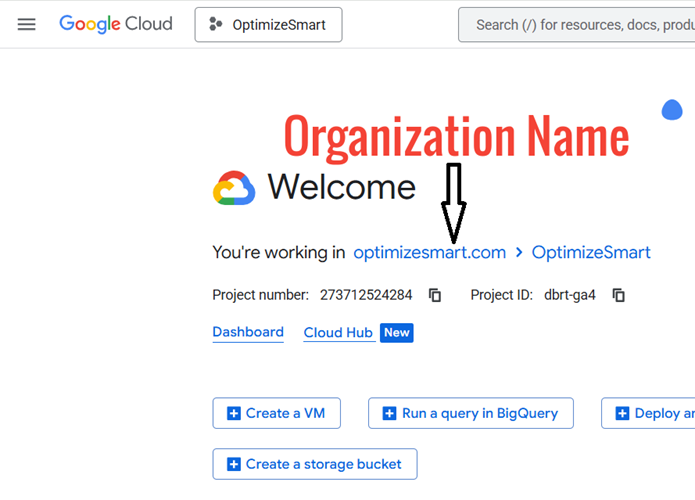
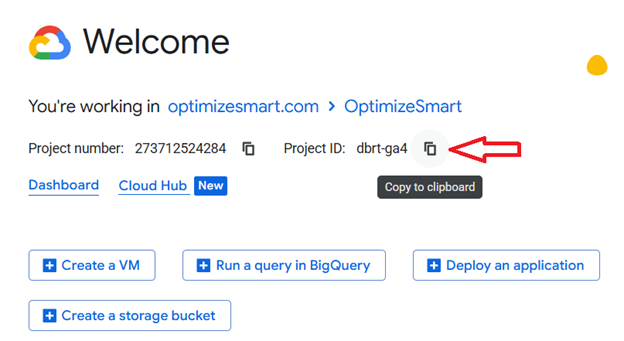
Each organisation can consist of one or more projects. Each project has a project name, Project number and project ID:
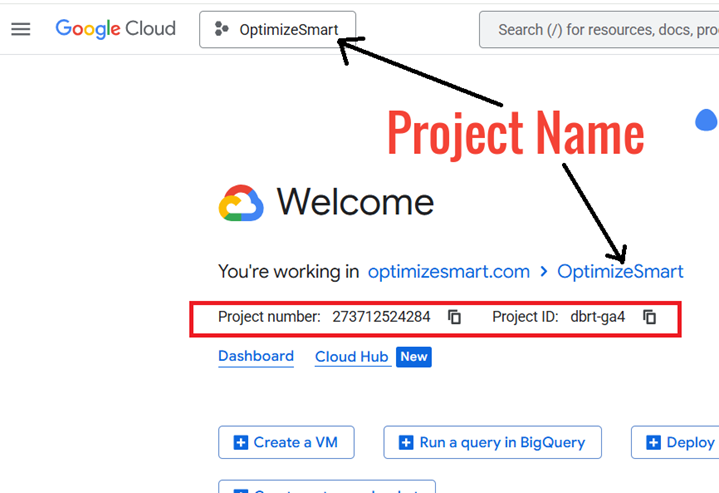
A project consists of a set of users, a set of APIs, billing, authentication and monitoring settings for those APIs.
API is a mechanism that allows two pieces of software (like BigQuery and GA4) to communicate with each other.
If you want to copy the project ID, then click on the copy button next to it:
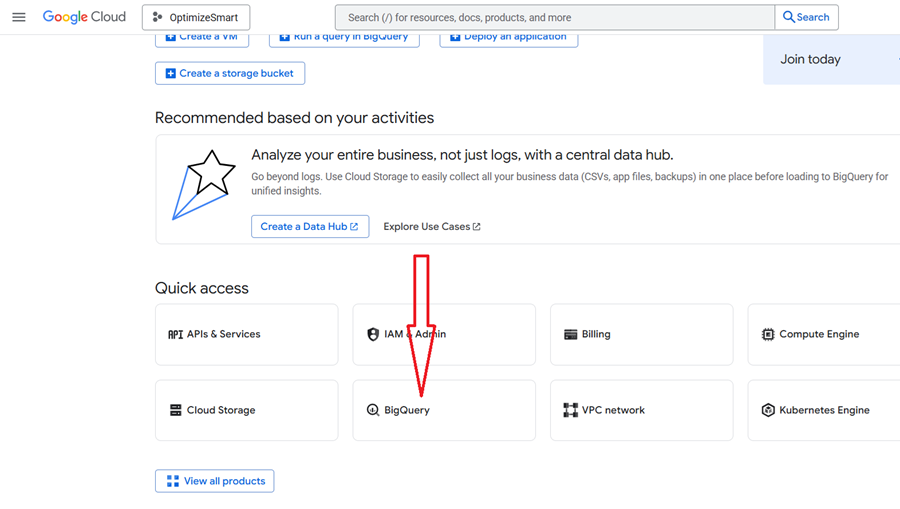
Click on the ‘BigQuery’ button under ‘Quick Access’ to quickly access the BigQuery Studio (aka SQL Workspace):
This is what BigQuery Studio looks like:
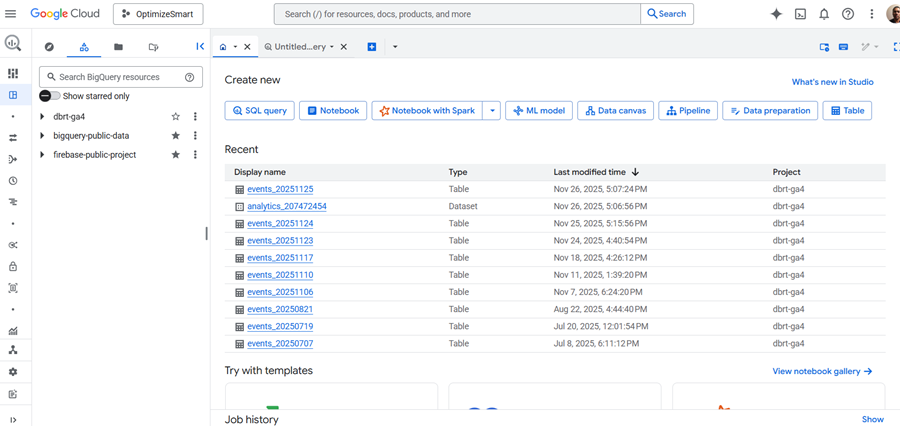
The BigQuery Studio is the primary tool for interacting with BigQuery and performing data analysis tasks.
Most of the time, you will find yourself working here.
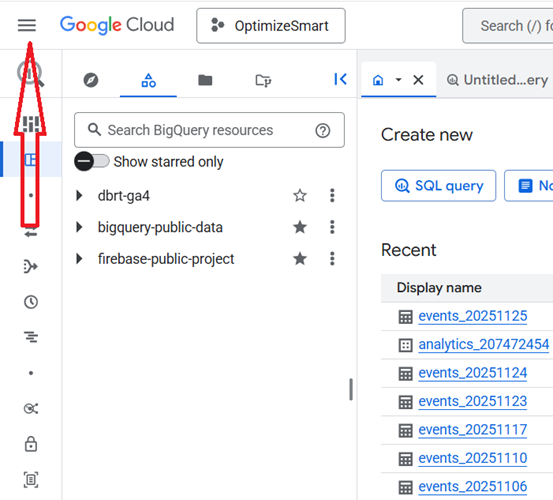
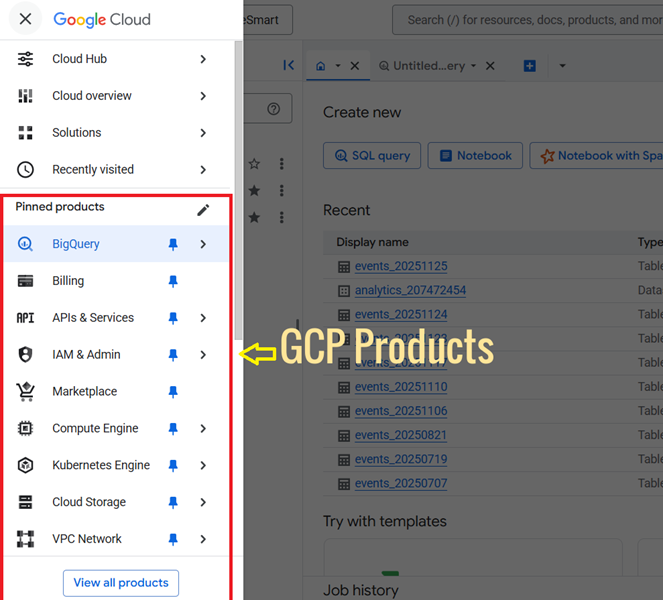
Click on the hamburger menu to see all the GCP products:
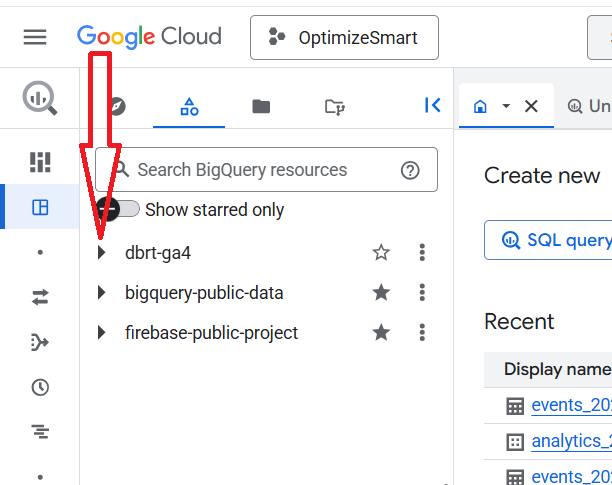
A project can consist of one or more datasets.
When you click on the project ID, you can see the datasets:
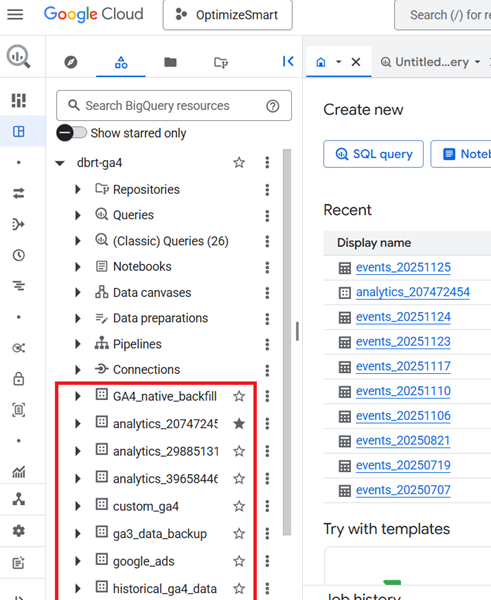
Here, the project id ‘dbrt-ga4’ contains the following data sets:
- GA4_native_backfill.
- analytics_207472454
- analytics_29885131
- analytics_39658446
- custom_ga4
- ga3_data_backup
- google_ads
- historical_ga4_data etc