

Prepare for the GA4 Certification Exam with this guide. Access questions and answers to help you pass the Skillshop (GAIQ) exam and boost your Google Analytics skills.
What is the GA4 Certification Exam?
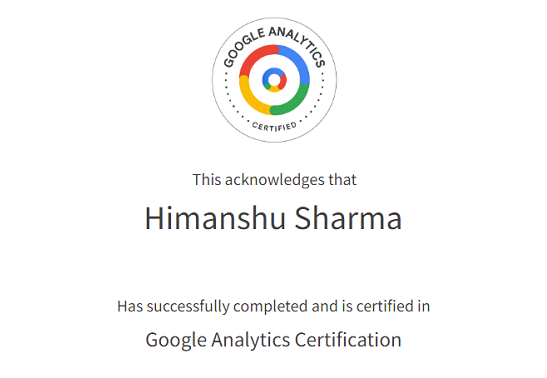
GA4 Certification (previously known as Google Analytics IQ or GAIQ) is an exam conducted by Google to test your knowledge of digital analytics and the Google Analytics 4 platform.
Once you pass this exam, you get a digital certificate from Google, which you can use to show your GA4 skills to clients and employers.
The certification is valid for 12 months from the date you pass the exam; after that, you need to pass the exam again to stay certified.
Google does not charge any fees to take this exam; it is free on Google Skillshop.
You can get the GA4 Certification through Google Skillshop using your Google account.
How to prepare for the GA4 Certification Exam?
The current GA4 exam is more focused on the practical use of GA4 than the old Universal Analytics exam, and most people find it easier if they already use GA4.
If you are familiar with the GA4 reporting interface and basic reports, you will find many questions straightforward.
Most questions focus on where to find specific reports, how to configure basic features, and how to read common GA4 metrics.
Google recommends completing the official Skillshop lessons for the GA4 certification.
In order to access this study material, follow the steps below:
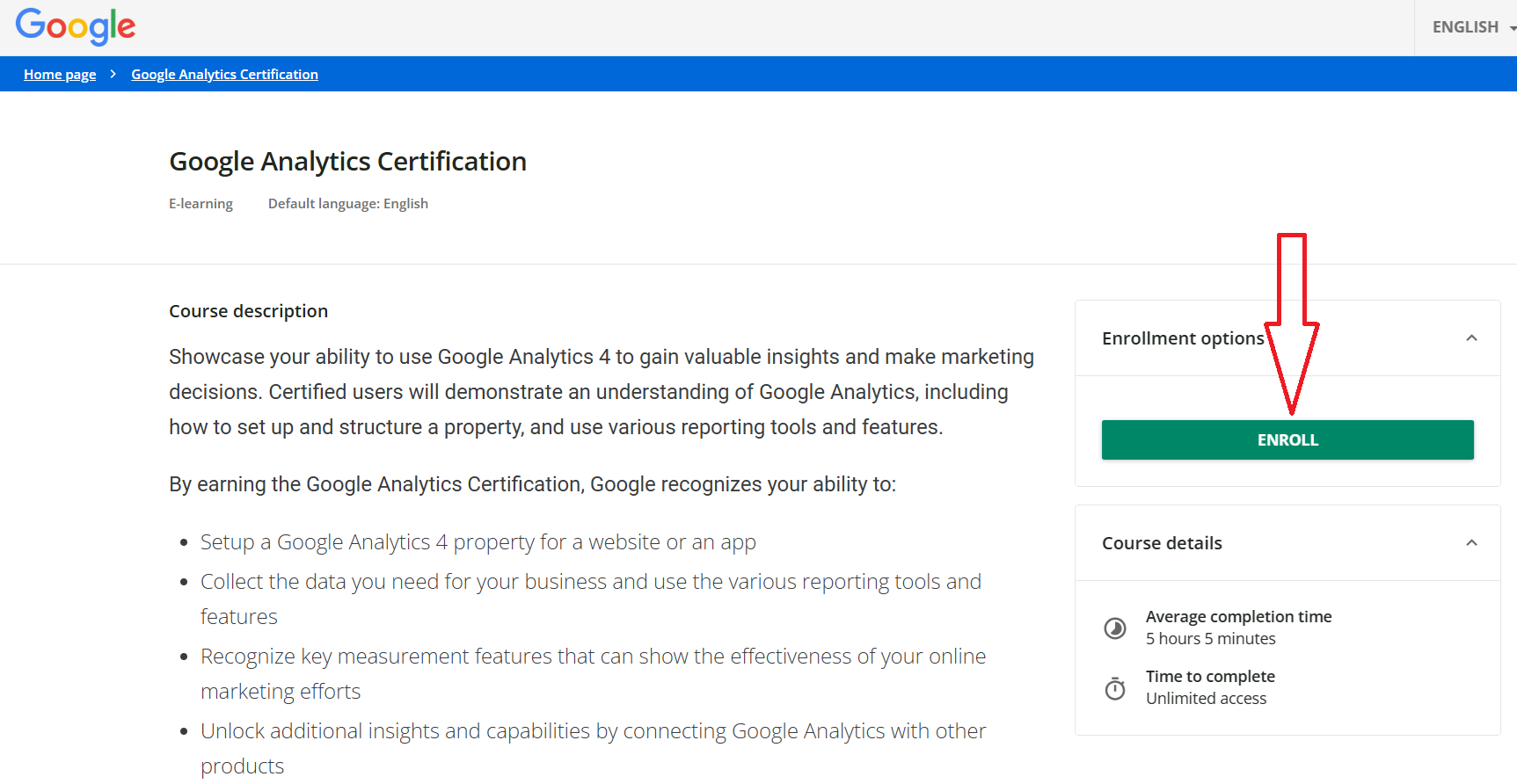
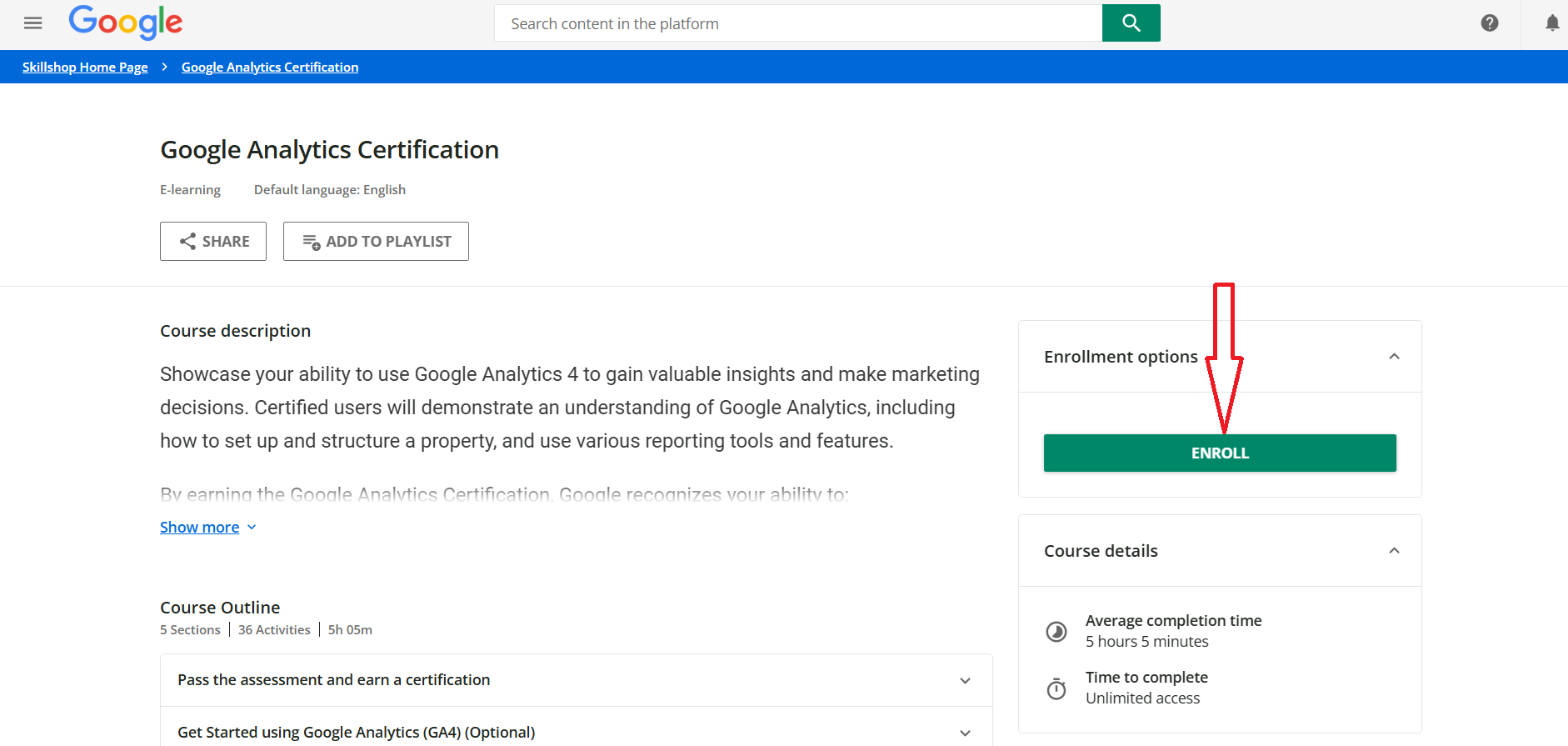
#1 Navigate to: https://skillshop.docebosaas.com/learn/courses/14810/google-analytics-certification and click on the ‘Enroll’ button:
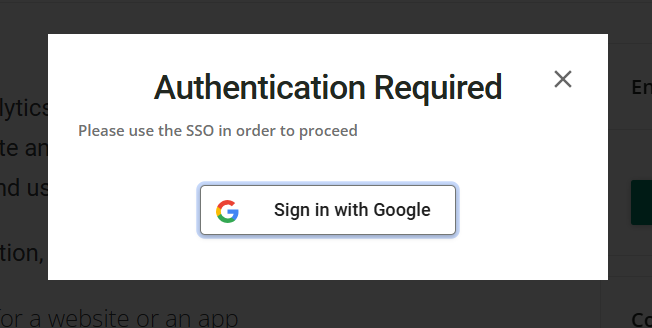
#2 Login with your Google credentials:
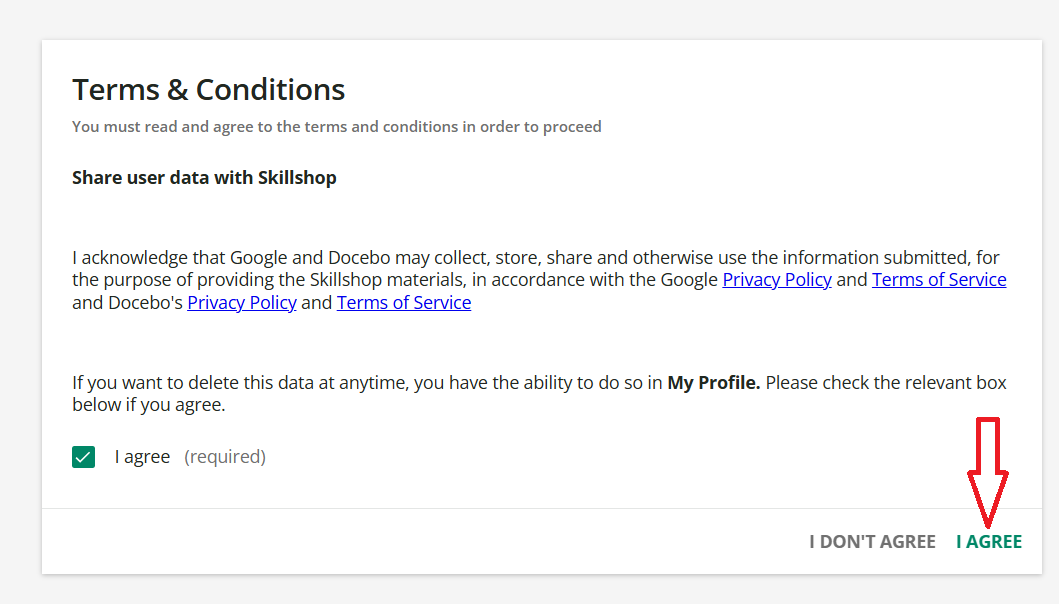
#3 Click on the ‘I agree’ button:
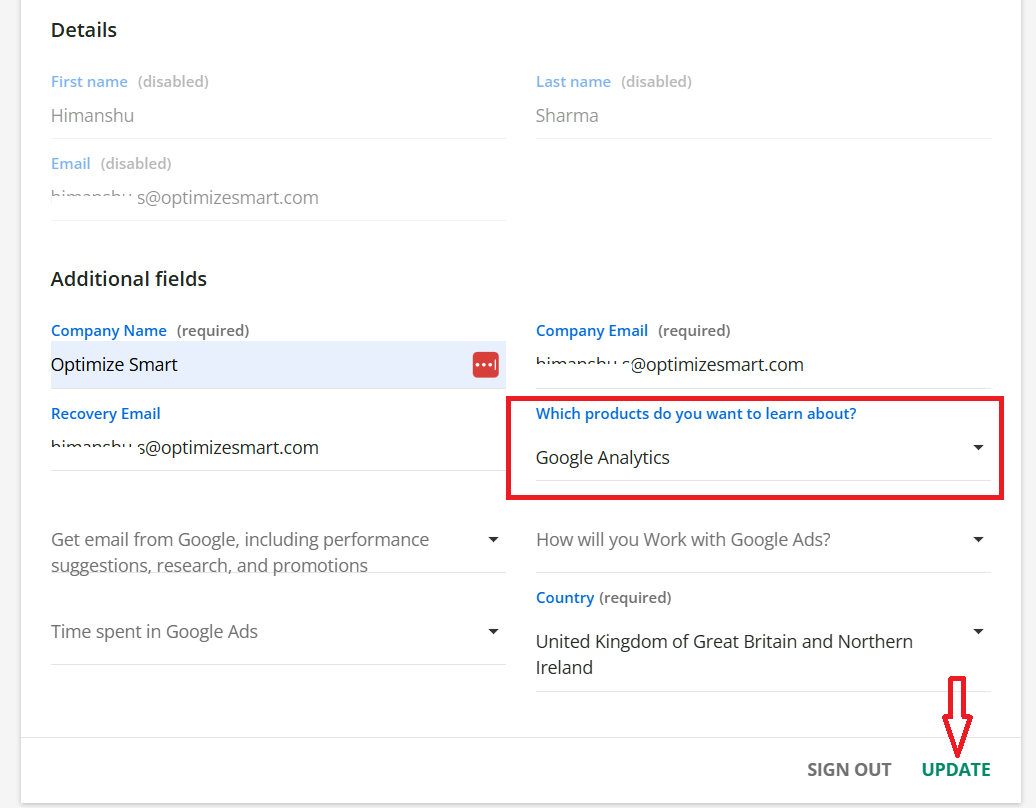
#4 Update your personal information (esp. mandatory fields) and click on the ‘Update’ button. Make sure you select ‘Google Analytics’ under ‘Which products do you want to learn about’:
#5 Click on the ‘Enroll’ button again:
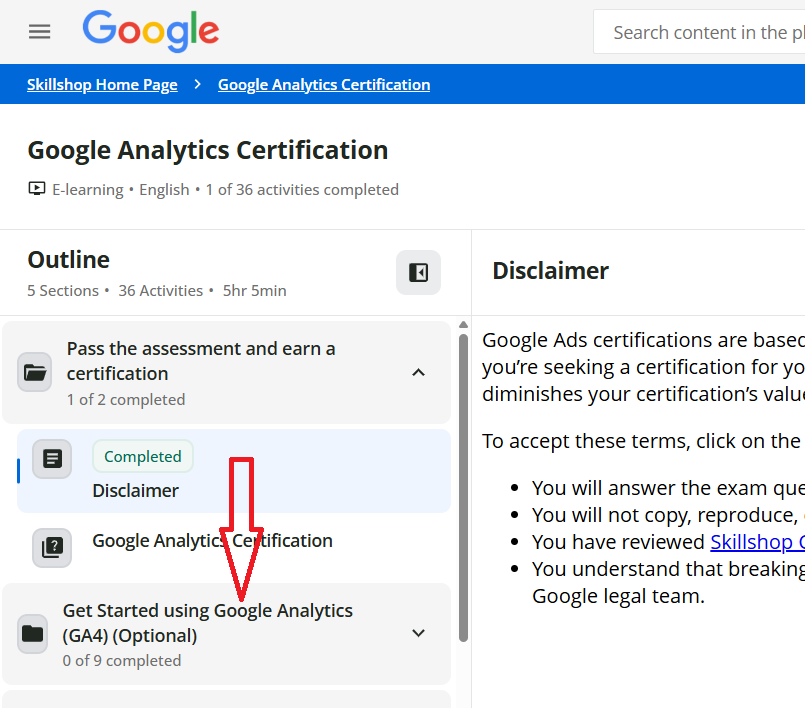
You should now see a screen like the one below:
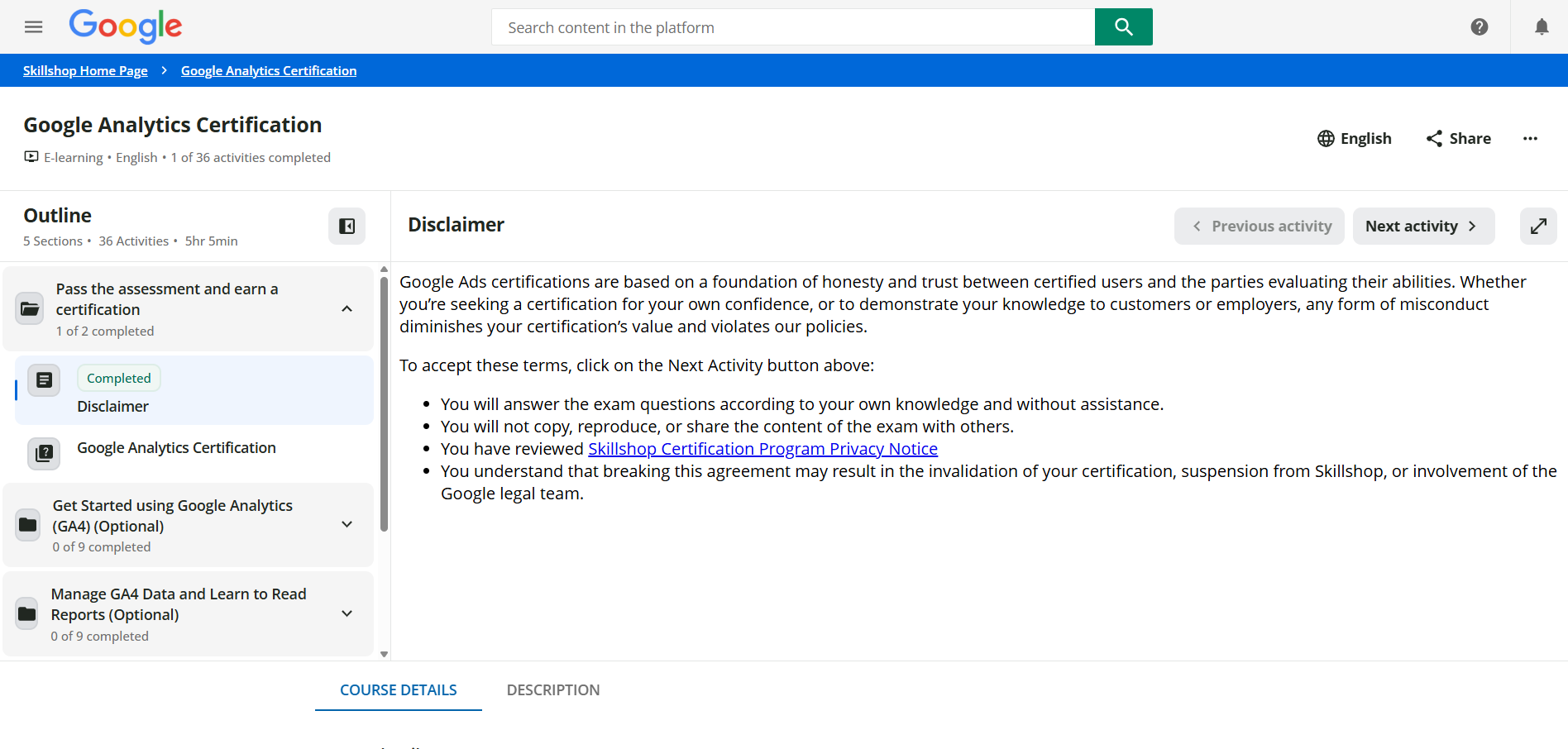
#6 Click on the drop-down menu ‘Get Started using Google Analytics (GA4) (Optional)’, watch videos, complete tasks, and mark topics as complete.
#7 Go through the following study material by clicking on the various drop-down menus in the order they are listed:
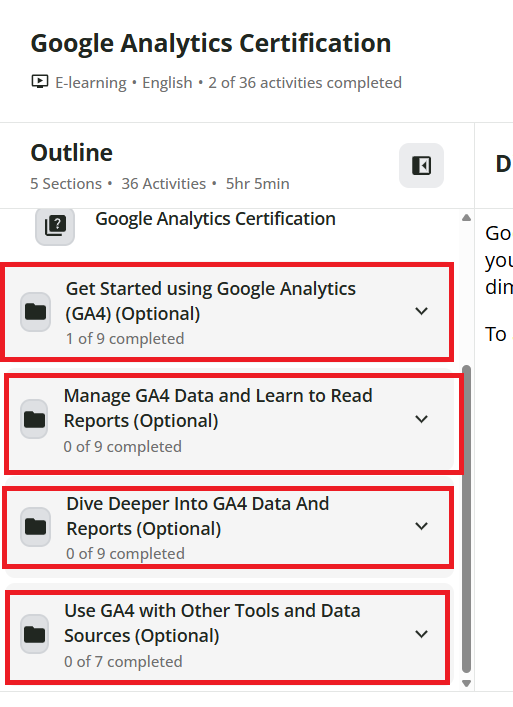
Google Analytics Certification Exam Format.
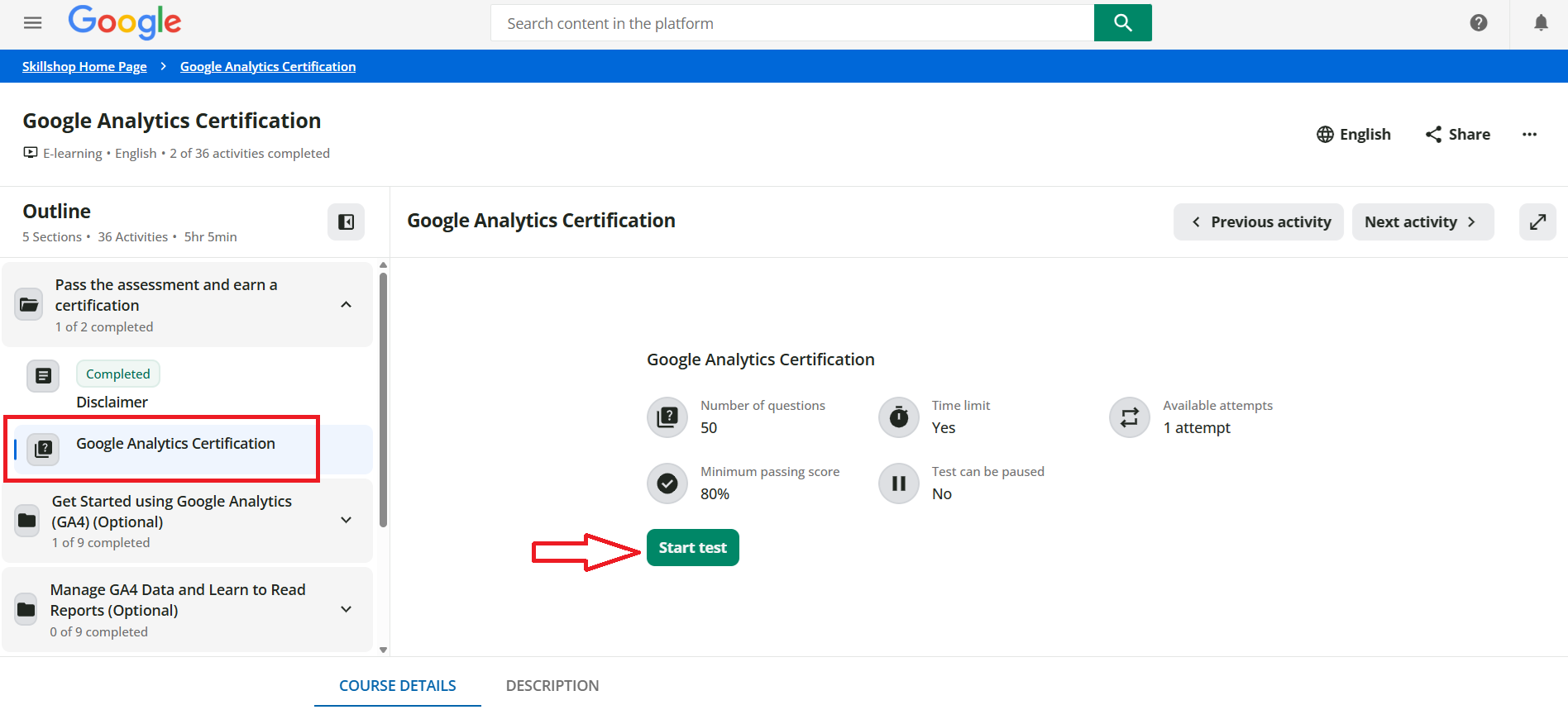
#1 The Google Analytics Certification Exam consists of 50 questions, which you must complete within 75 minutes. That means you have around 1 1/2 minutes to answer each question.
#2 The passing Score for this exam is 80%. That means you need to answer at least 40 questions correctly.
#3 You can retake this exam as many times as you wish. But you need to wait one day before retaking this test.
#4 The exam comprises multiple-choice questions.
#5 You cannot pause the test. Once you start the test, the exam timer will continue to run until 75 minutes have elapsed or you choose to finish the test.
#6 You cannot mark questions and revisit them later during the test. You have to answer each question in order to see the next question and progress through the test.
#7 Google does not ask all of the questions from the prescribed study material.
#8 Google does not charge any fees to take the GA4 Certification exam. It is available for free.
How To Take the GA4 Certification Exam?
Once you are ready to take the exam, follow the steps below:
Step-1: Navigate to: https://skillshop.docebosaas.com/learn/courses/14810/google-analytics-certification
Step-2: Navigate to ‘Google Analytics Certification’ and click on the ‘Start Test’ button:
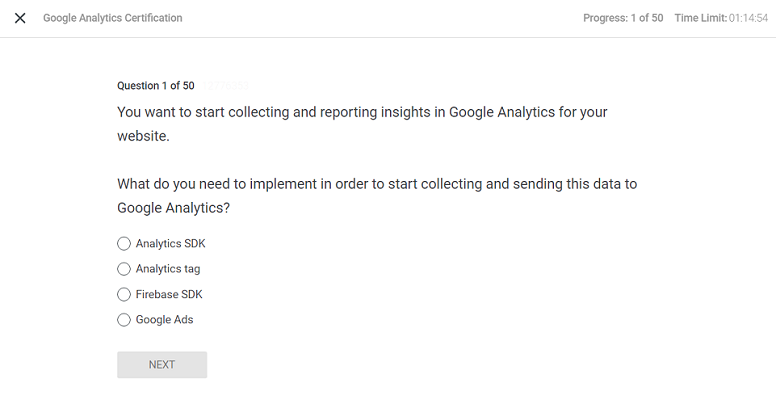
You should now see a screen like the one below, which indicates the start of your GA4 GAIQ exam:
GA4 Certification Exam Questions and Answers.
#1 Which attribution model distributes conversion credit across different touchpoints through the use of machine learning algorithms?
- Data-driven
- Time decay
- First click
- Last click
#2 Which one of the following features lets you control how long user-level and event-level data is stored by GA4?
- IP address settings
- Disable data collection
- Data retention period
- Consent Mode
#3 Which one of the following structures represents a GA4 account’s hierarchy?
- Account > Property > Data stream
- Data stream > Account > Property
- Property > Account > Data stream
- Property > Data stream > Account
#4 What differentiates a GA4 property from a Universal Analytics property?
- GA4 properties use “events” as the foundation for data collection and reporting. Whereas Universal Analytics properties use “sessions” as the foundation for data collection and reporting.
- GA4 properties use “sessions” as the foundation for data collection and reporting. Whereas Universal Analytics properties use “events” as the foundation for data collection and reporting.
- GA4 properties use “pageviews” as the foundation for data collection and reporting. Whereas Universal Analytics properties use “dimensions” as the foundation for data collection and reporting.
#5 Let us suppose you want to see the steps your users take to reach a key task or conversion. Now, which exploration technique would you use to visualize those steps and see how well they are succeeding or failing at each step?
- Segment overlap
- Funnel exploration
- Free form
- Cohort explorations
The Difference between Google Analytics Certification and Google Partners Badge.
When you pass the Google Analytics exam, you get a personalised certificate issued by Google.
However, you still can not use the Google Partners badge, which looks like the one below:

In order to qualify for the Google Partners badge, there are certain requirements that you must meet before you become eligible to get a personalised badge from Google.
These requirements include:
- Maintaining an optimisation score of at least 70% on your Google Partners manager account.
- Meet a 90-day ad spending requirement of US $10,000 across your managed Ads accounts
- At least 50% of the account strategists in your company are certified.
- Meet performance requirements in terms of overall ad revenue and customer base.
When you qualify for a Google Partner badge, you get a certification link hosted on Google, which is proof that you are a Google Partner and not someone who is pretending to be a Google Partner.
If you see someone using a Google Partner badge on a website that is not clickable, then there is a high possibility that the badge has been used fraudulently.
The Difference between Google Analytics Certified and Google Marketing Platform Partner.
#1 Google Analytics certification is for individuals.
The Google Marketing Platform Partner certification is for companies that provide consulting, training, and technical support services for Google Marketing Platform.
#2. Having a Google Analytics certification does not, by itself, qualify you or your business to become Google Marketing Platform Certified.
To become a Google Marketing Platform Certified, you must meet several other requirements, which are listed here.
#3 As an individual, you can become a Google Analytics certified. But you can not become Google Marketing Platform Certified as an individual.
You must have at least five local, full-time employees working with Google Marketing Platform products and have passed one or more product certification exams in:
- Analytics
- Attribution
- Creative
- Google Data Studio
- Google Tag Manager
- Display and Video 360
- Campaign Manager
- Search Ads 360
Note: Google may, at its sole discretion, make exceptions for small companies that have difficulty meeting these requirements.
#4 Google does not offer a badge when you pass the Google Analytics Certification exam.
But it does offer a Google Marketing Platform Certified badge when your business qualifies to become a Google Marketing Platform Certified:
Note: Creating or displaying a Google Analytics Certified badge on your website is against Google trademark policies and may result in your Google Analytics certification being revoked.
#5 Once you pass the Google Analytics exam, you can share your certificate with others via the Google Partners public profile page.
On the other hand, once you qualify for Google Marketing Platform Certification, you get your own listing in the Google Marketing Platform gallery.
Note: The Google Analytics exam is available in several foreign languages in addition to English.
Other Articles on GA4.
- Tracking New, Qualified and Converted Leads in GA4.
- Free GA4 training and tutorial with Certification.
- Understanding GA4 Ecommerce Reports (Monetization Reports).
- GA4 Ecommerce Tracking via GTM: Step-by-Step Setup Guide.
- How to see UTM parameters in GA4 (Google Analytics 4).
- GA4 UTM parameters not working? Here is how to fix it.
- How To Use UTM parameters in GA4 (Campaign Tracking).
- How to track AI traffic in GA4.
- Understanding Google Analytics 4 cookies – _ga cookie.
- GA4 (Google Analytics 4) Measurement Protocol Tutorial.
- GA4 Unassigned Traffic: Causes and How to Fix it Fast.
- GA4 Regex (Regular Expressions) Tutorial.
- GA4 Direct Traffic Spike: Common Causes and How to Fix Them.
- gtag.js – Google Tag in Google Analytics 4 and beyond.
- GA4 Scopes – User, Session, Event & Item scopes.
- GA4 Conversion Tracking (Key Events) Tutorial.
- GA4 (not set) - Guide to fixing (not set) issue.
- GA4 Certification Exam: Questions, Answers for Skillshop (GAIQ).
- GA4 User Properties (User Scoped Custom Dimensions) – Tutorial.
- Tracking Organic Traffic in GA4 - Complete Guide.
- Tracking Events in GA4 (Google Analytics 4).
- GTM Server Side Tagging - Setup Guide.
- Using Subfolder for GTM Server Side Tagging (Same Origin Tracking).
- Understanding Event Parameters in Google Analytics 4 (GA4).
- How to Uninstall GTM Server Side Tagging.
- How to remove (other) in GA4 reports and avoid Cardinality.