

Below are the main differences between n8n and Make.com, ordered by how much they matter for building AI Automation workflows.
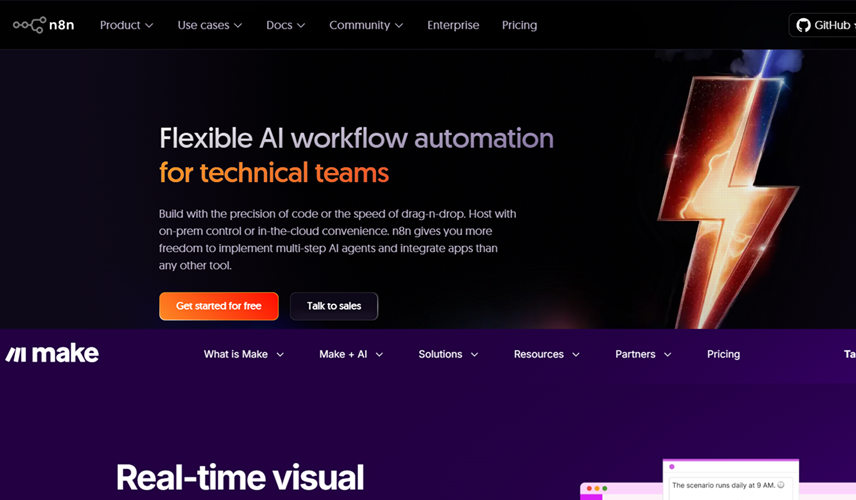
The higher the item on the list, the bigger the impact for AI workflows, flexibility, and cost efficiency.
#1 Code and JSON integration.
>> n8n allows inline JavaScript expressions in nearly every node field, plus offers a dedicated 'Code' node for writing full JavaScript scripts.
This flexibility enables advanced logic, AI workflow chaining, dynamic prompt engineering, and tool orchestration without external workarounds for most use cases.
>> Make does not support inline JavaScript (or other code) in node fields.
Instead, Make relies on its built-in formulas, basic built-in functions, and third-party services or HTTP modules for custom logic, which can be more limiting for complex AI automation or prompt engineering tasks compared to n8n.
The lack of native inline code is one of the main reasons for switching to n8n for more advanced needs.
#2 AI features.
>> n8n’s recent surge in popularity is strongly connected to its advanced AI integrations and flexible automation capabilities, especially for AI and multi-agent workflows.
n8n includes built-in AI nodes like the AI Agent, chat with memory, and classifier modules.
>> Make has recently introduced AI agents in beta, but these features are newer and less mature than n8n’s flexible code-based approach.
n8n allows much deeper, custom orchestration of AI tools, thanks to its code nodes and expression support.
#3 Error handling and troubleshooting features.
>> n8n error handling and troubleshooting features are far superior compared to Make, especially its granular node-level error management, retry logic, execution logs, and ability to “pin” data for step-by-step debugging.
>> Make typically re-executes all external API calls, including AI-related requests, each time a workflow is run, which means every test or iteration can consume credits or incur costs, especially for operations involving third-party models or APIs.
In contrast, n8n allows users to “pin” data at each node so workflow steps can be tested without re-triggering external calls, making iterative design and debugging far faster and less expensive, particularly for AI integrations.
This gives n8n a clear advantage for developers working with costly AI APIs or needing to refine complex automation logic.
#4 Scaling, Pricing, Security and Privacy.
>> n8n can be self-hosted, which means there is no charge per operation from the platform itself.
Costs depend essentially on server workload and any external service/API fees, allowing hundreds or thousands of AI operations with minimal marginal cost.
>> Make charges per operation, and costs scale quickly when using AI tasks that require multiple steps.
>> n8n’s self-hosting is a major advantage for industries with strict security, data sovereignty, or privacy needs.
Organisations keep data on-premises or within their private clouds, maintaining full control over sensitive information and regulatory compliance.
>> Make is a managed SaaS product, and while it uses secure infrastructure and compliance measures, data is always transmitted through third-party servers.
#5 Module availability.
>> Make has far more prebuilt integrations than n8n, which is useful for quick connections to external apps.
>> n8n can achieve the same with HTTP and code nodes but requires more setup.
#6 Ease of use.
>> Make is easier to use but that ease comes at the cost of flexibility and advanced functionality.
>> n8n has a steeper learning curve but offers far more control and scalability once you master it.
#7 Future compatibility.
>> If you are just starting out, it is better to learn n8n instead of Make. This way, you avoid the pain of relearning a no code platform when you eventually switch.
>> n8n is open source, which provides significant benefits for future compatibility, flexibility, and control, such as the ability to self-host, modify source code, and avoid vendor lock-in.
In contrast, Make is a proprietary (non-open source) SaaS platform, where users rely on the company’s roadmap, pricing, and infrastructure for future access and compatibility.
>> If you are already using Make, sooner or later you will feel its limitations and the need to migrate to n8n.
Related Articles:
- How to Self Host n8n on Google Cloud - Tutorial.
- How to use APIs in n8n, GoHighLevel and other AI Automation Workflows.
- How to use Webhooks in n8n, GoHighLevel and other AI Automation Workflows.
- What is OpenRouter API and how to use it.
- How to Connect Google Analytics to n8n (step by step guide).
- How To Connect Google Analytics MCP Server to Claude.
- State Machine Architectures for Voice AI Agents.
- Using Twilio with Retell AI via SIP Trunking for Voice AI Agents.
- Retell Conversation Flow Agents - Best Agent Type for Voice AI?
- How to build Cost Efficient Voice AI Agent.
- When to Add Booking Functionality to Your Voice AI Agent.
- n8n Expressions Tutorial.
- n8n Guardrails Guide.
- Modularizing n8n Workflows - Build Smarter Workflows.
- How to sell on ChatGPT via Instant Checkout & ACP (Agentic Commerce Protocol).
- How to Build Reliable AI Workflows.
- Correct Way To Connect Retell AI MCP Server to Claude.
- How to setup Claude Code in VS Code Editor.
- How to use Claude Code Inside VS Code Editor.
- How To Connect n8n MCP Server to Claude.
- How to Connect GoHighLevel MCP Server to Claude.
- How to connect Supabase and Postgres to n8n.
- How to Connect WhatsApp account to n8n.
- How to make your AI Agent Time Aware.
- Structured Data in Voice AI: Stop Commas From Being Read Out Loud.
- How to build Voice AI Agent that handles interruptions.
- Error Handling in n8n Made Simple.
- How to Write Safer Rules for AI Agents.
- AI Default Assumptions: The Hidden Risk in Prompts.
- Why AI Agents lie and don't follow your instructions.
- Why You Need an AI Stack (Not Just ChatGPT).
- How to use OpenAI Agent Kit, Agent Builder?
- n8n AI Workflow Builder And Its Alternatives.
- Two-way syncs in automation workflows can be dangerous.
- Missing Context Breaks AI Agent Development.
- How To Avoid Billing Disputes With AI Automation Clients.
- ChatGPT prompt to summarize YouTube video.
- Avoid the Overengineering Trap in AI Automation Development.