

You can calculate first time users via the 'user_first_touch_timestamp' field. This field tells when a user first interacted with your website or app.
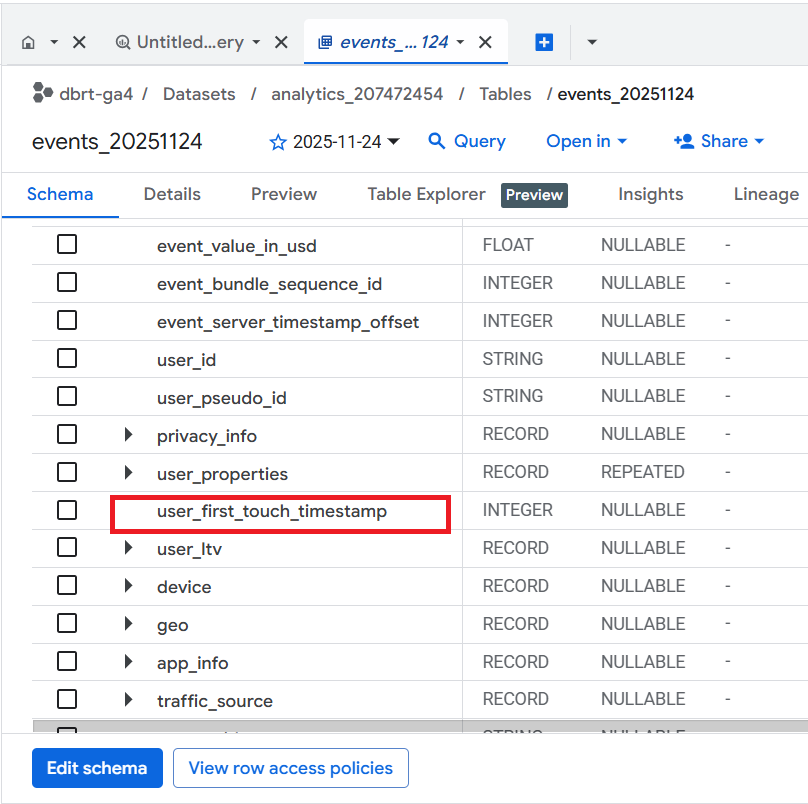
Important points about the 'user_first_touch_timestamp'.
- It is measured in microseconds and use the UTC timezone.
- Unlike 'event_timestamp', which changes for each event, the 'user_first_touch_timestamp' remains constant across all events for a user.
- To extract the date, convert 'user_first_touch_timestamp' into a date object.
- Calculate the values of the ‘First Time Users’ column by calculating the total number of 'unique users' for each ‘Acquisition Day’.
- Ensure that 'user_first_touch_timestamp' falls within the target date range. Exclude rows where 'user_first_touch_timestamp' is null.
Once you understand the logic, calculating first time users is easy.

The SQL below is automatically generated via a text prompt in GA4 BigQuery Composer (a custom chatGPT) that calculates unique users in GA4 BigQuery:
Note: Use your table ID. Otherwise, the code would not work.
-- Calculate the total number of First time users by Acquisition day
SELECT
  FORMAT_TIMESTAMP('%b %d, %Y', TIMESTAMP_MICROS(user_first_touch_timestamp))
    AS acquisition_day,
  COUNT(DISTINCT user_pseudo_id) AS first_time_users
FROM
  `<Your table ID>`
WHERE
  _TABLE_SUFFIX BETWEEN '20241001' AND '20241031'
  AND user_first_touch_timestamp IS NOT NULL
  AND TIMESTAMP_MICROS(user_first_touch_timestamp)
    BETWEEN TIMESTAMP('2024-10-01')
    AND TIMESTAMP('2024-10-31')
GROUP BY
  acquisition_day
ORDER BY
  acquisition_day ASC;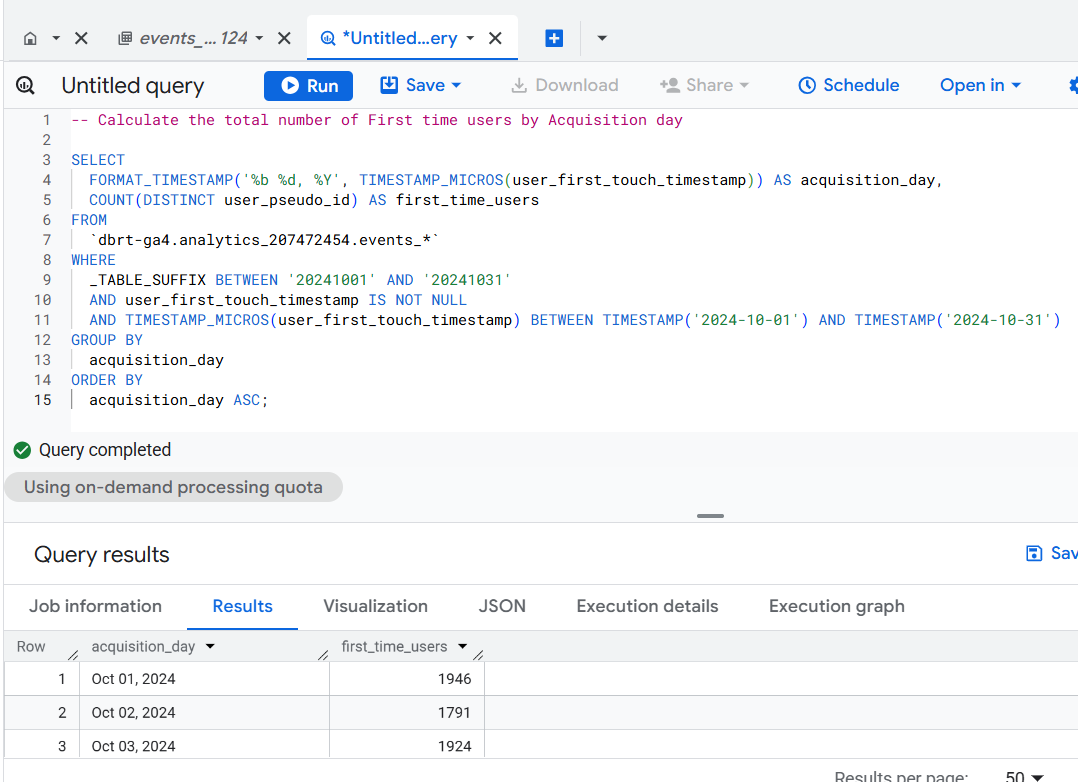
======================
Learn the underlying logic for calculating various GA4 dimensions and metrics in BigQuery and leave the actual SQL generation to ChatGPT.
Your GA4 BigQuery data is only as good as the query logic you use. Once you understand the query logic, you can scale across 'N' SQL use cases.
That's what I teach in my GA4 BigQuery Course. The focus is entirely on teaching the underlying logic (instead of the actual SQL).
Related Articles:
- GA4 to BigQuery Mapping Tutorial.
- Understanding the BigQuery User Interface.
- GA4 BigQuery Query Optimization.
- How to access a nested field in GA4 BigQuery data table.
- How to Calculate Unique Users in GA4 BigQuery.
- GA4 BigQuery Export Schema Tutorial.
- Calculating First Time Users in GA4 BigQuery.
- Extracting Geolocations in GA4 BigQuery.
- GA4 BigQuery SQL Optimization Consultant.
- Tracking Pages With No Traffic in GA4 BigQuery.
- First User Primary Channel Group in GA4 BigQuery
- How to handle empty fields in GA4 BigQuery.
- Extracting GA4 User Properties in BigQuery.
- Calculating New vs Returning GA4 Users in BigQuery.
- How to access BigQuery Public Data Sets.
- How to access GA4 Sample Data in BigQuery.