

User properties in GA4 are attributes of your website visitors, such as age, gender, geographic location, language preference, membership level, etc.
Technically speaking, a user property is a GA4 dimension with user scope.
User-scope means the value of the dimension is calculated and sent once for each user.
Example of User Properties:
- You can send the ‘client ID’ to GA4 as a user property.
- You can send the ‘Subscription Status’ to GA4 as a user property.
In the GA4 BigQuery Export table, you can retrieve the name of a user property from the ‘user_properties.key’ field.
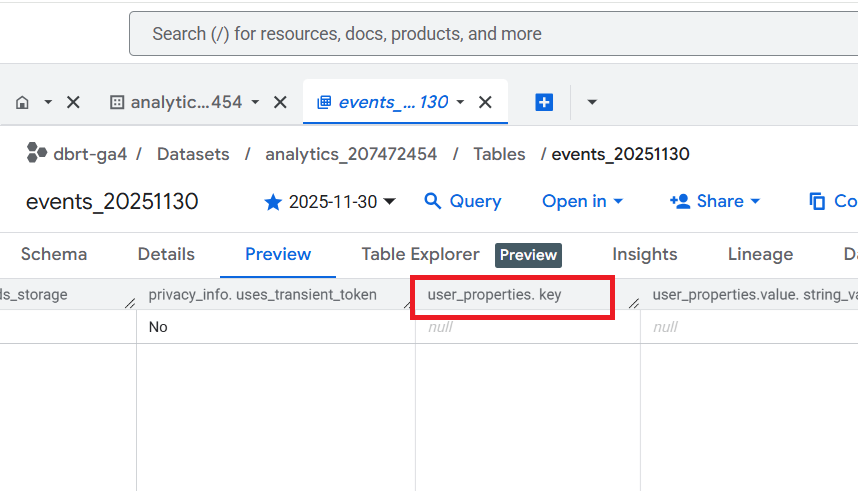
In the GA4 BigQuery Export table, you can retrieve the value of a user property from one of the following fields:
- user_properties.value.string_value
- user_properties.value.int_value
- user_properties.value.float_value
- user_properties.value.double_value
- user_properties.value.set_timestamp_micros
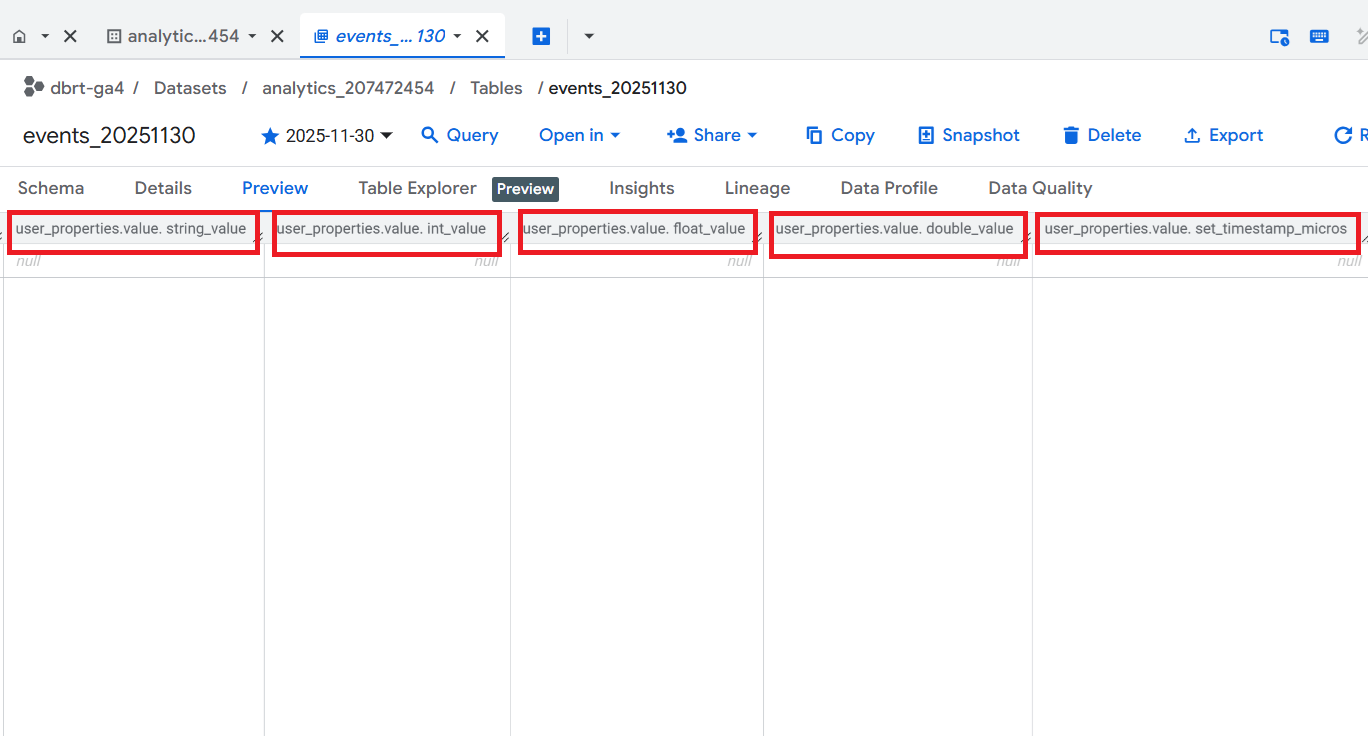
GA4 User property data is not available by default in BigQuery export tables. So, you first need to set up a user property.

Follow the steps below to extract GA4 User Properties in BigQuery:
Step-1: Set up user property via Google Tag Manager.
For example, you can send a client ID to GA4 as a user property.
Step-2: Note down the event name through which you are sending the user property.
For example, you could send user properties via the 'get_user_data' event.
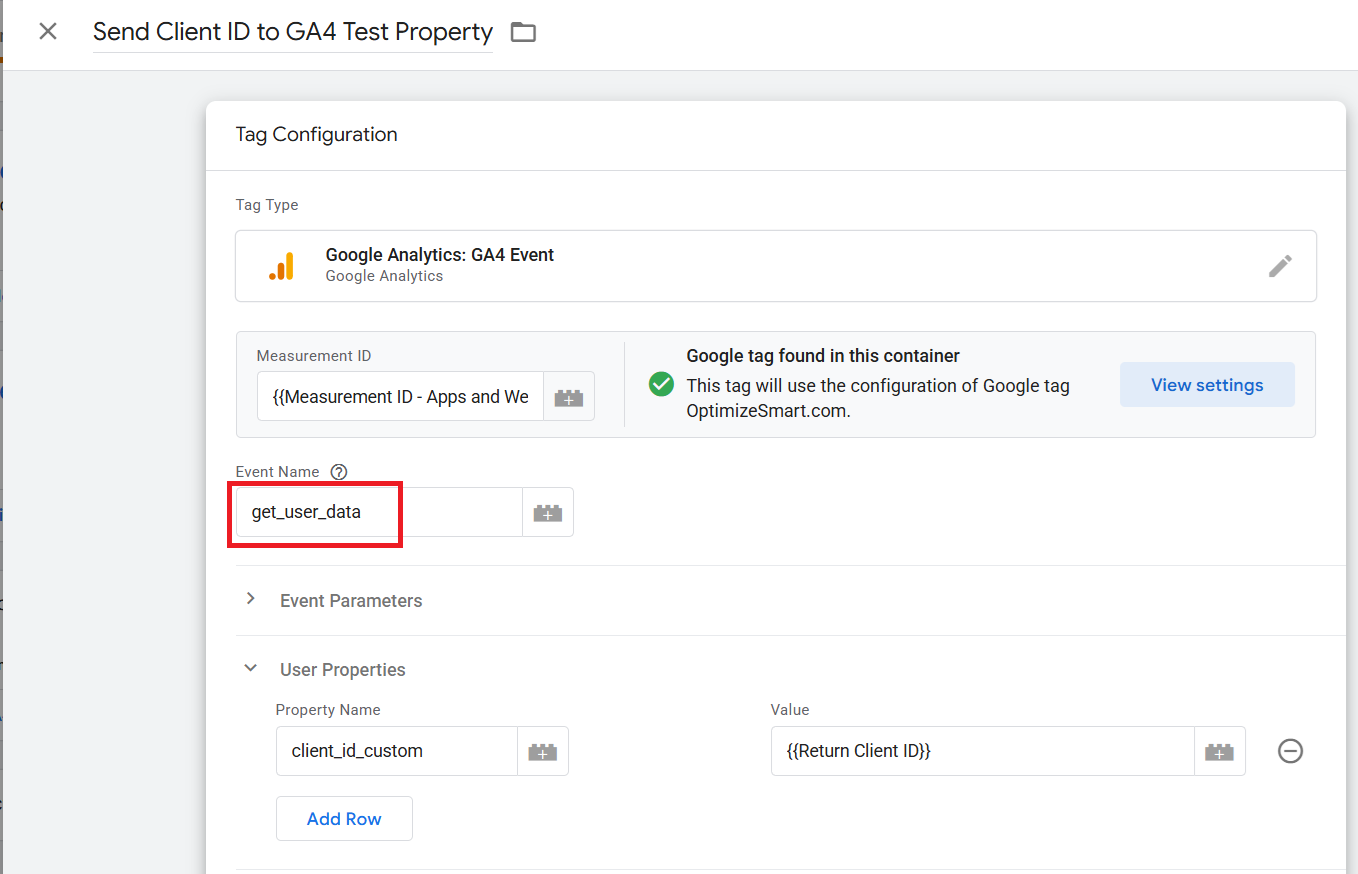
Step-3: Note down the name of the user property.
For example, 'client_id_custom'
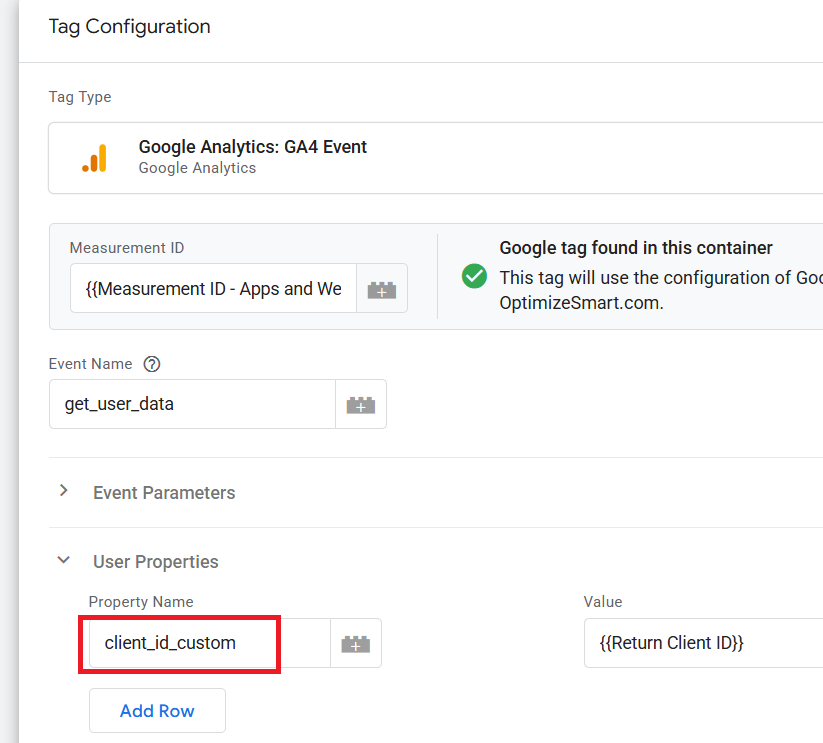
Note: If the name of your user property is 'client_id_custom', you should expect to see this value under the 'user_properties.key' field in the GA4 BigQuery 'events_' data table.
Step-4: Note how you are sending the values of the client ID.
If you send it as a string (recommended), it will be stored in the 'user_properties.value.string_value' field in the GA4 BigQuery 'events_' data table.
But if you send it as a number, it will be stored in the 'user_properties.value.int_value' field in the GA4 BigQuery 'events_' data table.
Once you understand the logic, extracting user properties from a text prompt is straightforward.
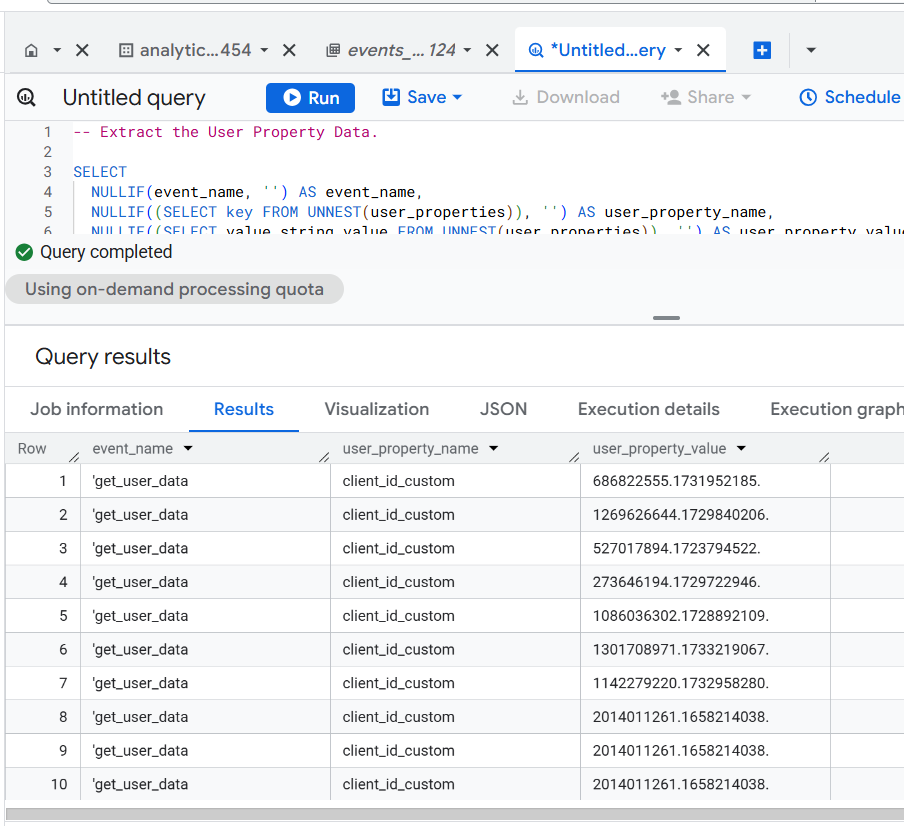
The SQL below is automatically generated via a text prompt in GA4 BigQuery Composer (a custom chatGPT) that extracts GA4 user properties in BigQuery:
-- Extract the User Property Data.
SELECT
  NULLIF(event_name, '') AS event_name,
  NULLIF(
    (SELECT key FROM UNNEST(user_properties)), '') AS user_property_name,
  NULLIF(
    (SELECT value.string_value FROM UNNEST(user_properties)), '')
    AS user_property_value
FROM
  `dbrt-ga4.analytics_396584464.events_*`
WHERE
  _TABLE_SUFFIX
  BETWEEN FORMAT_DATE('%Y%m%d', DATE_SUB(CURRENT_DATE(), INTERVAL 2 DAY))
  AND FORMAT_DATE('%Y%m%d', DATE_SUB(CURRENT_DATE(), INTERVAL 1 DAY))
ORDER BY
  event_name;
Note: Use your table ID and user property. Otherwise, the code would not work.
======================
Learn the underlying logic for calculating various GA4 dimensions and metrics in BigQuery and leave the actual SQL generation to ChatGPT.
Your GA4 BigQuery data is only as good as the query logic you use. Once you understand the query logic, you can scale across 'N' SQL use cases.
That's what I teach in my GA4 BigQuery Course. The focus is entirely on teaching the underlying logic (instead of the actual SQL).
Related Articles:
- GA4 to BigQuery Mapping Tutorial.
- Understanding the BigQuery User Interface.
- GA4 BigQuery Query Optimization.
- How to access a nested field in GA4 BigQuery data table.
- How to Calculate Unique Users in GA4 BigQuery.
- GA4 BigQuery Export Schema Tutorial.
- Calculating First Time Users in GA4 BigQuery.
- Extracting Geolocations in GA4 BigQuery.
- GA4 BigQuery SQL Optimization Consultant.
- Tracking Pages With No Traffic in GA4 BigQuery.
- First User Primary Channel Group in GA4 BigQuery
- How to handle empty fields in GA4 BigQuery.
- Extracting GA4 User Properties in BigQuery.
- Calculating New vs Returning GA4 Users in BigQuery.
- How to access BigQuery Public Data Sets.
- How to access GA4 Sample Data in BigQuery.
- Understanding engagement_time_msec in GA4 BigQuery.