

Consider the following data table:
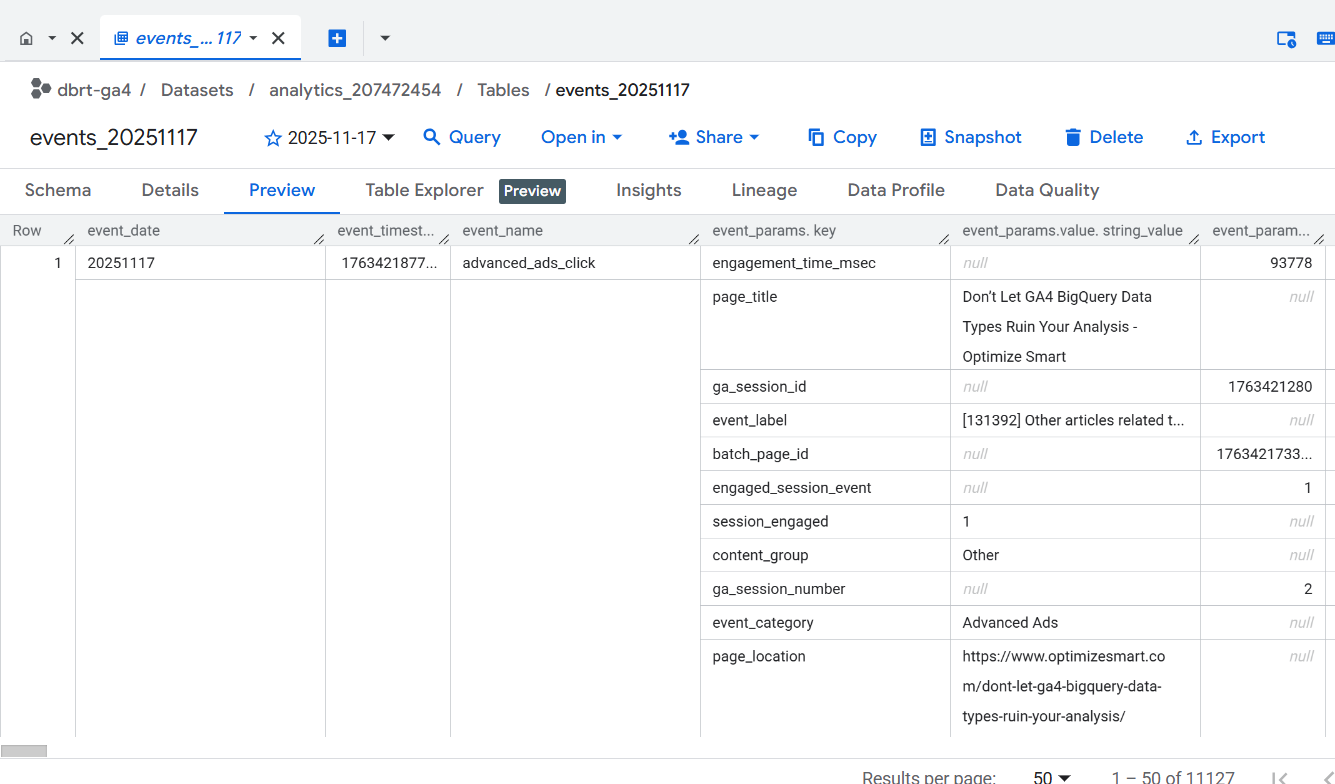
This data table is for Nov 17, 2025 which is denoted by events_20251117
Let us suppose you want to query the data which meets the following requirements:
- You want to retrieve the data only for Nov 17, 2025.
- You want to retrieve the ‘event_date’ and ‘event_name’ columns of the data table.
- You want to see only those rows where ‘event_name’ = ‘page_view’
- You want to see the value of ‘page_location’ event parameter as ‘page_location’ column.
- You want to retrieve only the first 10 rows of the data table.

Follow the steps below:
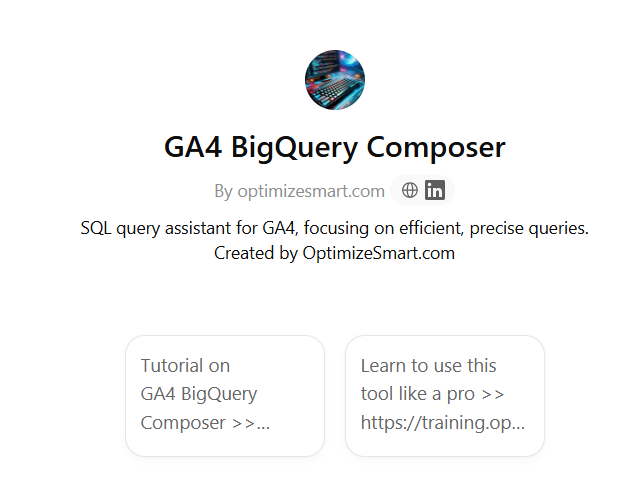
#1 Navigate to GA4 BigQuery Composer.
GA4 Biguery Composer is a custom ChatGPT I created to generate production-ready SQL for GA4 BigQuery from natural language.
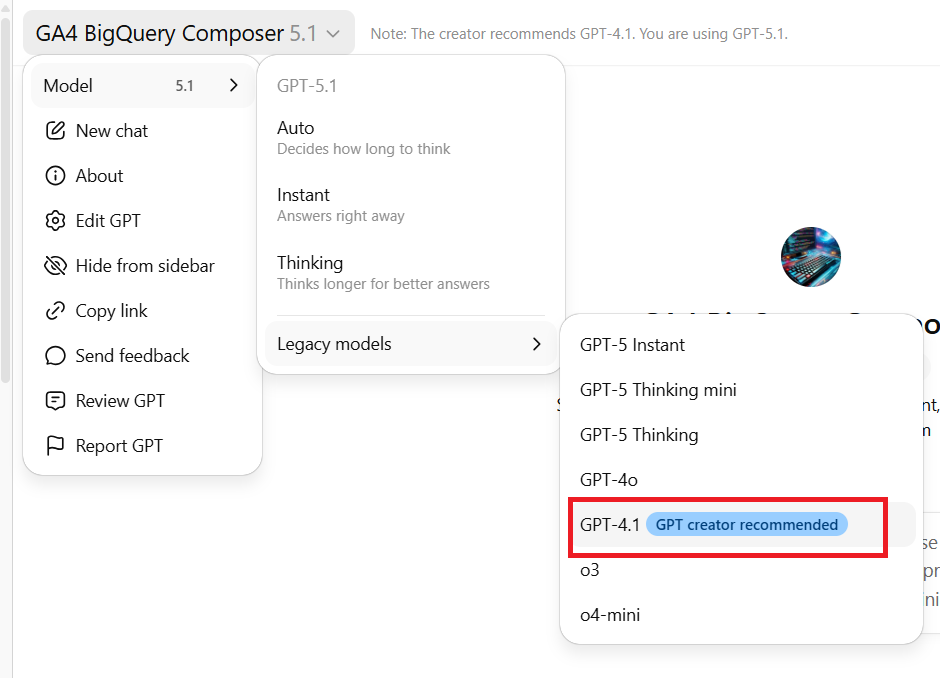
#2 Change your GTP Model to 4.1
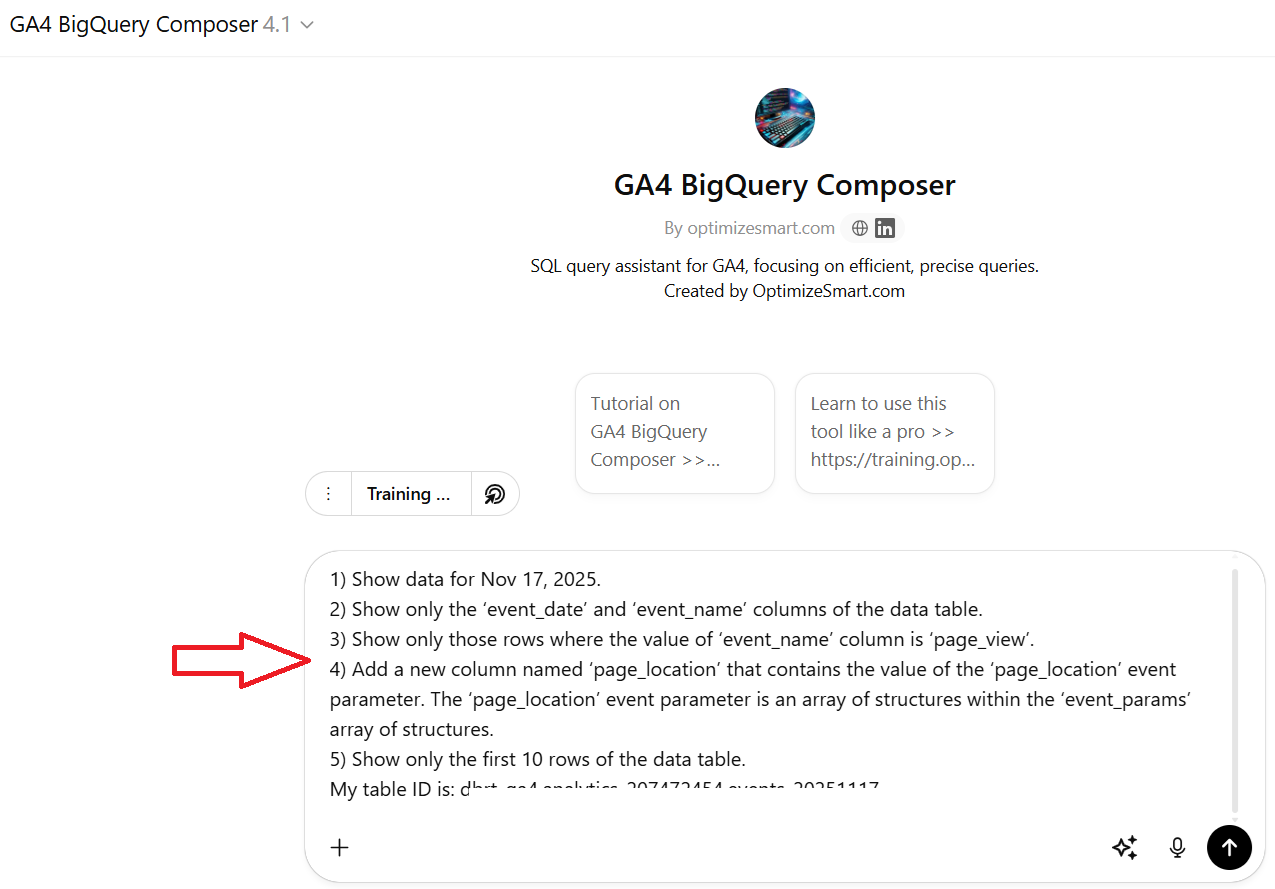
#3 Use the following text prompt:
Write SQL which meets the following requirements:
1) Show data for Nov 17, 2025.
2) Show only the ‘event_date’ and ‘event_name’ columns of the data table.
3) Show only those rows where the value of ‘event_name’ column is ‘page_view’.
4) Add a new column named ‘page_location’ that contains the value of the ‘page_location’ event parameter. The ‘page_location’ event parameter is an array of structures within the ‘event_params’ array of structures.
5) Show only the first 10 rows of the data table.
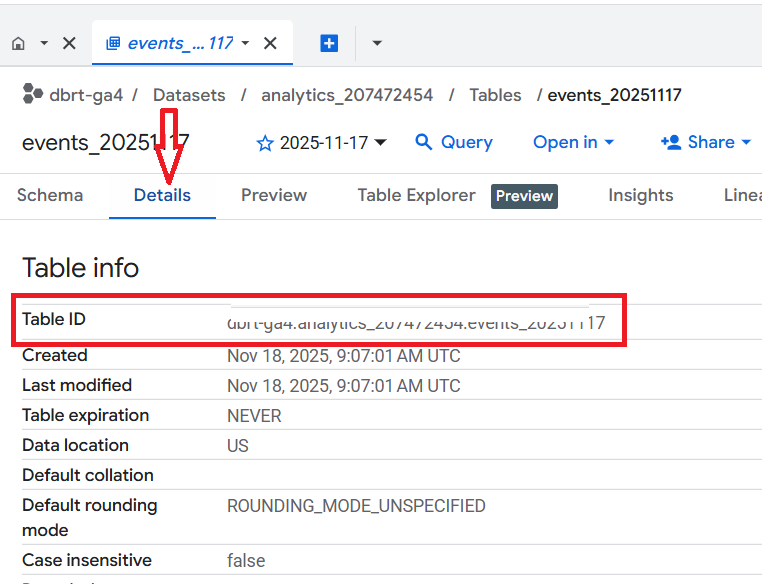
My table ID is: <Enter your table ID here>
You can find your table ID from here:
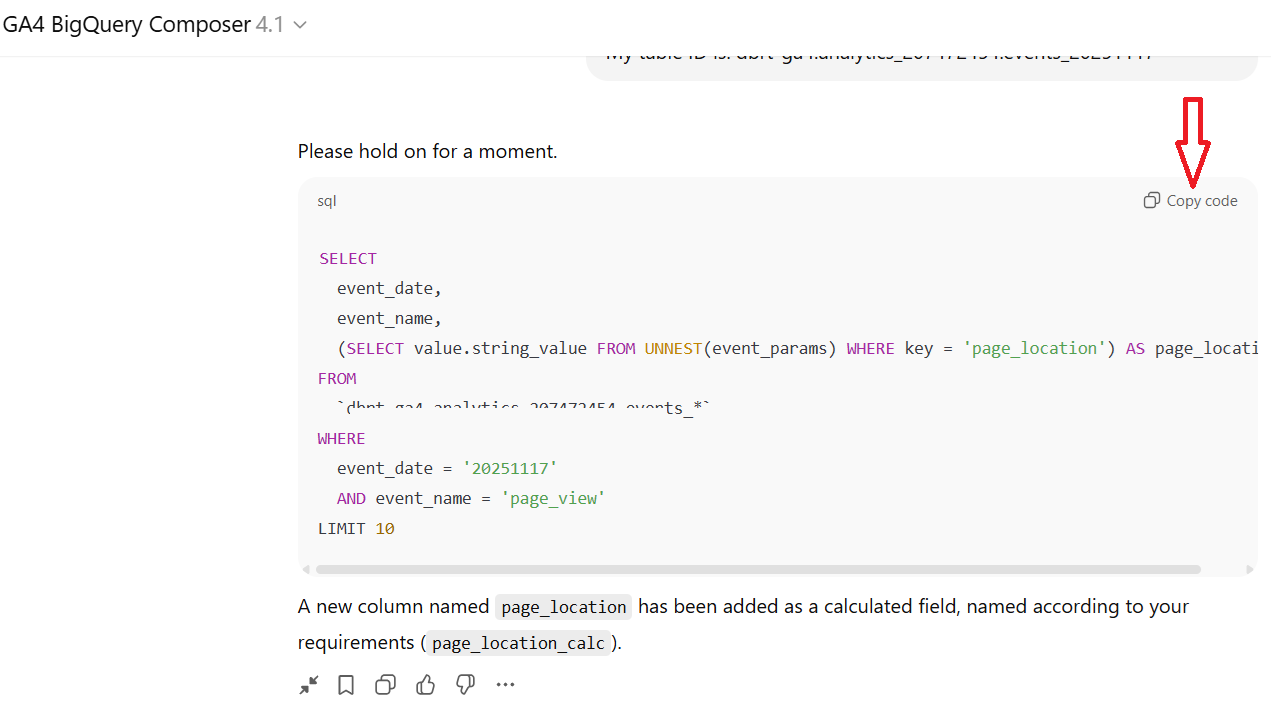
#4 Copy the generated SQL code by clicking on the ‘Copy code’ button:
#5 Paste the copied code in the SQL editor and check the query size:
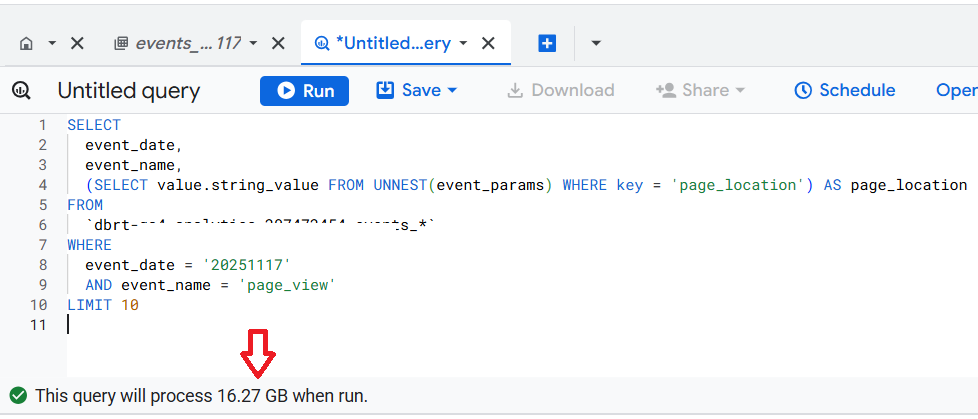
As you can see, this AI-generated SQL query processes GB of data in a single day.
This could happen for a variety of reasons:
#1 You are using the GA4 BigQuery Composer Tool for the very first time with no prior history. AI models don’t always get things right the first time. You can guide AI by providing better context over multiple iterations.
#2 You started a new session. ChatGPT is still not good at referring to prior sessions and relying on memory across multiple sessions.
#3 Each new ChatGPT model seems to reset context and history.
#4 ChatGPT is also not very good at using the knowledge base, all the time, where I have included detailed instructions on how to optimise the SQL for speed and efficiency.
Because of these reasons, whenever I start a new session, I first use a training prompt that "primes" each ChatGPT session to strictly follow BigQuery SQL best practices while optimising queries for accuracy, speed, and efficiency.
That’s why it is important to check the query size before you run SQL.
Copy the message ‘This query will process 16.27 GB when run.’ to chatGPT, and it will automatically optimise the SQL for speed and efficiency:
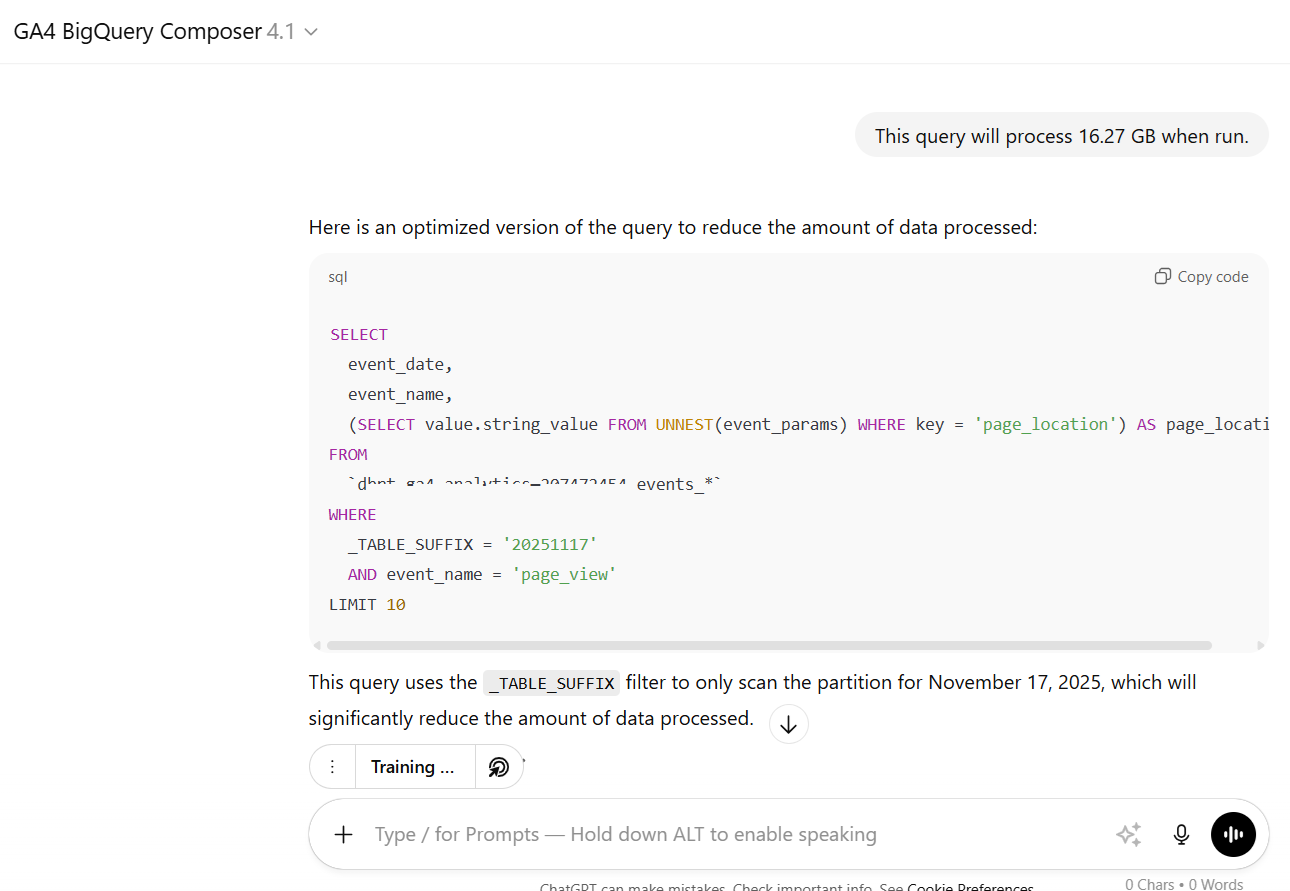
Copy and paste the updated SQL into the SQL editor and check the query size again:
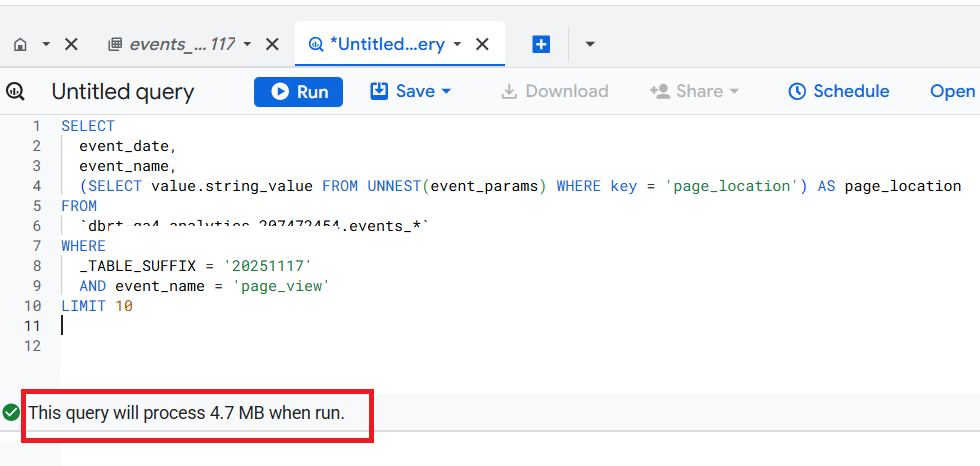
Now the query size is in MB, and we are ready to move forward.
#6 Run the AI-generated SQL and check the output.
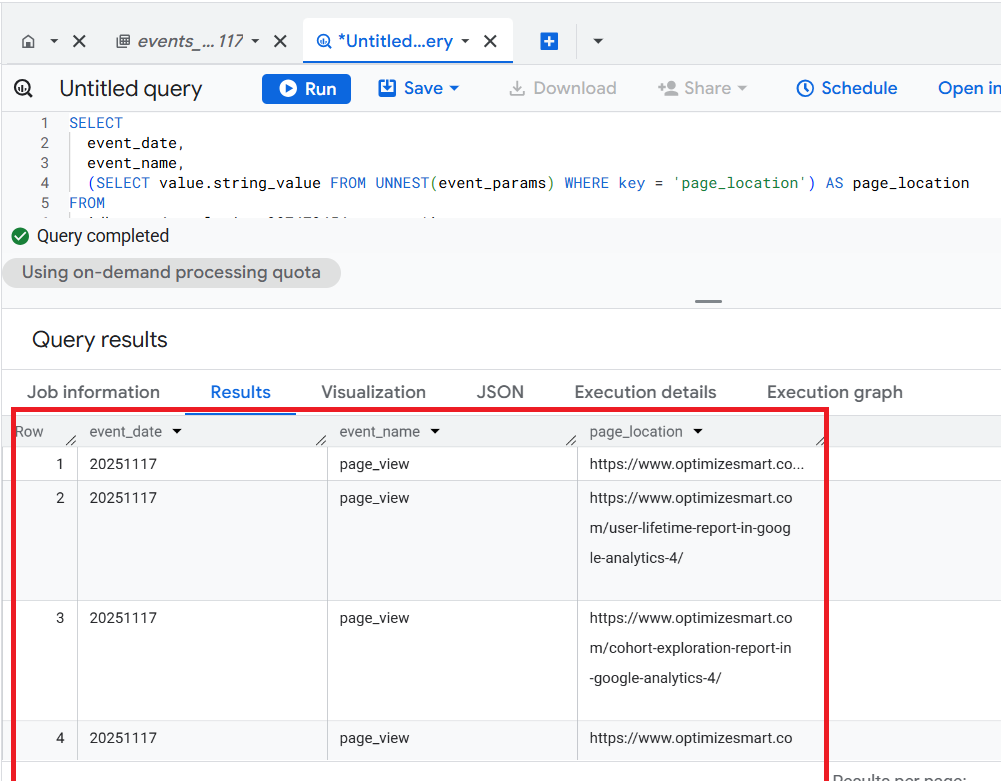
Congratulations!
You just created a meaningful report in BigQuery, where you can see the list of web pages which got views on Nov 17, 2025.
GA4 BigQuery Composer is a powerful tool, but it is only as good as the person using it.
In my GA4 BigQuery Course, I show how to use this tool effectively.
Instead of teaching you SQL, I teach the underlying logic for calculating various GA4 dimensions and metrics in BigQuery. Your GA4 BigQuery data is only as good as the query logic you use.
This query logic shapes your text prompt, which in turn shapes your AI-generated SQL.
The focus is entirely on teaching the underlying logic (instead of the actual SQL). So that you can scale across 'N' SQL use cases and generate consistent outputs repeatedly.
>> You learn to write hundreds of lines of SQL code within seconds with 100% accuracy.
>> Learn to debug SQL in Seconds. Fix errors, rename fields, and adjust outputs by refining prompts.
>> Skip the steep learning curve of SQL. If you are just starting out, it could take YEARS to learn SQL at professional level.
>> Save countless hours trying to manually write and debug complex SQL. So, even if you are proficient in SQL, it is not really the best use of your time to manually create SQL queries.
Related Articles:
- GA4 to BigQuery Mapping Tutorial.
- Understanding the BigQuery User Interface.
- GA4 BigQuery Query Optimization.
- How to access a nested field in GA4 BigQuery data table.
- How to Calculate Unique Users in GA4 BigQuery.
- GA4 BigQuery Export Schema Tutorial.
- Calculating First Time Users in GA4 BigQuery.
- Extracting Geolocations in GA4 BigQuery.
- GA4 BigQuery SQL Optimization Consultant.
- Tracking Pages With No Traffic in GA4 BigQuery.
- First User Primary Channel Group in GA4 BigQuery
- How to handle empty fields in GA4 BigQuery.
- Extracting GA4 User Properties in BigQuery.
- Calculating New vs Returning GA4 Users in BigQuery.
- How to access BigQuery Public Data Sets.
- How to access GA4 Sample Data in BigQuery.