

BigQuery provides many public datasets you can use for practice.
A public dataset is stored in BigQuery and made available to the general public through the Google Cloud Public Dataset Program.
You can analyze these datasets by using SQL queries.
Since Google stores the public datasets on its servers, you do not need to pay any storage costs. However, you could still be charged if you query more than 1 TB of data in a month.
Note(1): You need to create or select a project before you start using a public dataset in BigQuery.
Note(2): You can also analyze public datasets without enabling billing in your Google Cloud Platform.
Note(3): You can share any of your datasets with the general public. For more details, check out the official help documentation: Control access to resources with IAM.

To find BigQuery public datasets, follow the steps below:
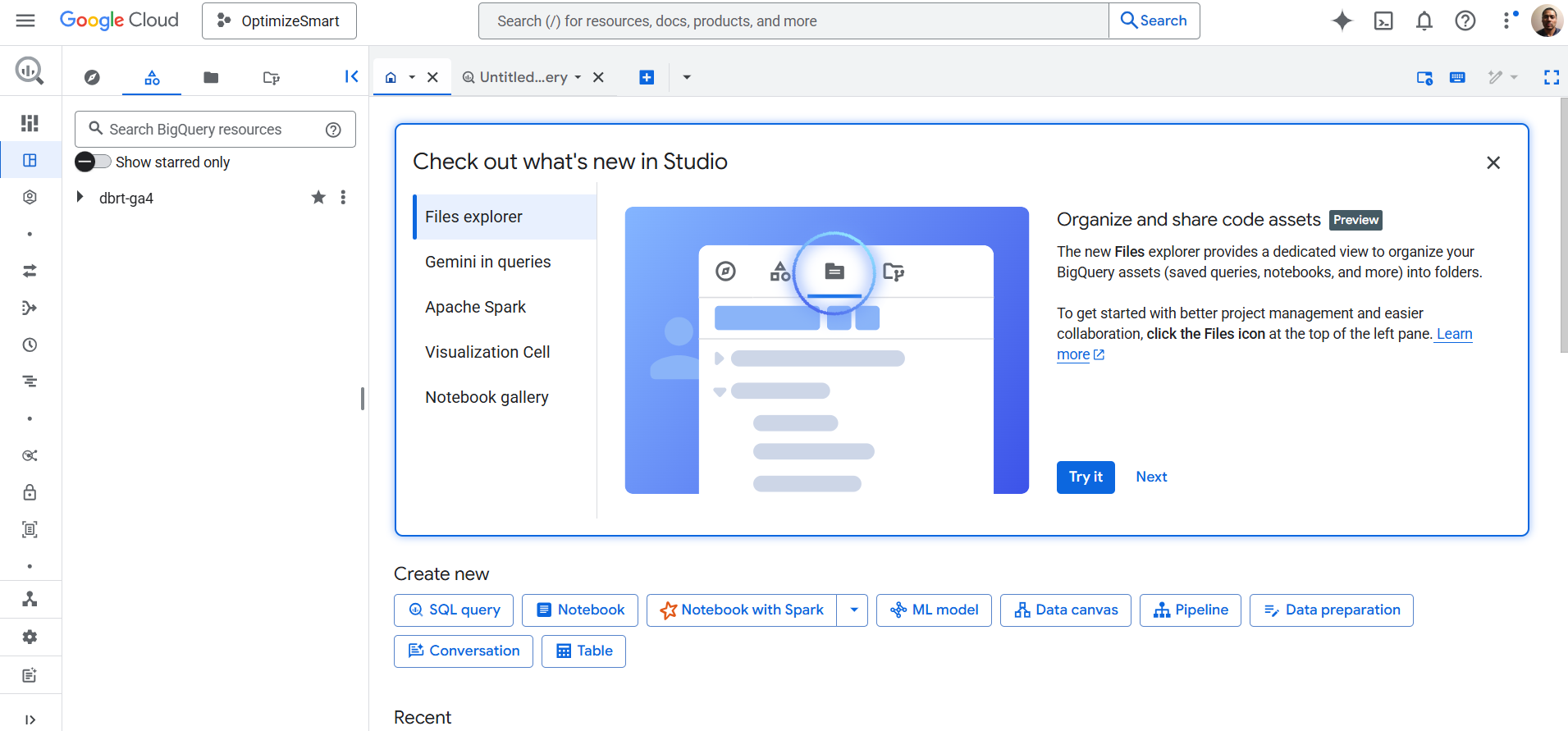
Step-1: Navigate to https://console.cloud.google.com/bigquery
You should now see a screen like the one below:
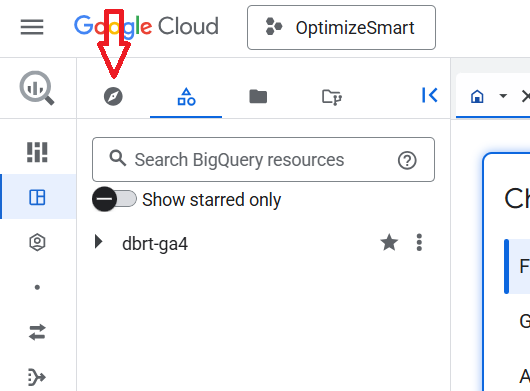
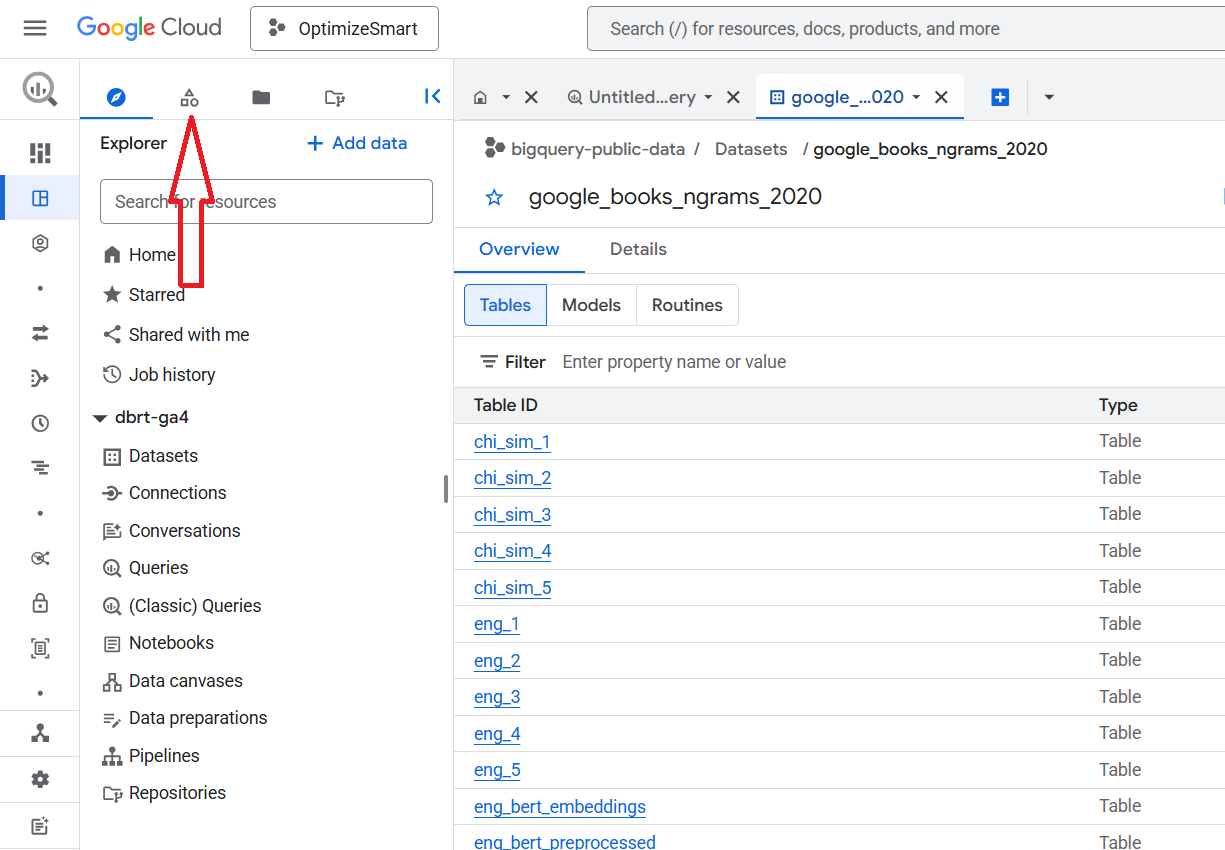
Step-2: Click on the ‘Explorer’ tab:
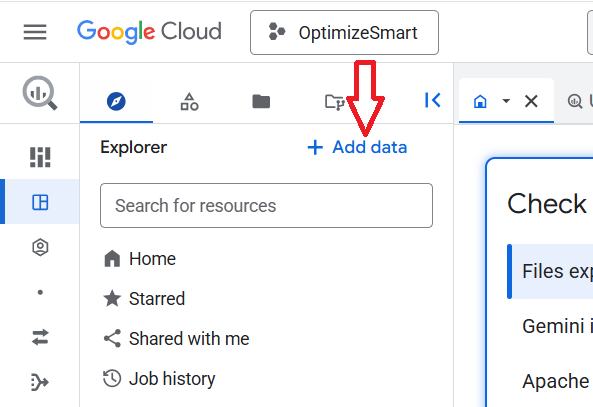
Step-3: Click on the ‘+Add data’ button:
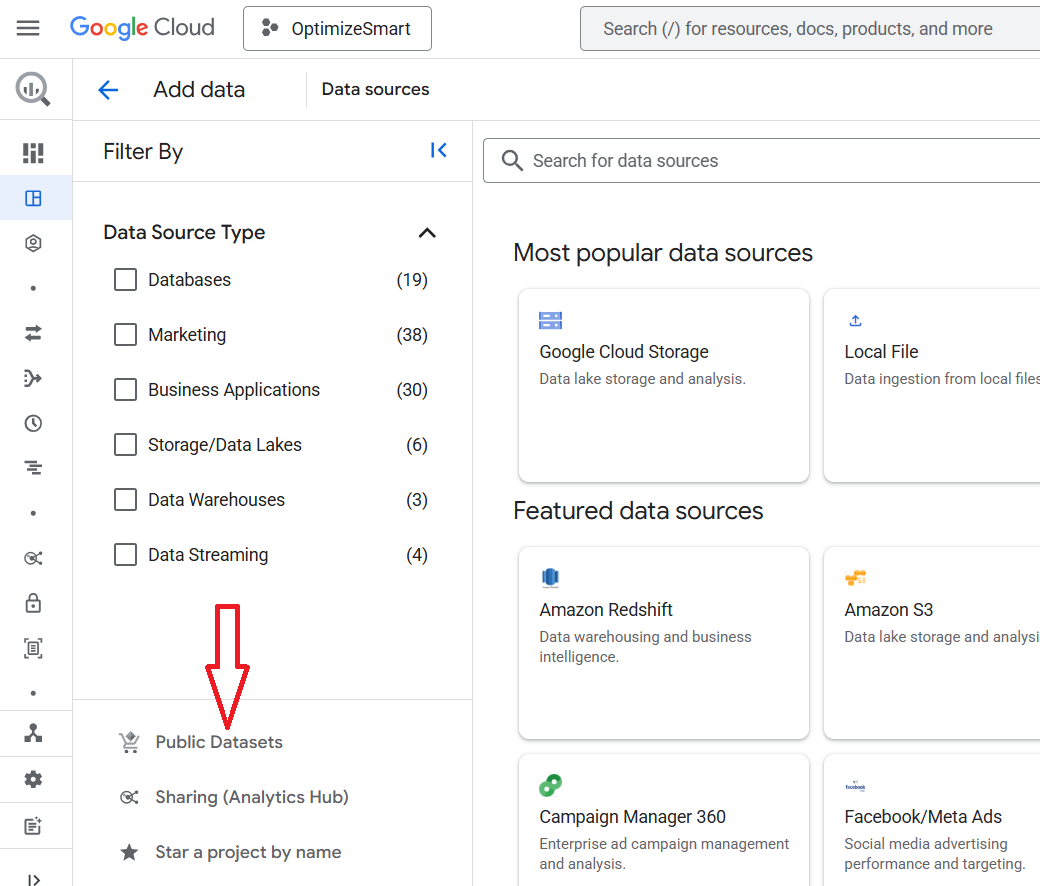
Step-4: Click on the ‘Public datasets’ at the bottom left hand side of your screen:
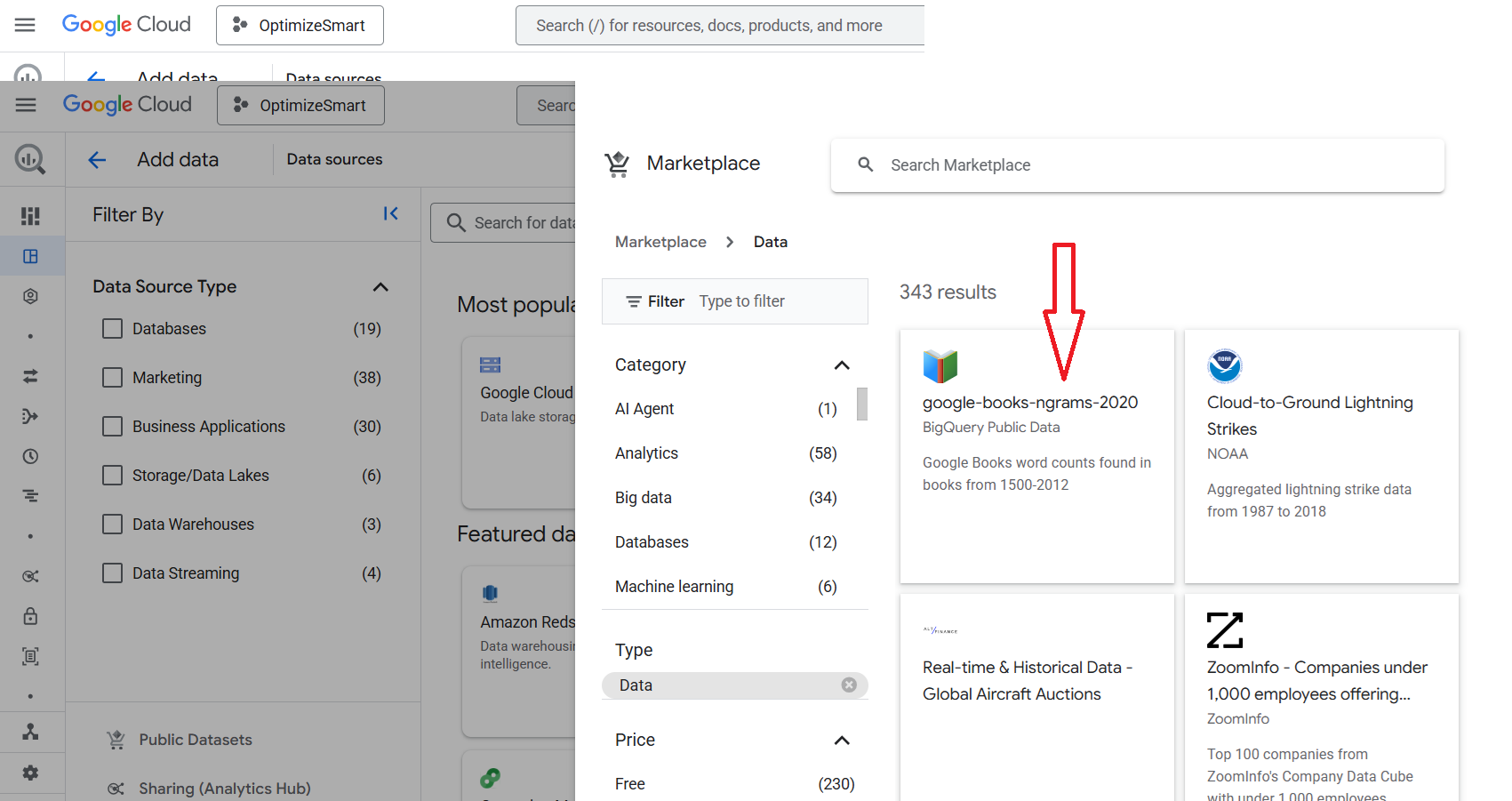
Step-5: Click on the BigQuery Public Datasets you want to analyse:
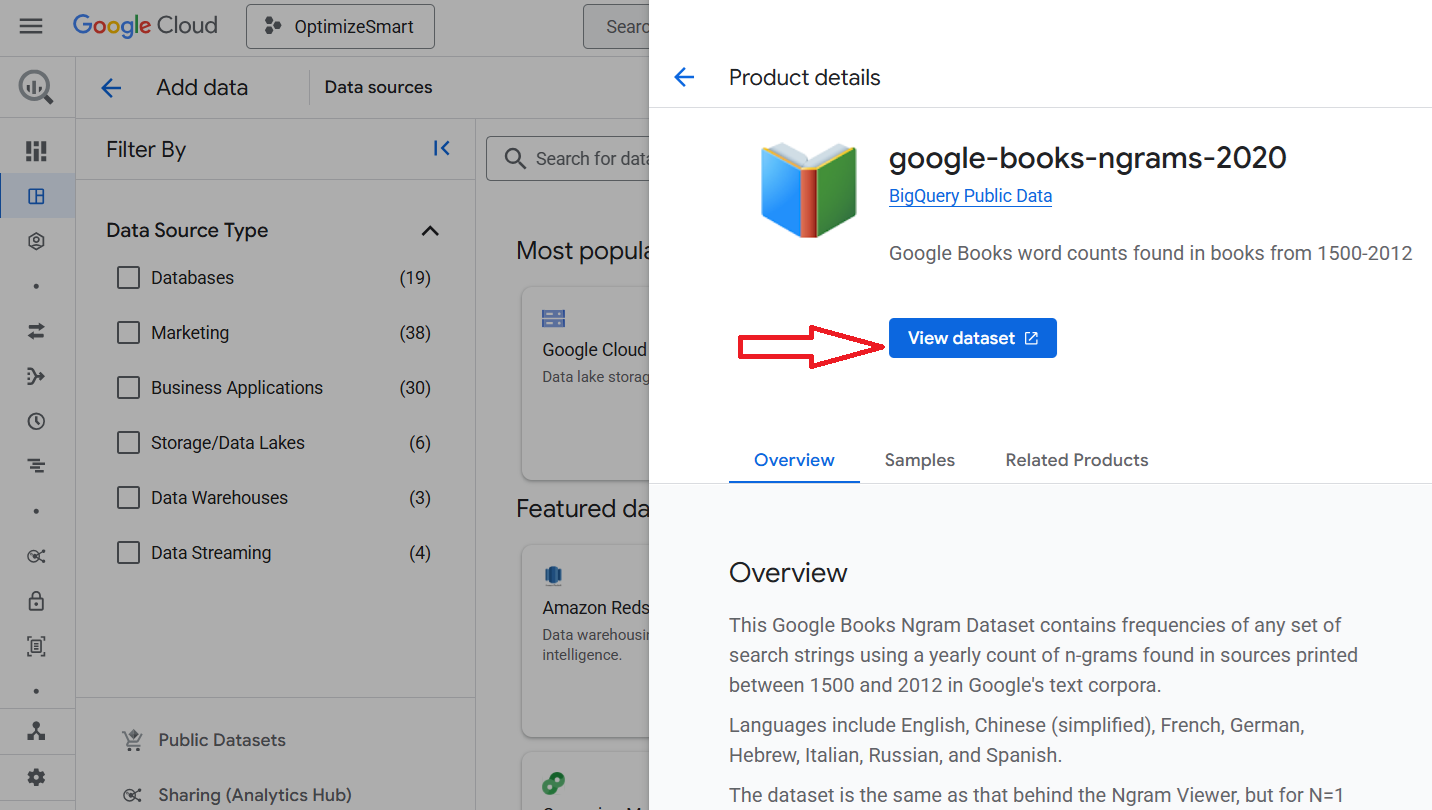
Step-6: Click on the ‘View dataset’ button:
Step-7: Click on the ‘Classic Explorer’ button:
You should now see a screen like the one below:
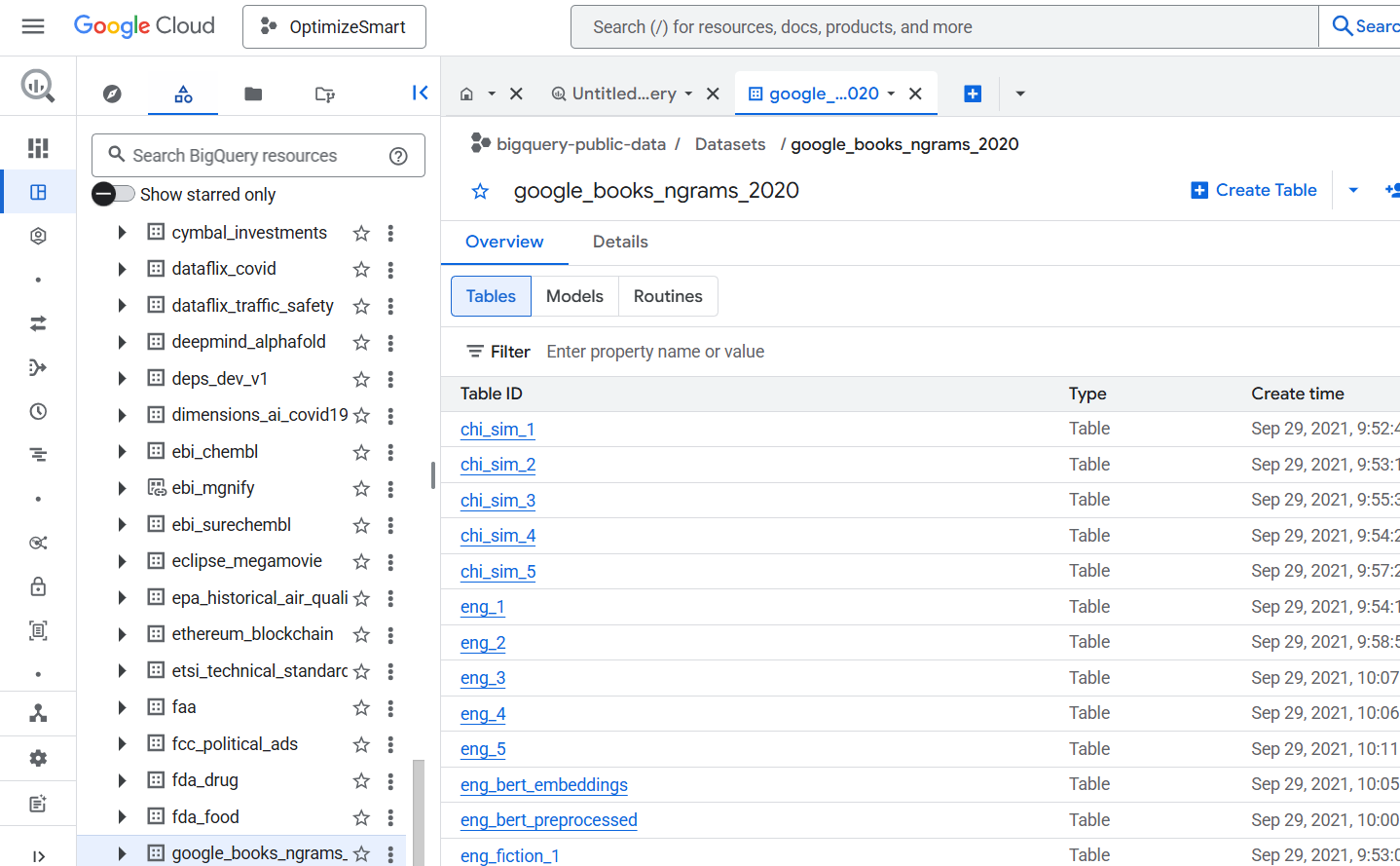
Step-8: Scroll all the way up and then click on the star button next to the project named ‘BigQuery-public-data’:
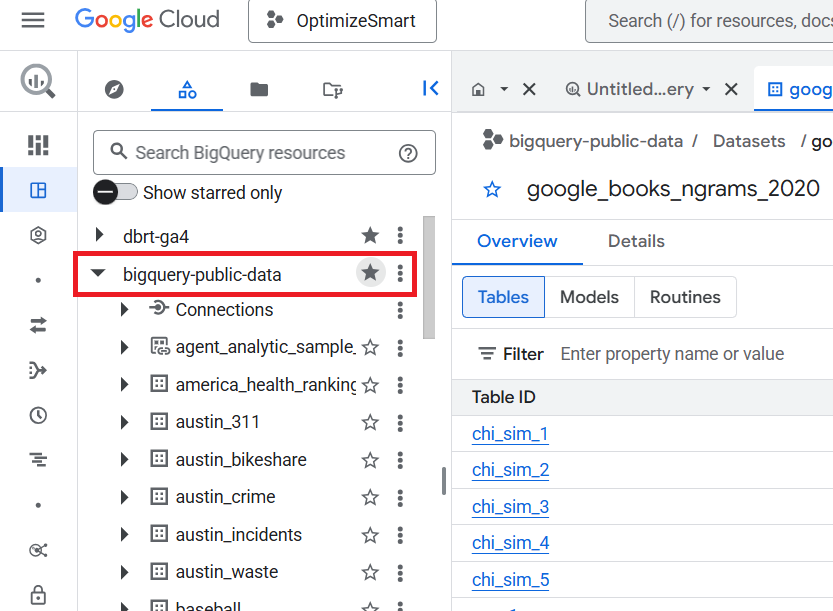
That’s how you can find and use BigQuery public data sets.
How to access Google Analytics sample data from BigQuery?
BigQuery public data sets also provide access to sample Google Analytics 4 data which you can use for practice purposes.
If you want to access the GA4 sample data, then check out this article: How to access GA4 Sample Data in BigQuery.
Related Articles:
- GA4 to BigQuery Mapping Tutorial.
- Understanding the BigQuery User Interface.
- GA4 BigQuery Query Optimization.
- How to access a nested field in GA4 BigQuery data table.
- How to Calculate Unique Users in GA4 BigQuery.
- GA4 BigQuery Export Schema Tutorial.
- Calculating First Time Users in GA4 BigQuery.
- Extracting Geolocations in GA4 BigQuery.
- GA4 BigQuery SQL Optimization Consultant.
- Tracking Pages With No Traffic in GA4 BigQuery.
- First User Primary Channel Group in GA4 BigQuery.
- How to handle empty fields in GA4 BigQuery.
- Extracting GA4 User Properties in BigQuery.
- Calculating New vs Returning GA4 Users in BigQuery.
- How to access BigQuery Public Data Sets.
- How to access GA4 Sample Data in BigQuery.
- Understanding engagement_time_msec in GA4 BigQuery.