

If you don’t have your own GA4 data in BigQuery, you can query the GA4 sample data available via BigQuery Public datasets.
The sample data is derived from Google Merchandise Store (an ecommerce website owned by Google) and Google ‘Flood-it’ mobile app (a mobile gaming app from Google).
How to access GA4 sample data in BigQuery?
Follow the steps below to access and query the GA4 sample dataset in BigQuery:
Step-1: Create a new Google Cloud Platform account. If you already have the account, then log in.
Step-2: Create a new BigQuery project. If you already have a BigQuery project, then navigate to it.
Step-3: Click on the ga4_obfuscated_sample_ecommerce dataset to access the BigQuery sample dataset for GA4 ecommerce web implementation.
You should now see a screen like the one below, which shows the schema of the data table named: bigquery-public-data.ga4_obfuscated_sample_ecommerce.events_20210131
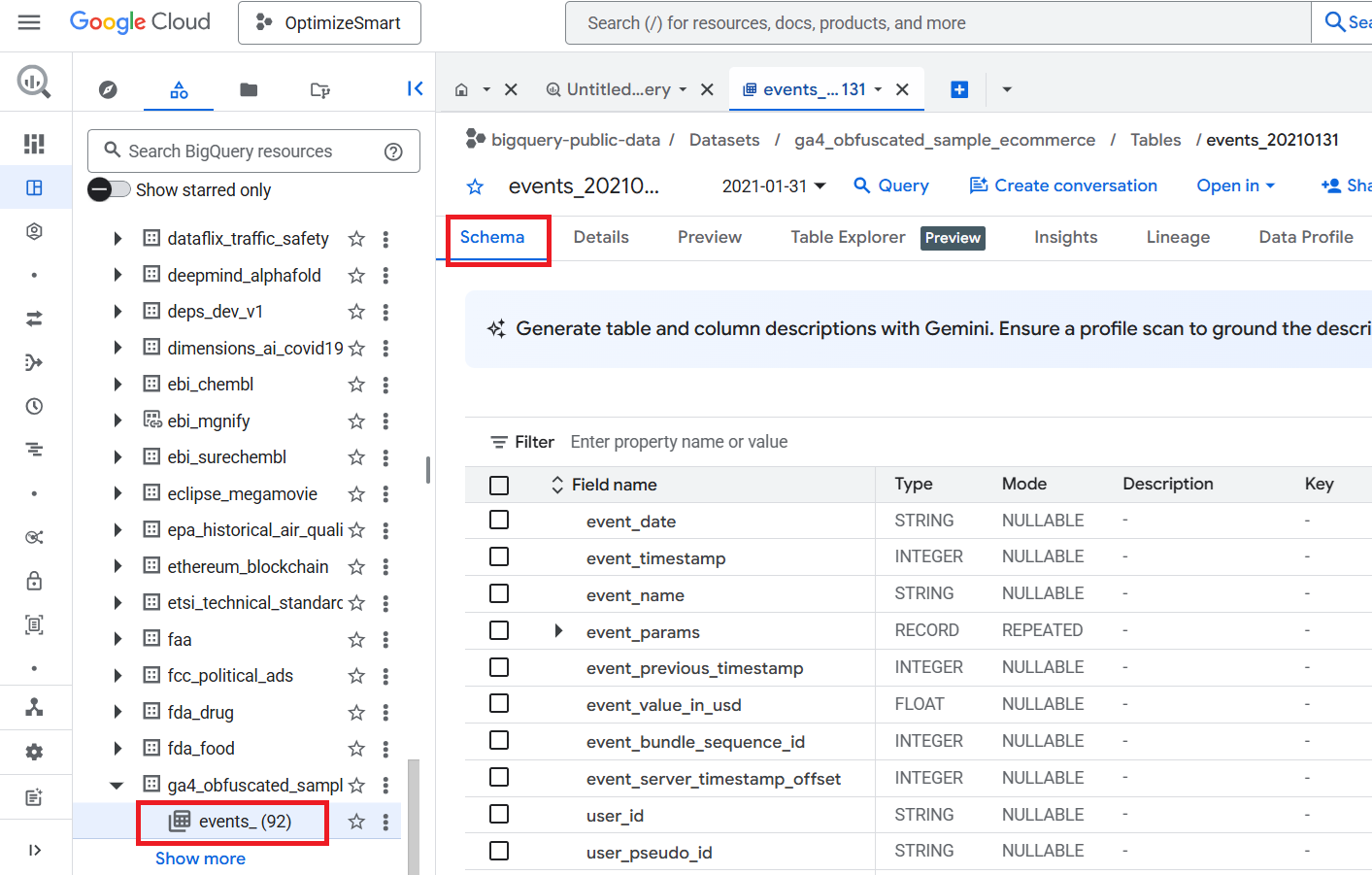
The data table ‘events_(92)’ contains 92 days of obfuscated data from November 2020 to January 2021.
Obfuscated data means certain fields contain placeholder values, including <Other>, NULL, and ”, and the internal consistency of the dataset might be somewhat limited.
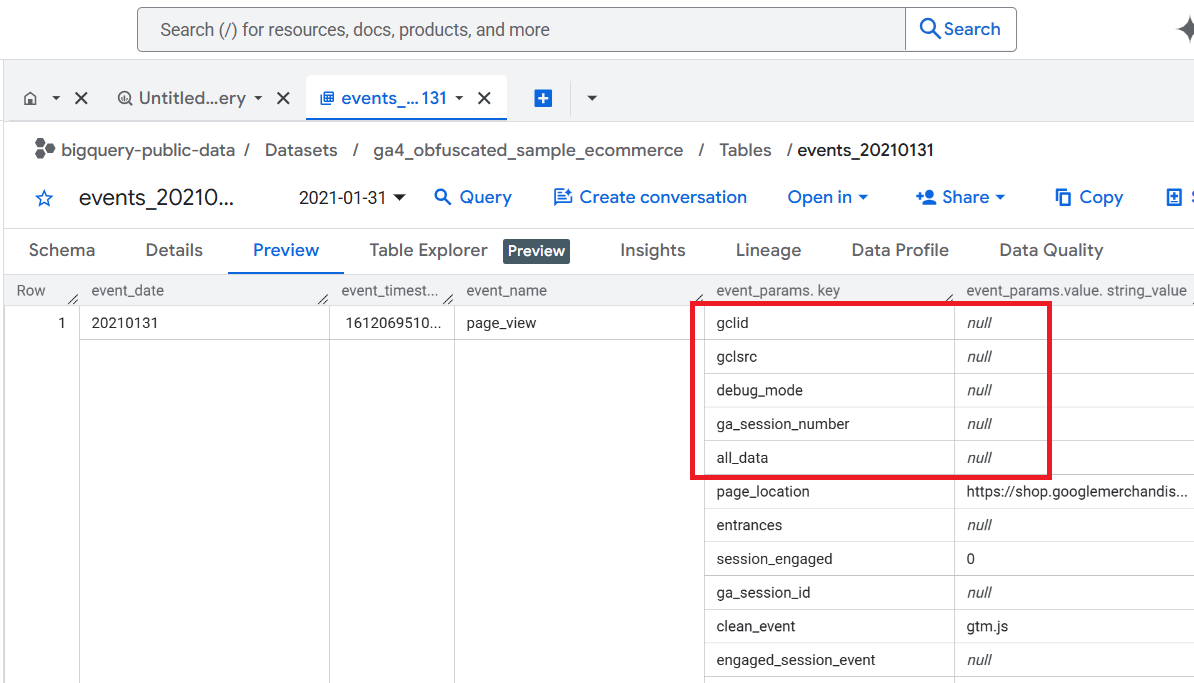
Google recommends not comparing the data in the data table with the Google Analytics Demo Account for the Google Merchandise store, as the data is different.

Step-4: Click on the star button next to ‘ga4_obfuscated_sample_ecommerce’ dataset:
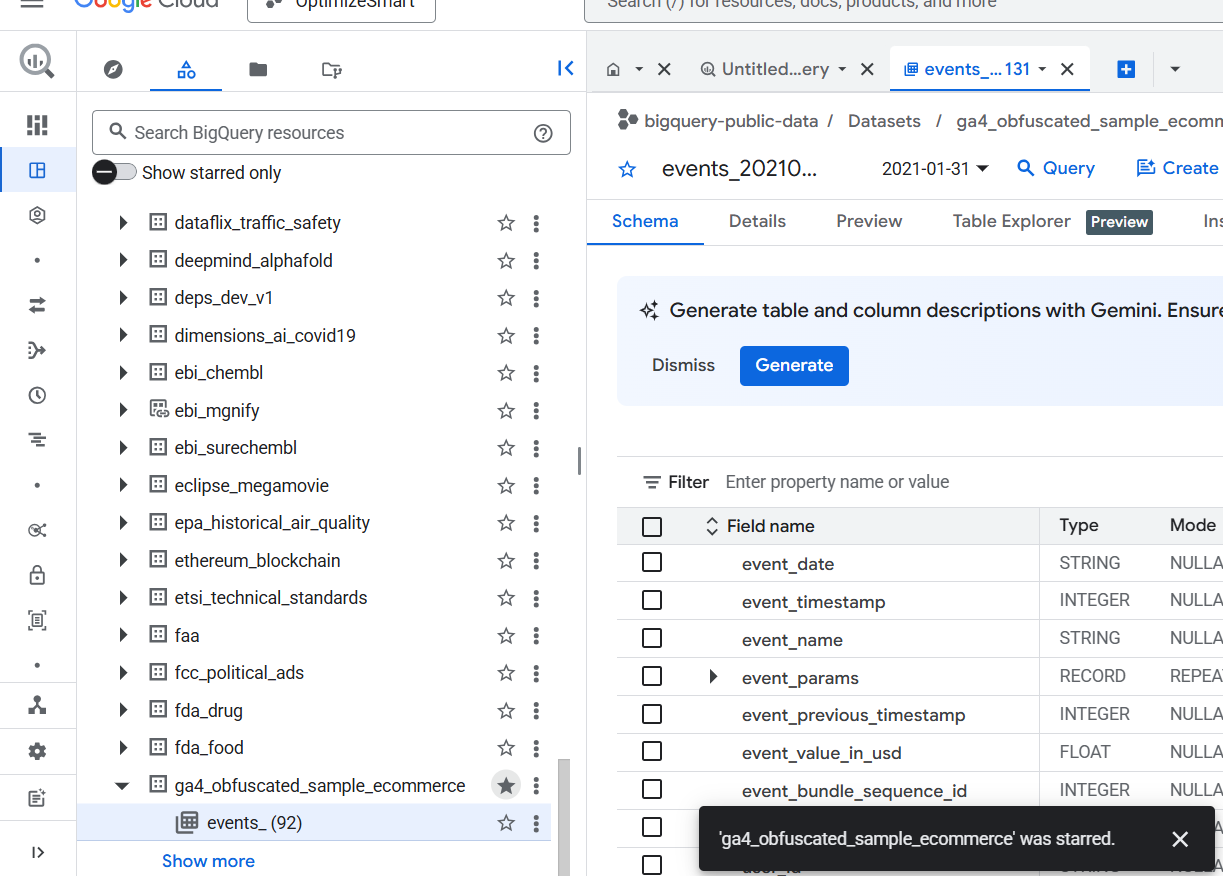
In BigQuery, the star button is used to mark a project, dataset, or table as a favourite.
It provides a convenient way to quickly access frequently used resources, even when you have a large number of projects, datasets, and data tables in your account.
These sample datasets are sourced from two Google platforms: the Google Merchandise Store, which is an e-commerce site operated by Google, and the Google ‘Flood-it’ mobile application, a gaming app also developed by Google.
In addition to the sample GA4 data for the website (Google Merchandise Store), BigQuery also provides access to sample GA4 data for the mobile app (Google ‘Flood-it’ mobile app).
However, the mobile app data is not available in the ‘BigQuery Public data’ project.
To access and query GA4 sample data for the mobile app in BigQuery, you will need to find and navigate to another project called ‘firebase-public-project’.
Step-5: Click on the flood it dataset to access the BigQuery sample dataset for GA4 gaming app implementation.
You should now see a screen like the one below, which shows the schema of the data table named: firebase-public-project.analytics_153293282.events_20181003
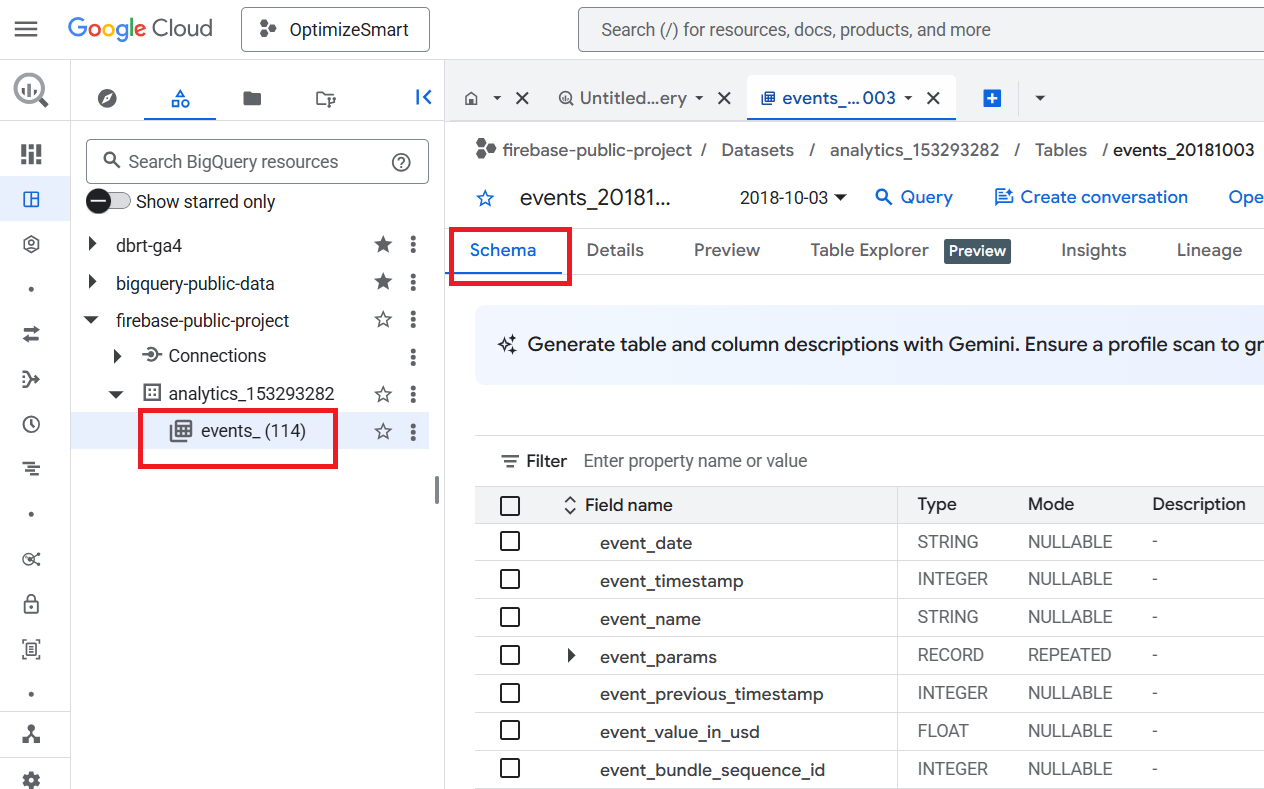
The data table named ‘events_(114)’ stores 114 days of obfuscated mobile app data from the year 2018.
Step-6: Click on the star button next to ‘firebase-public-project’ for easy access in the future:
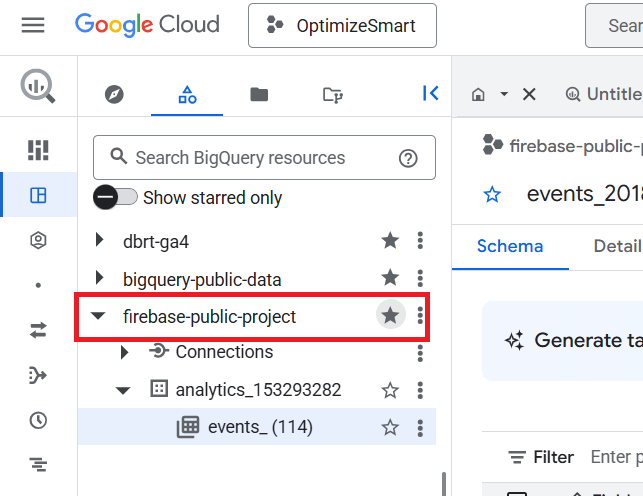
That’s how you can access GA4 sample data in BigQuery.
Related Articles:
- GA4 to BigQuery Mapping Tutorial.
- Understanding the BigQuery User Interface.
- GA4 BigQuery Query Optimization.
- How to access a nested field in GA4 BigQuery data table.
- How to Calculate Unique Users in GA4 BigQuery.
- GA4 BigQuery Export Schema Tutorial.
- Calculating First Time Users in GA4 BigQuery.
- Extracting Geolocations in GA4 BigQuery.
- GA4 BigQuery SQL Optimization Consultant.
- Tracking Pages With No Traffic in GA4 BigQuery.
- First User Primary Channel Group in GA4 BigQuery.
- How to handle empty fields in GA4 BigQuery.
- Extracting GA4 User Properties in BigQuery.
- Calculating New vs Returning GA4 Users in BigQuery.
- How to access BigQuery Public Data Sets.
- How to access GA4 Sample Data in BigQuery.
- Understanding engagement_time_msec in GA4 BigQuery.