

Your website navigation needs to be logical, intuitive and easy to understand.
If your customers face even a little difficulty finding out what they are looking for, they may not think twice before jumping to your competitor’s website.
Make sure that every customer knows where he is presently on the website (via breadcrumbs), where he has been (by using a different colour for visited links) and where he can go.
The following are the website navigation design best practices:
#1 Maintain consistency in terms of design & layout throughout your website
If there is no consistency in website design and layout, that would confuse the website users and result in a high bounce rate.
#2 The main navigation menu should remain at the same place on every page
It should otherwise it would confuse the website users and could result in a high bounce rate.
#3 The links on your website should not appear or disappear unpredictably
They should not otherwise it would confuse the website users and could result in a high bounce rate.
#4 Use descriptive anchor texts (not like ‘next’, ‘click here’ etc).
Descriptive anchor text tells the website users what to expect next when they click on a link. They are also good for website SEO.
#5 A user must be able to easily distinguish between plain text and text link on your website.
The text links need to have a different color than the actual text. Otherwise, your website users may have a hard time identifying and clicking on a text link.
#6 The visited and unvisited text links should have different font colors.
When visited and unvisited text links have different font colors, it makes it easy for your website users to know where they have been on the website.
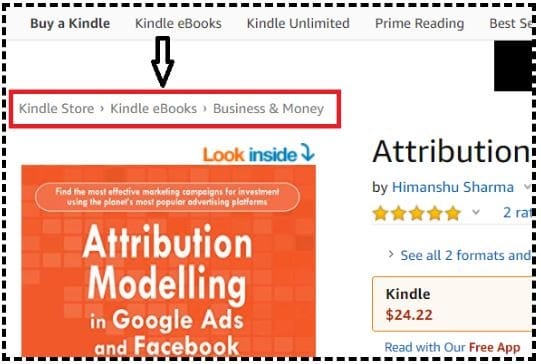
#7 Use breadcrumbs
Breadcrumbs help website users in understanding where they are presently on the website.
#8 Use pagination
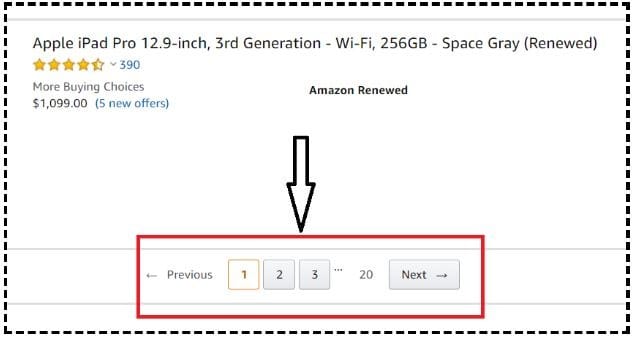
Pagination is a navigation technique that is used to divide content into multiple pages.
If you add all the content on a single page (for example list all of your products on a single page), it could create information overload for your website users which in turn would result in negative shopping experience.
#9 All major web pages should be accessible from any web page (esp. home page) on the website
Major web pages are the most important pages on your website. For example, the home page, about us page, contact us page, privacy page, sitemap, and all main product categories pages.
You want to make sure that your website users can access these web pages from any page on your website.
#10 Every page of your website should have a clickable website logo at the top left-hand side which takes a user straight to the home page
It has become a standard web design practice to put a clickable website logo at the top left-hand side of every webpage which takes a user straight to the home page. So most website users expect that a click on the website logo will take them straight to the home page.
#11 Add an HTML sitemap in the bottom navigation bar
Though users generally don’t use a sitemap to find content on a website, it is still a good navigation tool for search engines (like Google). Through sitemaps, a search engine bot can easily crawl your entire website and find new/updated content really fast.
#12 Use an internal site search engine that is pretty good in producing accurate search results
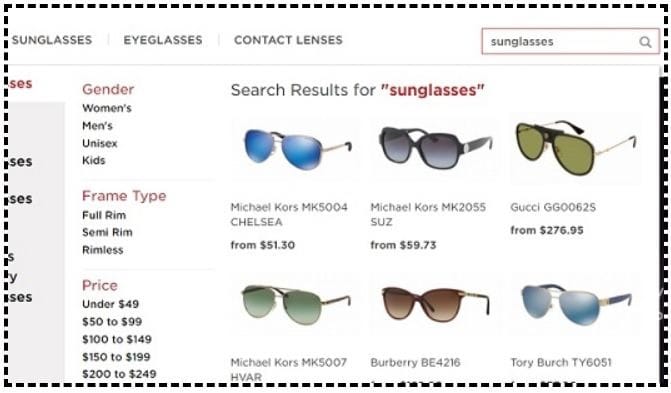
The internal site search engine is the search box that you see on a website. It also refers to the functionality that powers the search box.
A bad internal site search engine can quickly kill the possibility of any sale, especially on large ecommerce websites. If people can not find what they are looking for, they will not be able to buy and exit the website.
#13 Use an internal site search engine with a low error tolerance level.
Many internal site search engines do not produce any search results at all when a user misspelled a search query (like ihpone, samusng). They have an error tolerance level of zero. This should not be the case.
The internal site search must be able to produce search results for misspelled words and those results should be pretty accurate. Don’t let the typos stop your website users from finding what they are looking for.
#14 It should not take more than 5 seconds for the search results to appear to a website user.
#15 Your search results should automatically adjust to target the most popular search results
Ideally, your search results should automatically adjust themselves to target the most popular search results as the most popular results are often the most relevant.
#16 Your internal site search should allow users to search in multiple languages (in case of a multi-lingual website)
#17 Use an internal site search that provides the ‘auto-complete’ feature
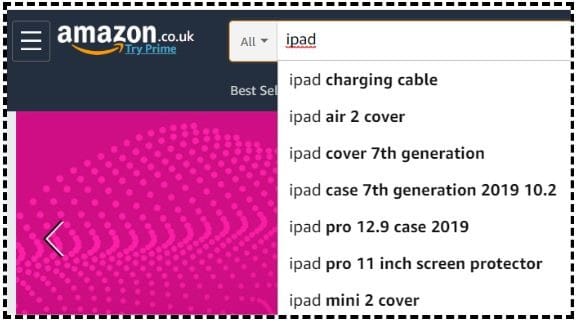
The ‘autocomplete’ feature guides your website users to better search results by suggesting the most popular search terms as they type.
#18 Use an internal site search that provides the ‘auto-complete’ feature with images
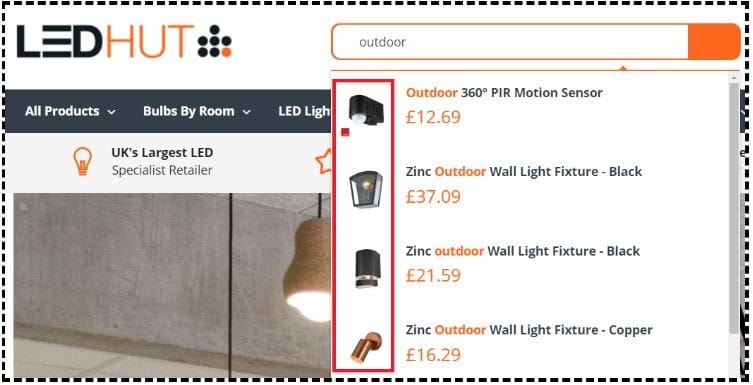
Images make the autocomplete search functionality more descriptive and visually appealing which could boost website sales because you are showing exactly what your website users want to find.
#19 Use internal site search with filters
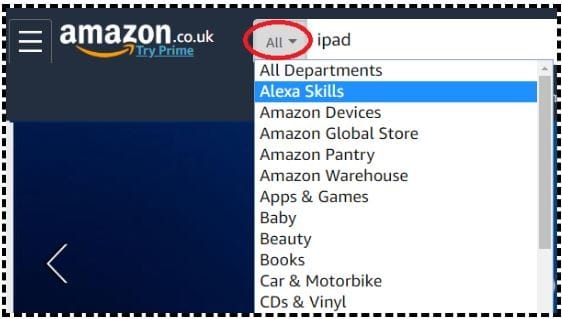
A search filter is a specific attribute (like size, color, price, brand, category) a website user can use to refine the search results pretty fast.
#20 Use internal site search that provides the ‘semantic search’ functionality
According to Wikipedia:
Semantic search denotes search with meaning, as distinguished from lexical search where the search engine looks for literal matches of the query words or variants of them, without understanding the overall meaning of the query.
In short, semantic search allow your website users to find what they want regardless of the words they type into the search box.
#21 Make sure you can do a cross-domain search through your internal site search
If your website has multiple sub-domains then a cross-domain search allows your website users to search across primary and sub-domains.

Related Articles.
- Best Types of Charts in Excel for Data Analysis, Presentation and Reporting.
- KPI Meaning, Examples, Calculation & Dashboard Tutorial.
- Understanding A/B Testing Statistics to get REAL Lift in Conversions.
- Web Analytics Career Path – How to Become a Web Analyst.
- How to calculate maximum CPA and profitable ROAS.
- Bare Minimum Statistics for Web Analytics.
- Predictive Analytics & Marketing – The Next Stage of Business Optimization.
- How to improve data reporting skills – FREE Training.
- Maths and Stats behind Web Analytics – Beginners Guide.
- Learn to Analyze & Report above Average.
- What Matters More? Conversion Volume or Conversion Rate – Case Study.
- Is Your Conversion Rate Statistically Significant?
- Why Conversion Volume Optimization is better than CRO.
- Website Navigation Best Practices.
- How to advertise on Facebook for FREE with unlimited budget.
- Which Chart Type Works Best for Summarizing Time-Based Data in Excel.
- Pocket Guide to Do It Yourself Usability Testing.
- Understanding Historical Data in Web Analytics.
- 25 web form design best practices – optimizing forms for conversions.