

‘utm_campaign’ is a key of a UTM parameter which is used to send the name of the custom campaign to GA4.
You can use any of the following as the value of ‘utm_campaign’ key:
- any text
- any number
- any combination of text and number
- words separated by white spaces
For example:
utm_campaign=Book+promo+Sept2025
utm_campaign=Sept_Bumper_Sales2025
utm_campaign=Analytics-Training-Course
No matter what campaign name you select, ensure that you remain consistent with its spelling, format and case.
For GA4, ‘BookPromo’ is a different campaign name than ‘bookpromo’.
Similarly, for Google Analytics,
‘Sept_Bumper_Sales2025’ is a different custom campaign name than ‘Sept-Bumper-Sales2025’ or ‘Sept+Bumper+Sales2025’
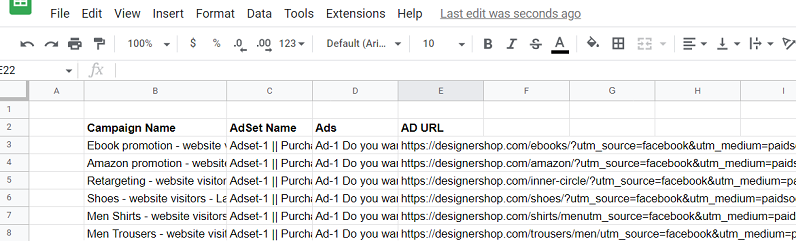
The best way to maintain consistency with the name, spelling, case and formatting of campaign names is to maintain a Google Sheet or Excel spreadsheet of all the tagged URLs and always use lowercase.
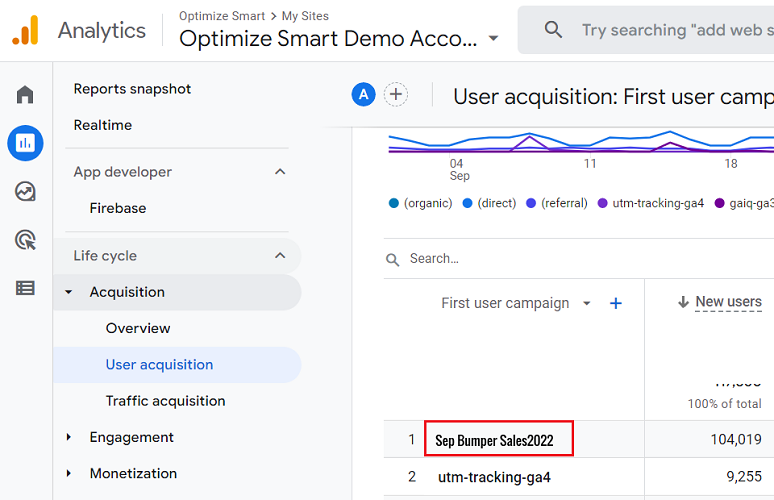
Note: When you use ‘Sep+Bumper+Sales2022’ as the value of ‘utm_campaign’, then GA4 displays whitespaces between various words of the campaign name:
Use short and descriptive words as the name of your custom campaign.
If you are running a Facebook campaign, you should use the name of the Facebook campaign as the value for ‘utm_campaign’.
If you are running an email campaign, you should the name of the email campaign as the value for ‘utm_campaign’.
Similarly,
If you are running a Twitter campaign, you should use the name of the Twitter campaign as the value for ‘utm_campaign’.
Where can you find the values of the ‘utm_campaign’ key in GA4?
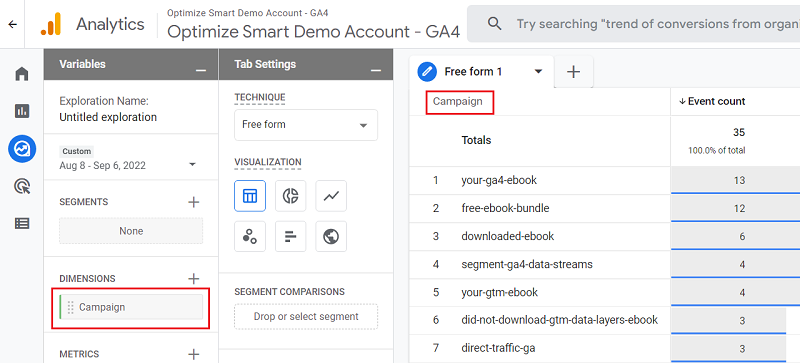
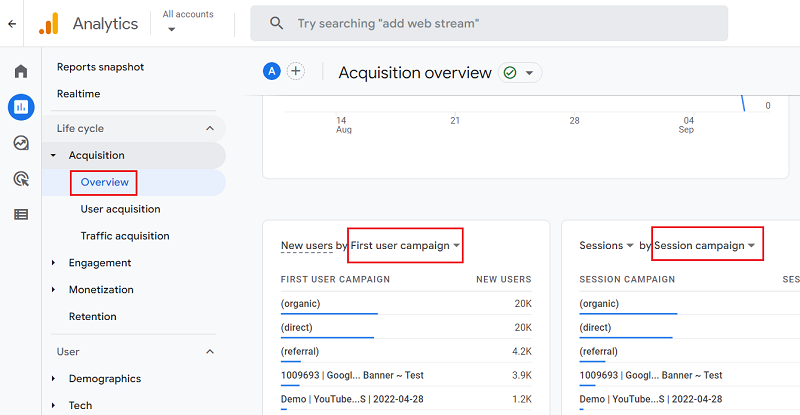
You can see the values of the ‘utm_campaign’ key in GA4 through the following dimensions:
- Campaign
- First user campaign
- Session campaign
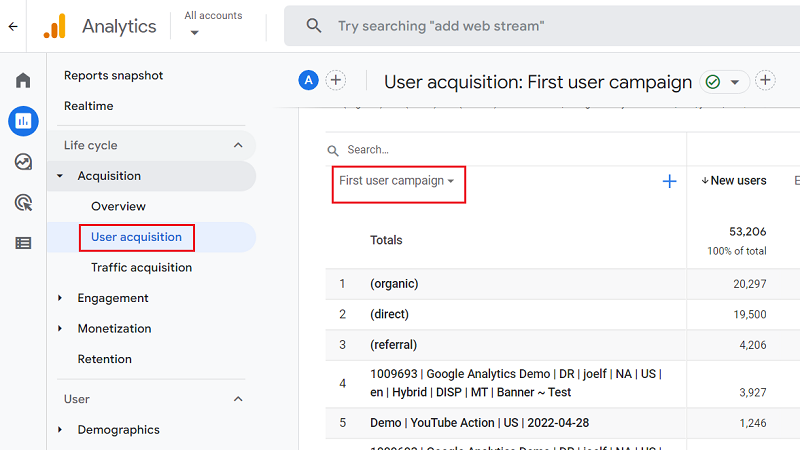
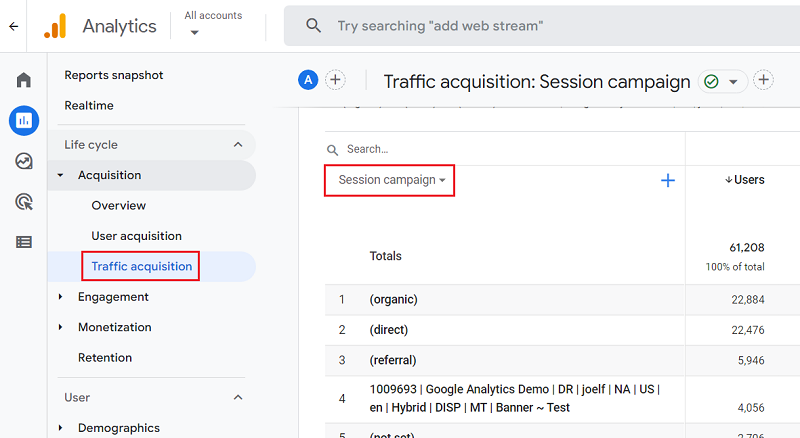
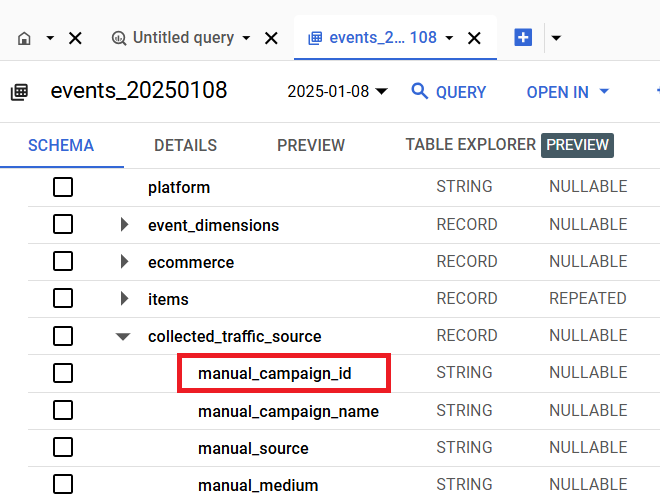
Where can you find the value of the ‘utm_campaign’ key in GA4 BigQuery?
You can find the value of the ‘utm_campaign’ key in GA4 BigQuery via the ‘manual_campaign_name‘ field under ‘collected_traffic_source‘:

Other Articles on GA4.
- Google Analytics 4 often report inflated conversion counts by default.
- The Best Reporting Identity for Google Analytics 4.
- 'Days to key events' metric in Google Analytics 4.
- Advertising Reports in Google Analytics 4.
- Google Analytics 4 Data Delays Guidelines.
- Data deletion requests in Google Analytics 4 (GA4).
- How to Mix GA4 Dimensions & Metrics of Different Scopes?
- The best platform for GTM Server Side Tagging.
- Use the Data Manager API instead of the Measurement Protocol.
- utm_id (Campaign ID) in Google Analytics 4.
- utm_source (campaign traffic source) in Google Analytics 4.
- utm_medium (campaign traffic medium) in Google Analytics 4.
- utm_campaign (campaign name) in Google Analytics 4.
- utm_term (campaign term) in Google Analytics 4.
- utm_content (campaign content) in Google Analytics 4.
- utm_source_platform in Google Analytics 4.
- utm_campaign_id in Google Analytics 4.
- utm_creative_format in Google Analytics 4.
- utm_marketing_tactic in Google Analytics 4.
- Filter Google Analytics 4 Reports by UTM Parameters.