

The ‘utm_source_platform’ is a key of a UTM parameter which is used to send the name of the marketing platform which sent traffic to your website when you are using a multi-platform ad network.
GA4 often reports the following values for the ‘utm_source_platform’ key:
- Google Ads.
- Manual.
- Shopping Free Listing.
- Search Ads 360.
- Display & Video 360 etc.
Where can you find the values of the ‘utm_source_platform’ key in GA4?
You can see the values of the ‘utm_source_platform’ key in GA4 through the following dimensions:
- Source platform
- Session source platform
- First user source platform
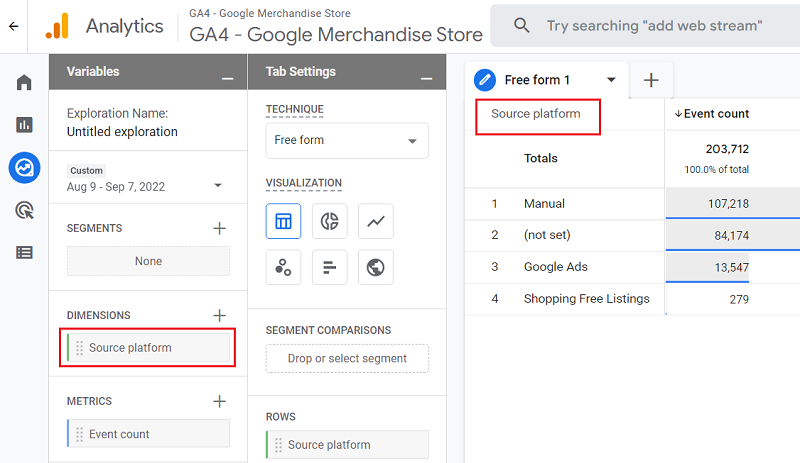
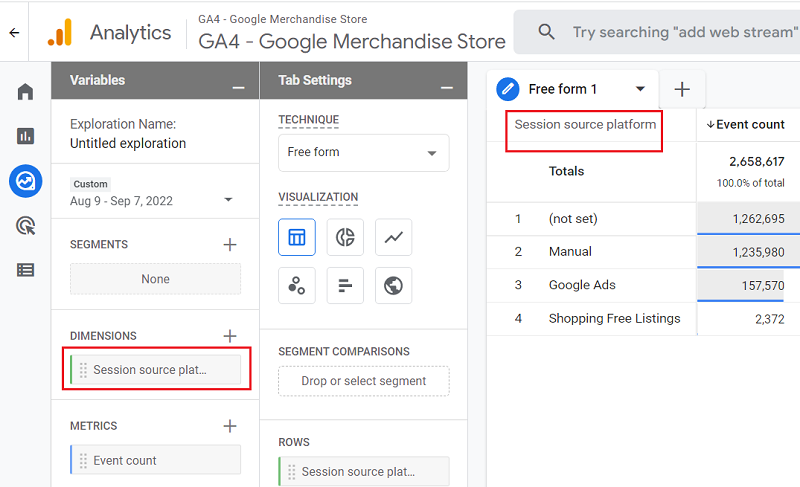
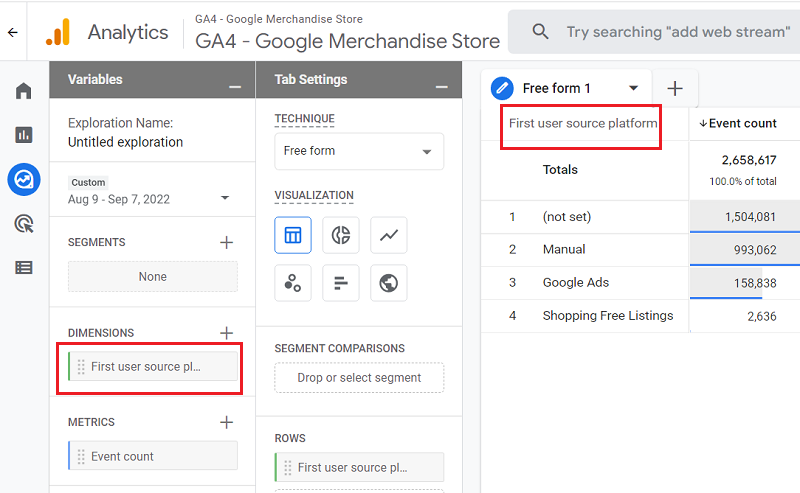
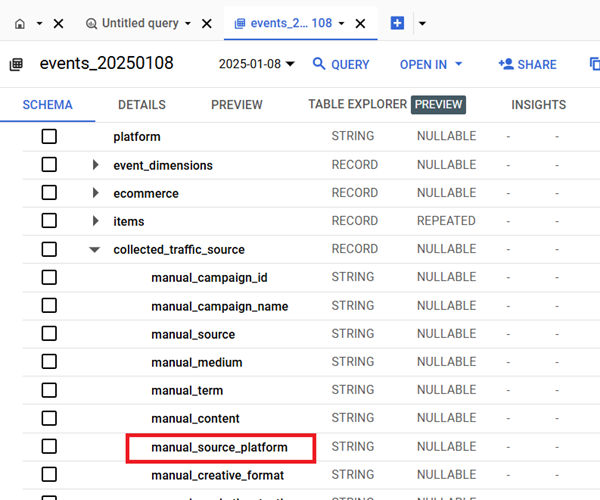
Where can you find the value of the ‘utm_source_platform’ key in GA4 BigQuery?
You can find the value of the ‘utm_source_platform’ key in GA4 BigQuery via the ‘manual_source_platform‘ field under ‘collected_traffic_source‘:

Other Articles on GA4.
- Google Analytics 4 often report inflated conversion counts by default.
- The Best Reporting Identity for Google Analytics 4.
- 'Days to key events' metric in Google Analytics 4.
- Advertising Reports in Google Analytics 4.
- Google Analytics 4 Data Delays Guidelines.
- Data deletion requests in Google Analytics 4 (GA4).
- How to Mix GA4 Dimensions & Metrics of Different Scopes?
- The best platform for GTM Server Side Tagging.
- Use the Data Manager API instead of the Measurement Protocol.
- utm_id (Campaign ID) in Google Analytics 4.
- utm_source (campaign traffic source) in Google Analytics 4.
- utm_medium (campaign traffic medium) in Google Analytics 4.
- utm_campaign (campaign name) in Google Analytics 4.
- utm_term (campaign term) in Google Analytics 4.
- utm_content (campaign content) in Google Analytics 4.
- utm_source_platform in Google Analytics 4.
- utm_campaign_id in Google Analytics 4.
- utm_creative_format in Google Analytics 4.
- utm_marketing_tactic in Google Analytics 4.
- Filter Google Analytics 4 Reports by UTM Parameters.