

The Advertising Reports section of the GA4 property is getting a major revamp:
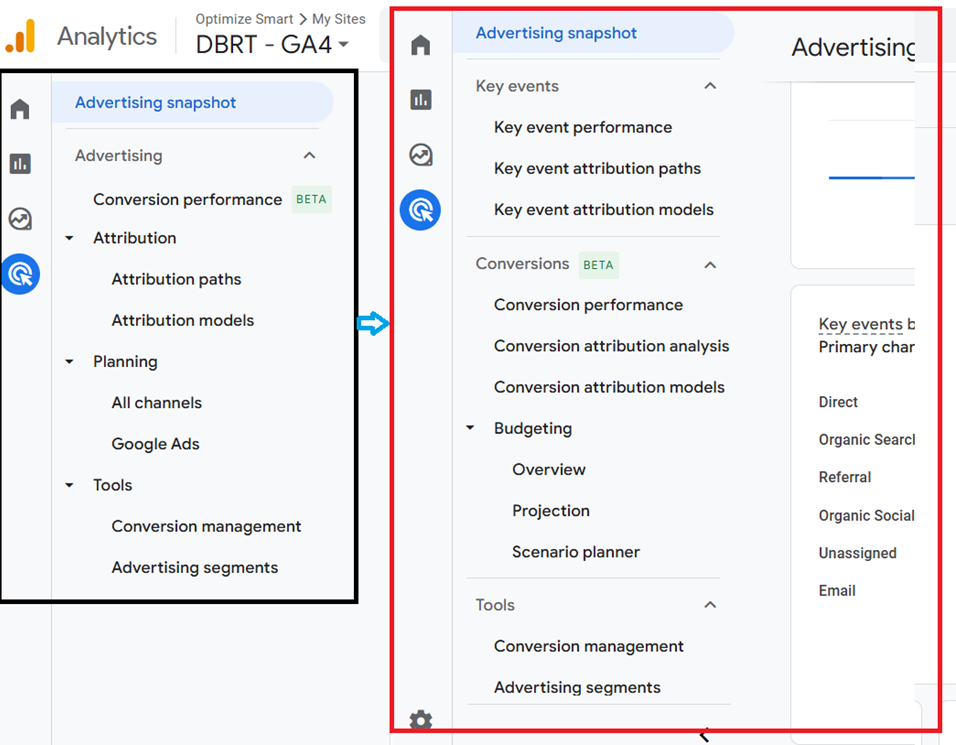
You can see now there is a clear distinction between Key Events and Conversion Reports.
Any key event that is imported to Google Ads is labelled as ‘conversions’ in GA4. In other words, conversions are those key events that are imported to Google Ads.
Note: A GA4 event can be a Key Event and a Conversion at the same time.
There is a new button called ‘How to use this report’:
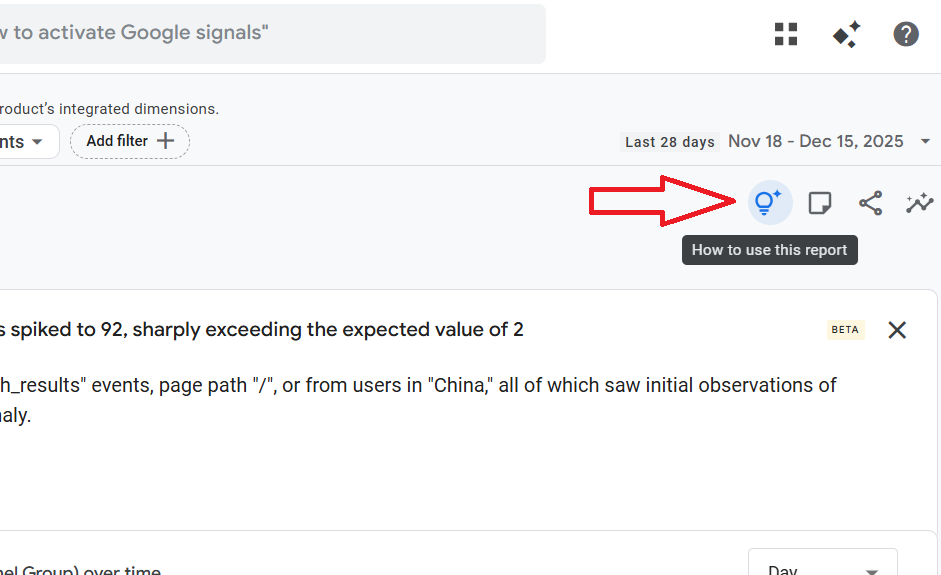
This button appears in several advertising reports.
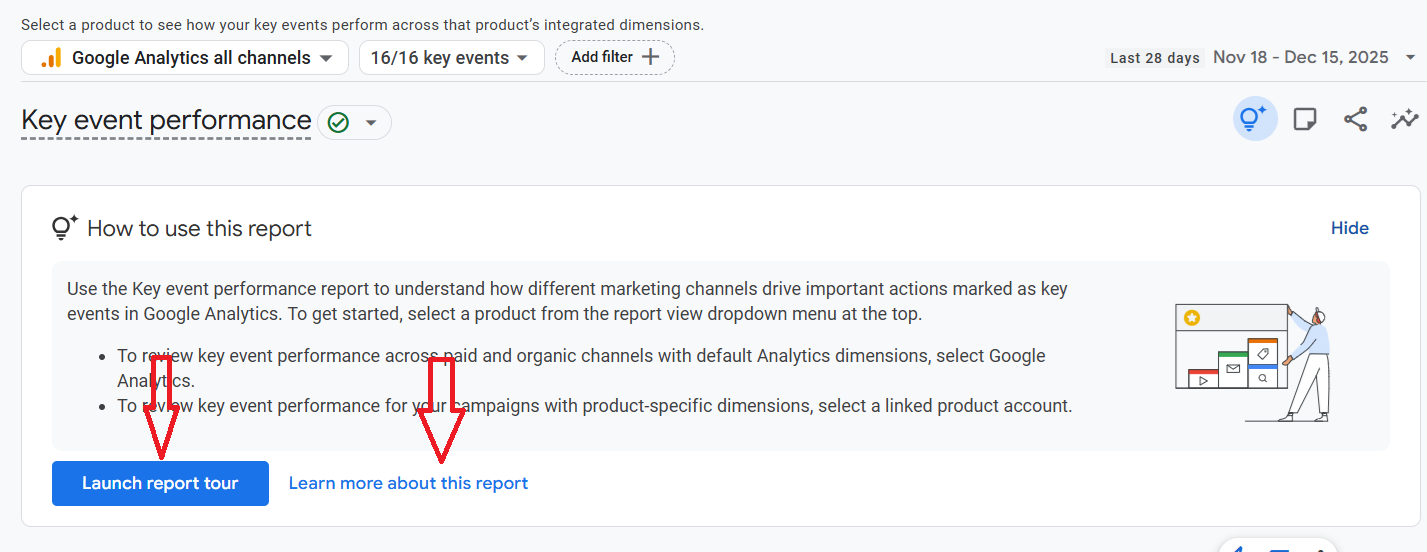
You can launch a report tour or navigate straight to the Google help documentation:
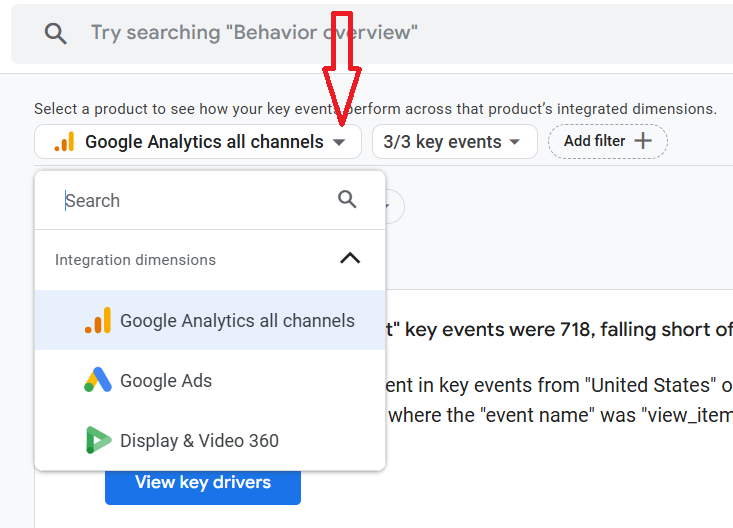
There is a product selection drop-down menu:
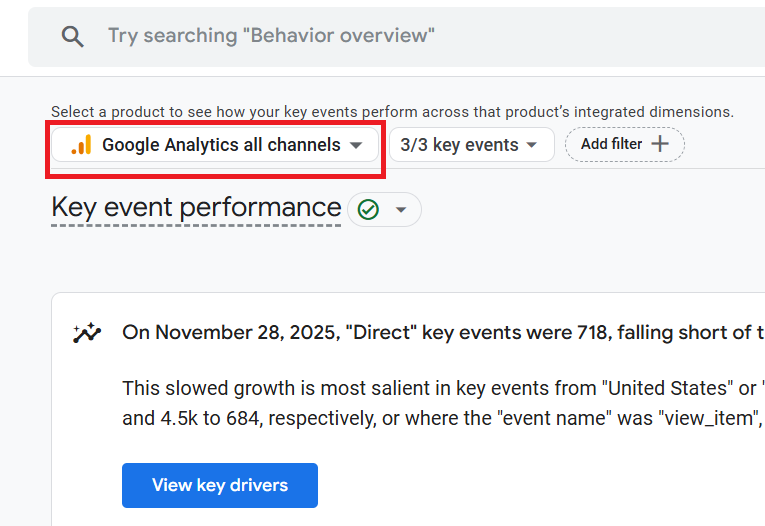
Select a Google product (Google Analytics, Google Ads, Display and Video 360…) to see how your key events perform across that product’s integrated dimensions.
There are now two new categories of (non direct) attribution models in GA4:
- Key Event Attribution Models - Data-Driven, Last Click (Paid and Organic Channels) and Last Click (Google Paid Channels).
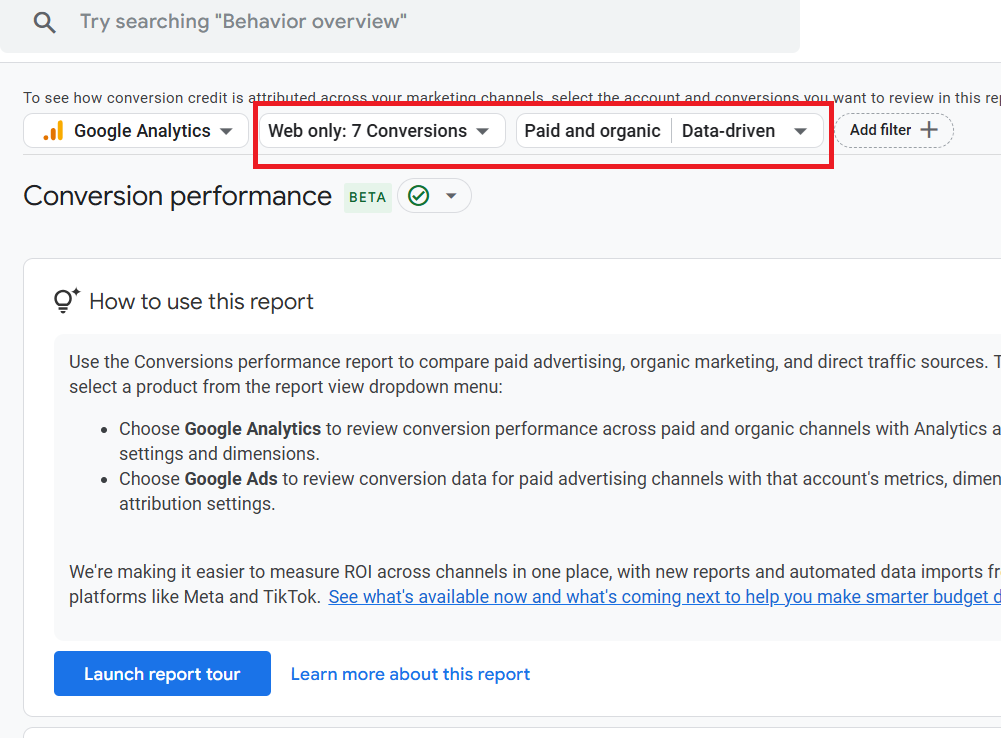
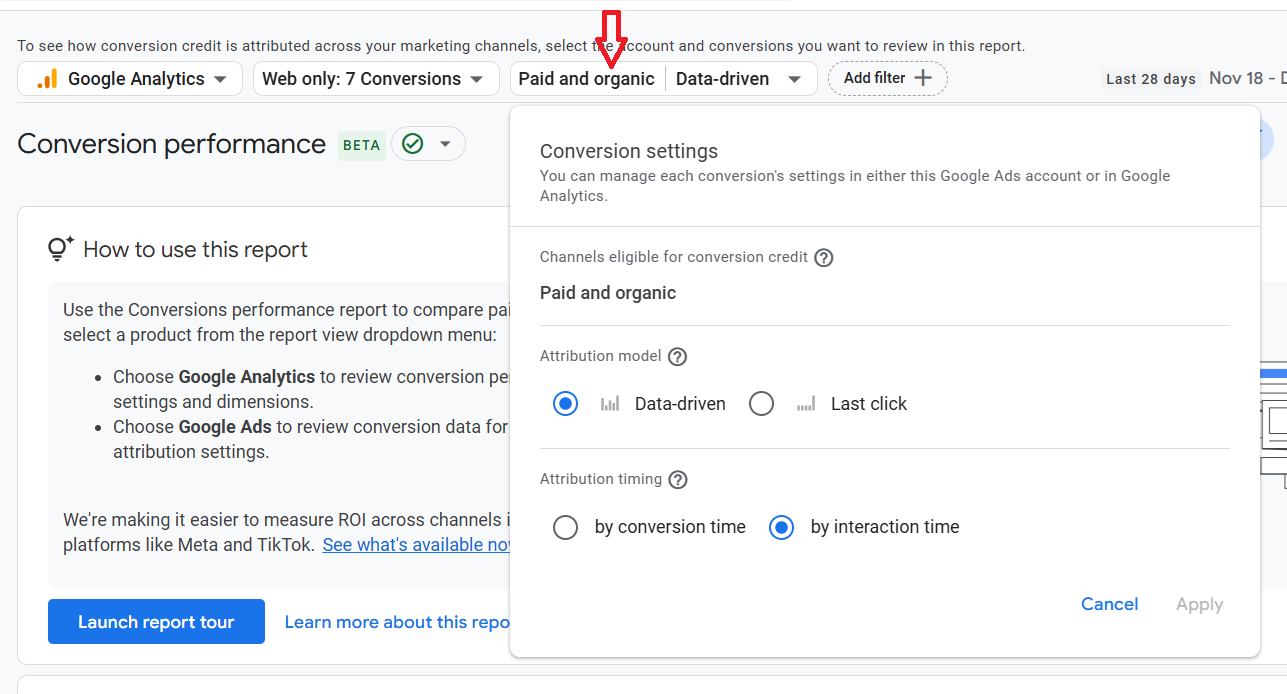
- Conversion Attribution Models - Data-Driven and Last Click (Paid and Organic Channels).
There are some additional filters for certain GA4 Advertising Reports.
Note: Most of these reports are available in the GA4 demo property if not already available to you.
My take on the new advertising reports.
Overall, I don’t like the direction these advertising reports are heading. They are just making attribution unnecessarily more complex.
Google should not use two different terms (key events, conversions) to describe exactly the same thing and create new attribution model categories based on key events and conversions.
I have no faith in the cross-channel budgeting feature provided by GA4, simply because Google Ads' native conversion tracking is superior.
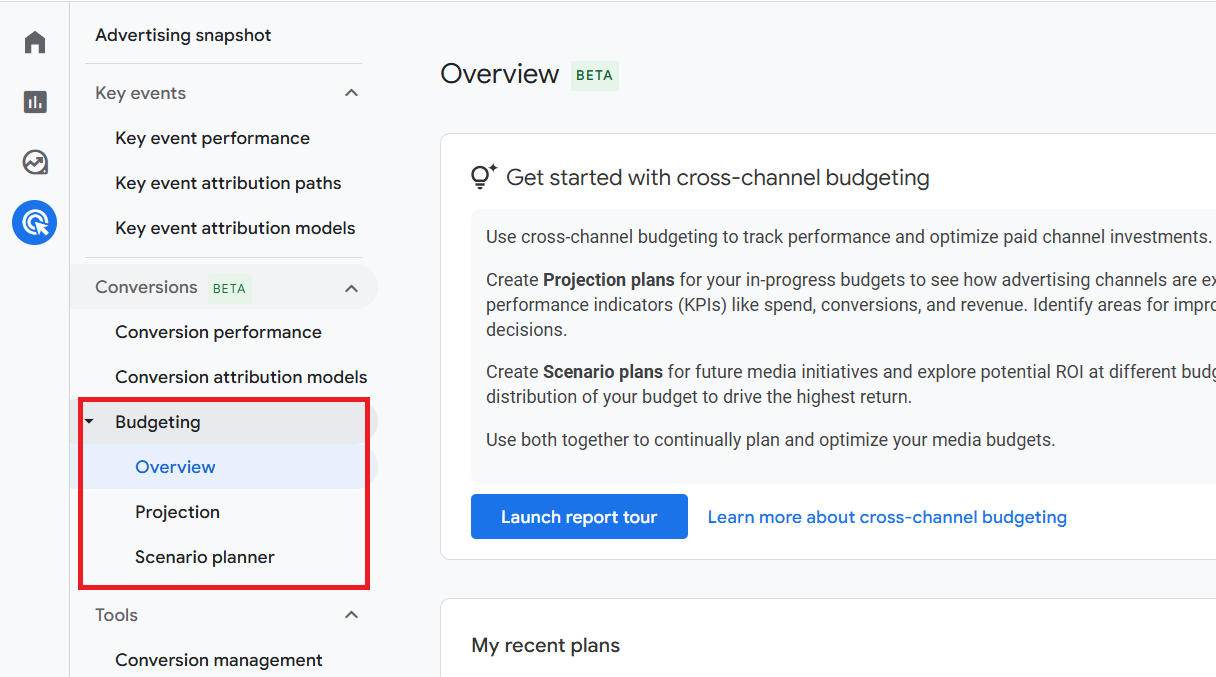
Google Ads native conversion tracking is the primary signal for optimization and budget control; GA4 cross-channel budgeting is a secondary, diagnostic layer for directionally comparing channels and stress-testing plans.
GA4’s cross-channel budgeting should never replace native Google Ads conversions for bidding.
Mention of external data sources in Analytics Advisor.
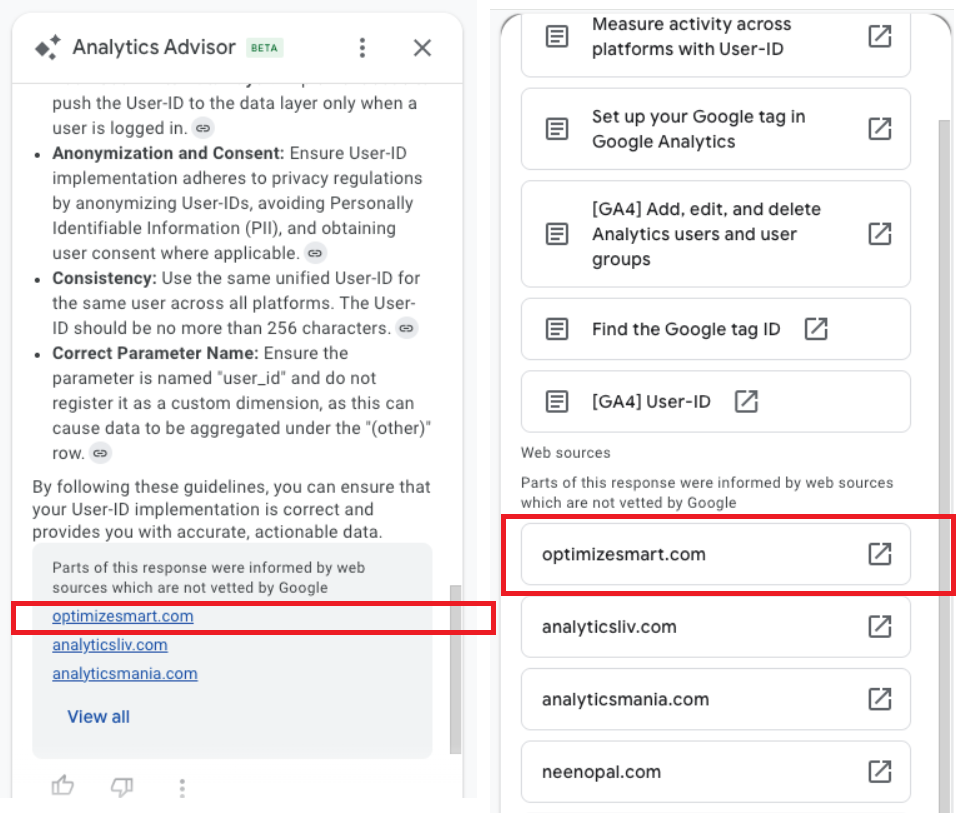
First discovered by Diego Mainez.
I haven't seen Analytics Advisor mention non-Google properties in its AI responses before.
I tested it myself for the prompt 'Where can I learn more about user ID' and found my blog listed. After all, Analytics Advisor is powered by Gemini.
How much traffic/leads such a mention generates has yet to be seen.
But it is good to know that Google is no longer promoting only its own content/web properties.

Other Articles on GA4.
- Google Analytics 4 Migration Checklist - Upgrade to GA4.
- How to Install Google Analytics 4 on Shopify.
- How to link Google Analytics 4 with AdSense.
- Google Analytics 4 Subproperties Tutorial.
- How to connect Google Analytics 4 with Google Data Studio.
- Advertising Snapshot in Google Analytics 4 (GA4).
- Manage automatic event detection in Google Analytics 4.
- How to use Google Analytics 4 Event Builder.
- Is Safari Undermining Your GTM Server-Side Tagging?
- Guide to Google First Party Mode.
- You Can’t Really Trust Google Analytics 4 Engagement Metrics.
- Google Analytics 4 Metrics Tutorial.
- Google Analytics 4 Custom Metrics Tutorial.
- Don't Configure Google Tag via GTM, Google Ads and GA4.
- Retargeting Audiences in GA4 For Ecommerce Websites.
- Google Analytics 4 often report inflated conversion counts by default.
- The Best Reporting Identity for Google Analytics 4.
- 'Days to key events' metric in Google Analytics 4.
- Advertising Reports in Google Analytics 4.
- Google Analytics 4 Data Delays Guidelines.