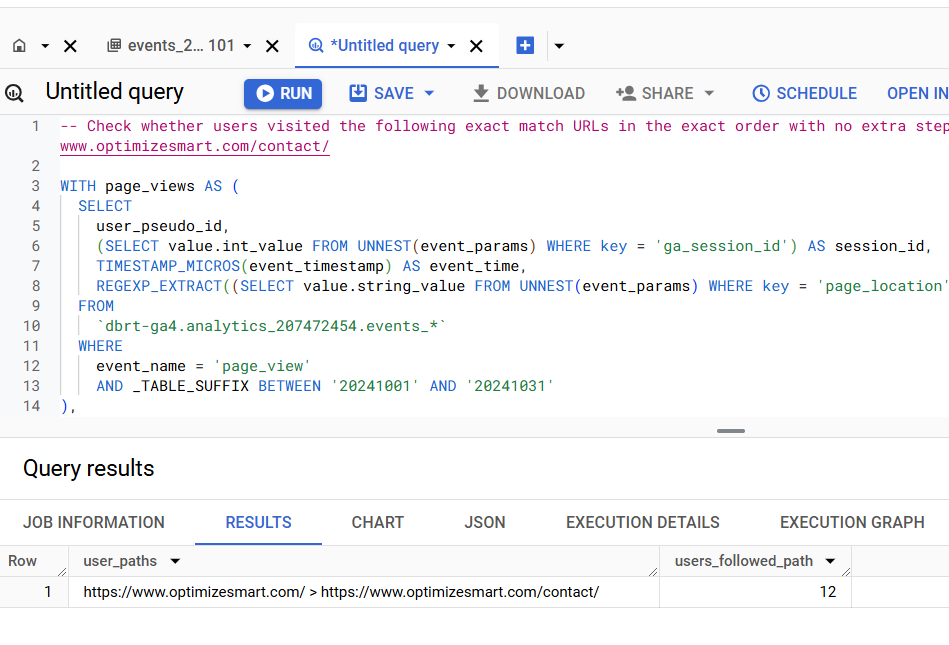
Calculating user paths in GA4 BigQuery is one of the toughest queries you can write in SQL.
Unless you have years of SQL experience, writing this from scratch is painful.
Here is the SQL:

-- Check whether users visited the following exact match URLs in the exact order with no extra steps in between: https://www.optimizesmart.com/, https://www.optimizesmart.com/contact/
WITH
page_views AS (
SELECT
user_pseudo_id,
(
SELECT value.int_value
FROM UNNEST(event_params)
WHERE key = 'ga_session_id'
) AS session_id,
TIMESTAMP_MICROS(event_timestamp) AS event_time,
REGEXP_EXTRACT(
(
SELECT value.string_value
FROM UNNEST(event_params)
WHERE key = 'page_location'
),
r'^[^?]+') AS normalized_url
FROM
`dbrt-ga4.analytics_207472454.events_*`
WHERE
event_name = 'page_view'
AND _TABLE_SUFFIX BETWEEN '20241001' AND '20241031'
),
user_paths AS (
SELECT
user_pseudo_id,
session_id,
ARRAY_AGG(normalized_url ORDER BY event_time ASC) AS path_array
FROM
page_views
GROUP BY
user_pseudo_id, session_id
),
exact_match_paths AS (
SELECT
user_pseudo_id,
ARRAY_TO_STRING(path_array, ' > ') AS user_path
FROM
user_paths
WHERE
ARRAY_LENGTH(path_array) >= 2
AND path_array[OFFSET(0)] = 'https://www.optimizesmart.com/'
AND path_array[OFFSET(1)] = 'https://www.optimizesmart.com/contact/'
AND ARRAY_LENGTH(path_array) = 2
),
final_output AS (
SELECT
user_path,
COUNT(DISTINCT user_pseudo_id) AS users_followed_path
FROM
exact_match_paths
GROUP BY
user_path
)
SELECT
user_path AS user_paths,
users_followed_path
FROM
final_output;
Replace the dbrt-ga4.analytics_207472454.events_* table reference with your own project, dataset, and events table.
Replace the dates in _TABLE_SUFFIX with your reporting window.
Replace the two URLs inside the exact_match_paths CTE with the path you want to track. Add additional path_array[OFFSET(n)] = '...' conditions for longer paths and update the ARRAY_LENGTH check to match.

What if you want to combine these with other GA4 metrics and dimensions?
The query above returns two outputs: user_paths and users_followed_path.
What if you want to slice these by traffic source, device, country, conversion event, or any other GA4 dimension? What if you want to layer in revenue, engagement time, or scroll depth?
There could be N use cases. It is not possible to provide ready-made SQL for every one of them.
That is why understanding the query logic matters. Once you understand the logic, you can scale across N SQL use cases instead of hunting for a new copy-paste query every time the requirement changes.
Learn the underlying logic for calculating various GA4 dimensions and metrics in BigQuery and leave the actual SQL generation to ChatGPT.
Your GA4 BigQuery data is only as good as the query logic you use. Once you understand the query logic, you can scale across 'N' SQL use cases.
That's what I teach in my GA4 BigQuery Course. The focus is entirely on teaching the underlying logic (instead of the actual SQL).
