

Follow the steps below to create a new Google Cloud Platform account with billing enabled:
Step-1: While logged into your Google account, navigate to Google Cloud Platform at https://console.cloud.google.com/
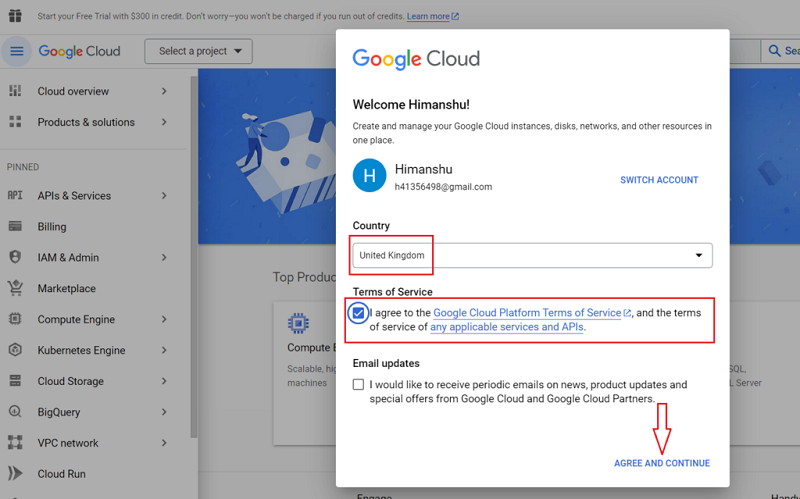
Step-2: Select your country, read and accept the ‘Terms of Service‘ (by selecting the checkbox) and then click on the ‘AGREE AND CONTINUE‘ button:
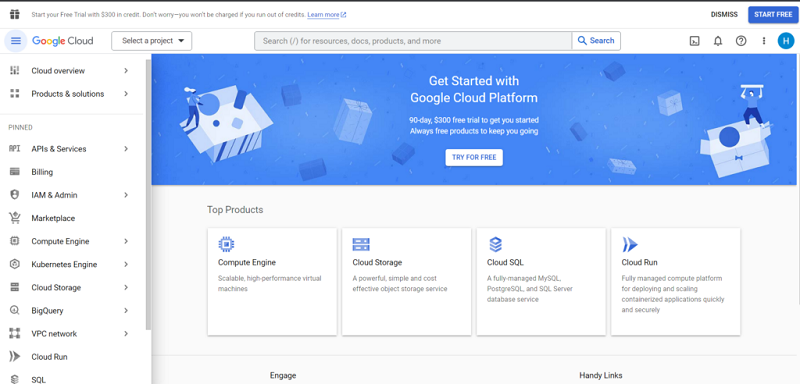
You should now see a screen like the one below:
Step-3: Click on the ‘Try for free‘ button to start your free 90 days trial of any of the Google Cloud Platform products (including ‘BigQuery‘):
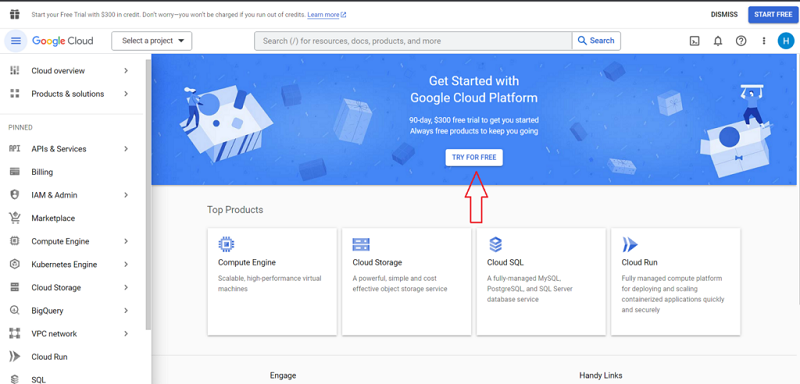
Note: When you start the free trial, Google gives you $300 of free credit to explore any of the Google Cloud Platform products like BigQuery.
Step-4: Select your billing country from the ‘Country’ drop-down menu:
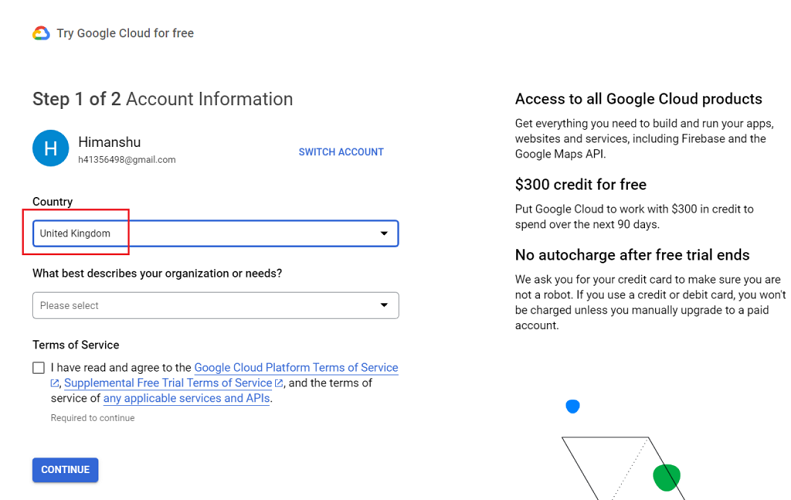
Step-5: Select the answer from the drop-down menu that best describes your organization or needs:
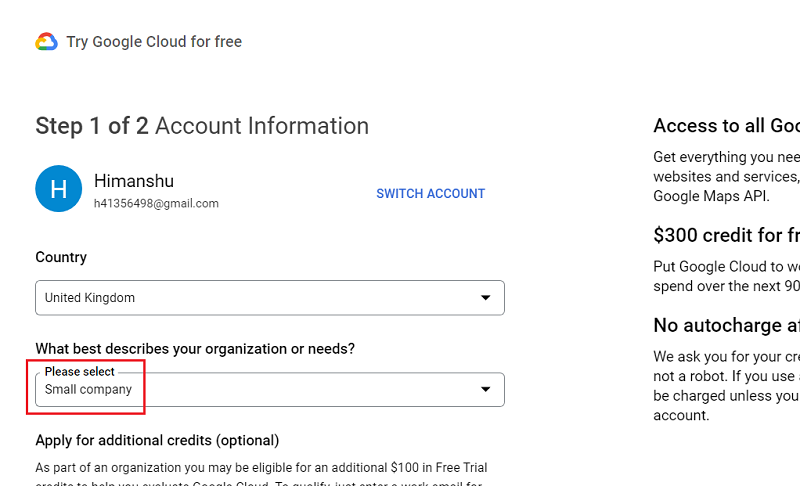
Step-6: If you see the field called ‘Apply for additional credits‘, enter your work email.
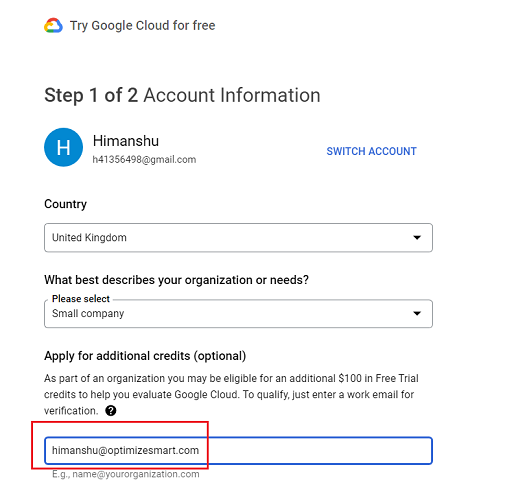
Once qualified, Google will give you an additional $100 in free trial credit.
So $400 credit in total for free:
Note: For this exercise, I won’t be applying for additional free credits. So I will leave the workspace email field empty.
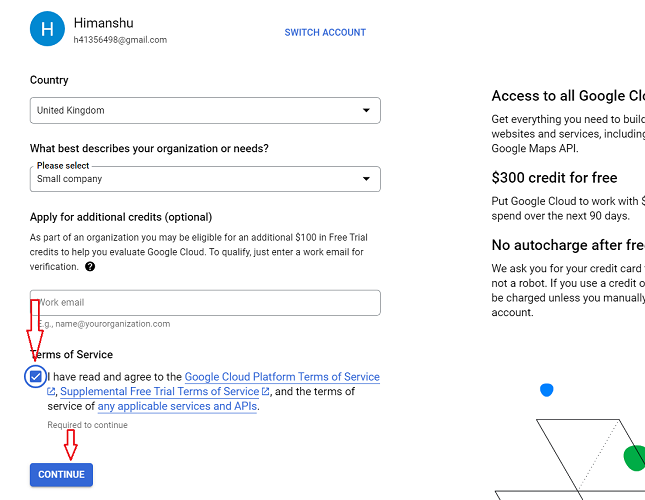
Step-7: Read and accept the ‘Terms of Service‘ and then click on the ‘Continue‘ button:
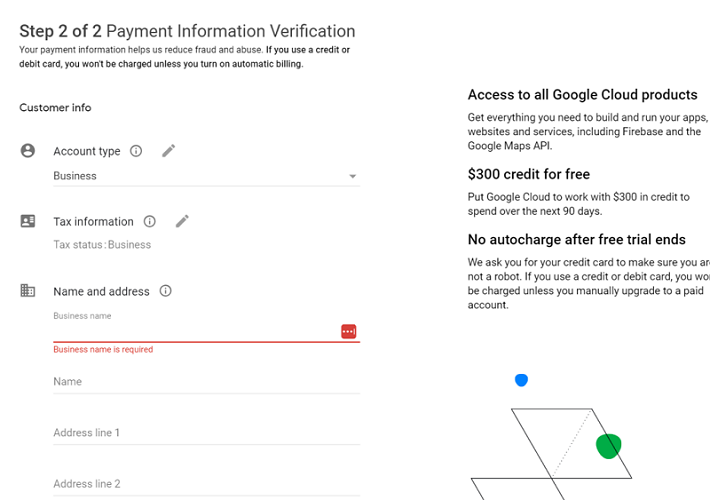
Step-8: Enter your business details and payment information.
Set your account type, enter tax information, business name and address, primary contact, credit card details:
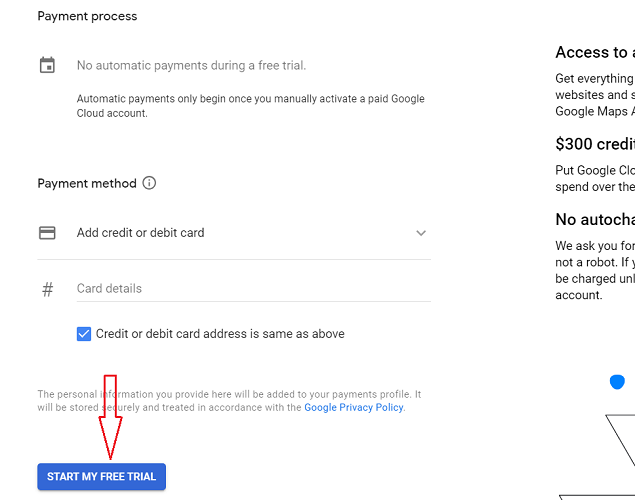
Step-9: Click on the ‘START MY FREE TRIAL’ button:
Congratulations!
You have now successfully created your Google Cloud Platform account with billing enabled.

Related Articles:
- Tracking Pages With No Traffic in GA4 BigQuery.
- First User Primary Channel Group in GA4 BigQuery
- How to handle empty fields in GA4 BigQuery.
- Extracting GA4 User Properties in BigQuery.
- Calculating New vs Returning GA4 Users in BigQuery.
- How to access BigQuery Public Data Sets.
- How to access GA4 Sample Data in BigQuery.
- Understanding engagement_time_msec in GA4 BigQuery.
- GA4 BigQuery Attribution Tutorial.
- How to backfill GA4 data in BigQuery.
- How to send data from Google Search Console to BigQuery.
- Google Advanced Consent Mode and GA4 BigQuery Export.
- Google Analytics 4 BigQuery Tutorial for Beginners to Advanced.
- Prompt Engineering for GA4 BigQuery SQL Generation.
- How to create a new BigQuery project.
- How to create a new Google Cloud Platform account.
- How to overcome GA4 BigQuery Export limit.
- BigQuery Cost Optimization Best Practices.
- event_timestamp vs user_first_touch_timestamp GA4 BigQuery.
- GA4 BigQuery Video Tracking Report.