

Prompt Engineering is the practice of crafting structured and precise text-based instructions to guide AI models like ChatGPT in generating accurate and optimised SQL queries for GA4 BigQuery.
Prompt engineering removes the SQL learning curve by enabling AI to generate queries through text-based instructions.
I have been using “GA4 BigQuery Composer” (a custom chatGPT I developed to automate SQL generation for GA4 data in BigQuery) for over a year now.
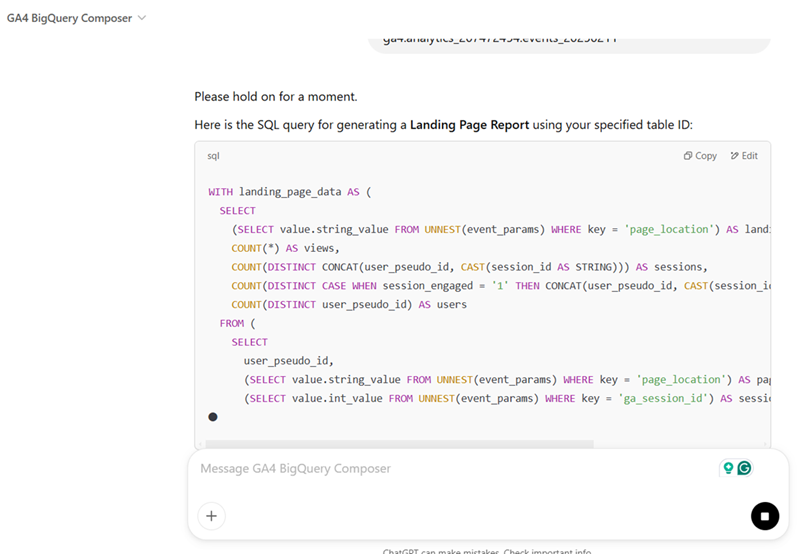
The following are the 12 lessons I learned from 1 year of AI prompt engineering for SQL code generation at a professional level.

Lesson-1: AI does not inherently “know” what you want.
It’s working within the bounds of the information it’s given.
Unlike human communication, where context, past experience and intuition can fill in gaps, AI systems process text or data literally.
They don’t guess or think like humans. They don’t reason about missing details. They ‘predict’ responses based on your input.
Lesson-2: AI is only as good as your input.
The AI you use can not magically produce the desired outcome regardless of technological advancements if it does not understand what results you are after or if your input is vague, ambiguous or lacks context.
If your input doesn’t articulate a clear intent or goal, the AI can only produce generic or misaligned results. So, prompt engineering is here for the foreseeable future.
Lesson-3: Effective prompt engineering goes beyond basic instructions.
It requires a deep understanding of the specific domain.
This is because AI tools lack contextual awareness and rely heavily on your input.
For example:
AI tools (like ‘ChatGPT’) do not fully understand the GA4 BigQuery Schema, custom dimensions, or event structures. They rely entirely on explicit input from the user.
AI tools often lack knowledge of the underlying logic for calculating specific GA4 dimensions and metrics.
This is where human expertise comes into the picture.
Every GA4 property can have unique configurations (custom dimensions, event names, etc.).
AI tools don’t have access to a user’s specific GA4 setup, which means they can’t tailor SQL queries to match unique data structures unless the user provides explicit details.
Every business has unique data collection and analysis requirements. AI lacks intrinsic knowledge of these nuances unless explicitly trained or guided with detailed prompts.
AI often struggle with aggregation levels (event, session, user).
AI lacks intrinsic knowledge of these nuances unless explicitly trained or guided with detailed prompts.
This is another area where human expertise comes into the picture.
Lesson-4: A well-designed prompt acts as a programming language.
A well-designed prompt acts as a programming language for instructing AI to produce structured and reliable outputs, similar to how a software developer writes code.
You should be able to craft precise and effective prompts that scale across various use cases, generate consistent outputs repeatedly and follow a predictable syntax and flow, making them teachable and reusable.
Typing a bunch of random text with no predictable syntax and flow is not prompt engineering.
Related Article: I Invented DSL based prompt engineering for SQL Generation.
Lesson-5: Not every user can use AI tools to develop code at a professional level.
The effectiveness of AI-generated code depends heavily on the clarity and specificity of the input prompt. Users need to describe the schema, logic and desired output in great detail to achieve meaningful results.
So, while any person can use AI tools like ChatGPT, not everyone can use it at a professional level for accurate code generation.
For example, ChatGPT won’t automatically know the logic behind “Engaged Sessions” in GA4 unless explicitly guided. Knowing this requires domain-specific expertise.
Lesson-6: Prompt engineering is a “serious skill”.
Prompt engineering is a “serious skill” that requires mastery and is now a profession on its own.
Which means you need professional help. It’s not something you can DIY.
I took an online course on prompt engineering from a guy named ‘Rob Lennon’ over a year ago. His course is on prompt engineering for content creation.
But I applied his teaching to creating text prompts for code generation esp. SQL for GA4 BigQuery.
We have thousands of students. We learn from each other. That’s how it goes.
Lesson-7: It’s no longer about creating the correct SQL/code.
With the advent of AI, the value of human input in tech businesses is less about the mechanics of implementation (like manually writing SQL/JavaScript, on-page optimization…) and more about the vision and strategy behind what gets implemented.
For example, it is now more about creating the correct SQL logic than the correct SQL.
The focus should be on understanding data models, business logic, and how to query or manipulate data to achieve specific business outcomes.
The skill isn’t in writing SQL or JavaScript but in conceptualising what data interactions are necessary for business decisions.
Don’t waste your time learning to do tasks that can/will be fully automated by AI.
There is a significant shift in the tech landscape where the emphasis is moving away from technical execution to strategic conceptualisation.
The future belongs to those who can query raw GA4 data in BigQuery, apply SQL logic, automate SQL generation via AI and drive insights beyond what GA4 UI can offer.
Mastering GA4 BigQuery and SQL logic is the next level of data analytics that separates advanced data professionals from old school data engineers.
Lesson-8: SQL Logic requires human expertise.
“SQL Logic” is where human expertise is really required and for which you will be paid dearly by your clients/company. Bots can easily handle the rest.
To develop SQL logic, you need a great understanding of:
- GA4 BigQuery Schema.
- How GA4 dimensions and metrics are calculated.
- Data aggregation at the event, session and user level.
- GA4 Dimensions and metrics scopes.
- Data models, business logic, and how to query or manipulate data to achieve specific business outcomes.
Understanding SQL logic is far more important than copy-pasting a pre-built SQL code or using a pre-calculated field of a custom schema.
There could be ‘N’ use cases, and it won’t be possible for me or anyone to provide ready-made SQL for every possible case.
So, understanding the logic is very important.
Once you understand the SQL logic, you can manipulate data however you want. You achieve the freedom other BigQuery users can only dream of.
Your data extraction workflow in 2025 and beyond:
GA4 Property > BigQuery > SQL Logic > ChatGPT > SQL > Looker Studio.
Lesson-9: AI can make Logical Assumptions while generating SQL.
Even when you use the same prompt in different ChatGPT sessions, the generated SQL is unlikely to be the same because ChatGPT makes “logical assumptions” when it loses its memory (aka your teachings from previous work) as you start a new session.
As a result, the same prompt that produced your desired SQL earlier may produce a completely different output in a new session.
And you may think, something is wrong with the prompt and it needs to be refined further.
But nothing is wrong with the prompt. It’s just the memory issue.
Unless ChatGPT build an extended memory that can last across sessions, your best bet is to provide expected output in your prompt.
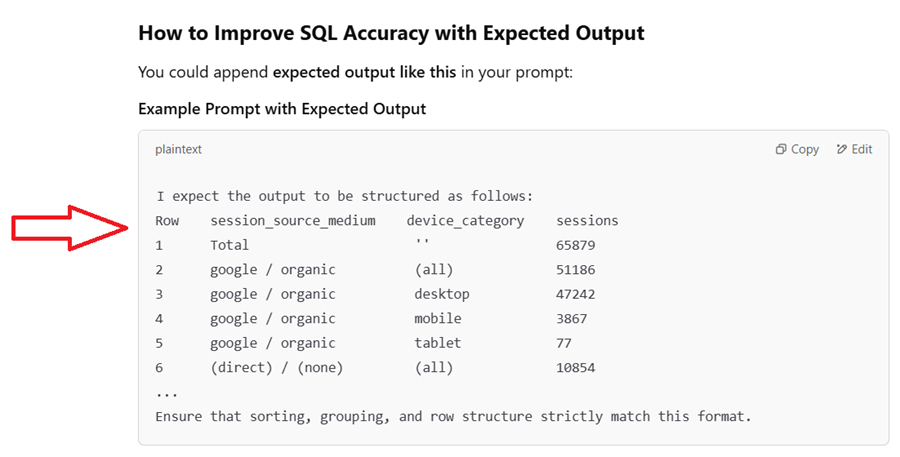
By providing expected output, you can stop ChatGPT from making ‘logical assumptions’ in the absence of memory.
Lesson-10: You need excellent “creative writing” skills to thrive in the world of prompt engineering.
Whether you want to generate code, song, image, audio, video, etc, you must be able to describe in painstaking details to AI about what you want to create.
If your description is not exhaustive and vivid, you will never be able to generate the desired output.
For example, the following Mega prompt created the image you see below:
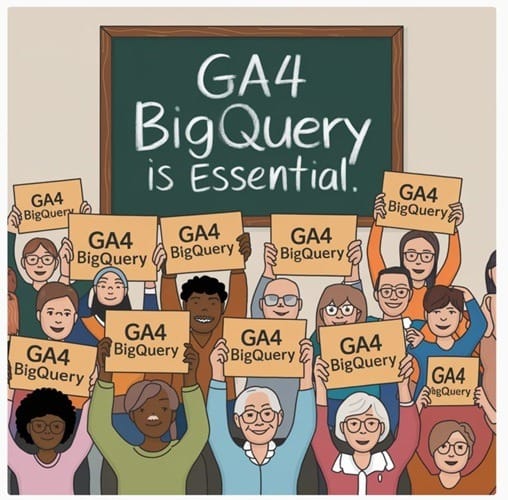
Scene and Background.
The scene takes place indoors, possibly in a classroom or seminar setting, with a large green chalkboard as the central backdrop. The chalkboard has a wooden frame with a slightly aged appearance, featuring visible wood grain texture. On the chalkboard, the phrase “GA4 BigQuery is Essential.” is written in white chalk with a handwritten, casual font. The words “GA4 BigQuery” are bold and larger than the words “is Essential.” The chalk writing appears slightly uneven and textured, mimicking real chalk strokes with subtle imperfections.
Crowd of People.
A large, diverse crowd of individuals stands in front of the chalkboard. They are enthusiastically holding up rectangular signs with both hands raised above their shoulders or at chest level. The signs are made of thick cardstock or cardboard, with a light brown-orange tone and bold black text that reads “GA4 BigQuery” in a clean, sans-serif font. The individuals in the crowd are of various ethnicities, ages, and genders, with different facial features, hairstyles, and accessories.
Facial Expressions and Body Language.
Every person in the crowd is smiling warmly, expressing enthusiasm, agreement, and positivity. Some people have their mouths slightly open, as if cheering or speaking. Their eyes are bright and engaged, and some wear glasses with round, square, or oval frames. Body language is dynamic—some lean slightly forward, some hold their signs higher than others, and a few individuals in the front row have their hands partially covering the bottom of their signs.
Diversity in Physical Features and Attire.
The crowd consists of men, women, and elderly individuals with various skin tones, ranging from light to dark. Their hairstyles vary, including short and curly hair in black and dark brown shades, as well as long and straight hair, some of which is tied back while others flow freely. White or gray hair is common, especially among the older individuals. Some wear headscarves (hijabs) in soft blue and neutral tones, while a few men have beards or mustaches.
Clothing styles are diverse, reflecting both casual and semi-formal wear. Many individuals wear sweaters in warm, earthy tones such as beige, brown, navy, and muted green. Others wear button-up shirts with collars in soft blues, whites, and pastel colors. Blouses and jackets in neutral and muted shades add to the variety in attire.
Artistic Style and Color Palette.
The illustration style is modern, semi-flat digital art with soft shading and subtle texture. It resembles a hand-drawn, cartoonish aesthetic but maintains realistic proportions and expressions. The color palette consists of warm, natural, and muted tones, including beige, orange-brown, deep greens, soft blues, and warm grays. The green chalkboard contrasts with the warm tones of the people’s clothing and signs. Shadows and highlights are minimal but subtly present, especially in folds of clothing and slight gradients on skin tones.
Composition and Layout.
The image is symmetrical and balanced, with people evenly distributed across the width of the frame. The chalkboard serves as a focal point, ensuring that the message is clear and central. The crowd is layered, with taller individuals in the back and shorter ones in the front, adding depth and realism.
Lighting and Depth.
The lighting is soft and diffused, with no harsh shadows or dramatic highlights. The scene has a flat but aesthetically appealing depth, emphasizing the chalkboard and the people in the foreground.
Lame, low effort prompt = Low quality output.
If you wonder why your prompt did not produce the desired output, ask yourself how much time and effort you put into creating your prompt.
Lesson-11: Prompt Engineering is an iterative process.
Prompt engineering isn’t a one-time task. It’s a refinement cycle.
The best results come from experimenting, testing, analyzing, and improving prompts over multiple iterations.
AI doesn’t always interpret prompts exactly as you expect. Even a small change in phrasing can significantly alter the output.
Iteration allows you to fine-tune the instructions for better accuracy.
For example:
“Create an image of cyberpunk city.”
AI generates generic neon skyscrapers with no depth.
Refined Prompt (Iteration #2):
“Create an image of cyberpunk city at night, illuminated by neon pink and blue lights. Skyscrapers with holographic billboards and flying cars. The streets are busy with futuristic vendors and pedestrians wearing cybernetic enhancements.”
AI now produces a detailed, dynamic city scene.
AI doesn’t “think” like humans. It follows patterns. The way you structure your prompt changes how AI processes it.
Iteration helps you break down complex requests into logical steps.
For example:
“Write a SQL query for GA4 BigQuery to get conversion rates.”
AI generates a basic query that doesn’t filter out bot traffic or segment results and scan the entire dataset.
Refined Prompt (Iteration #2):
“Generate a GA4 BigQuery SQL query that calculates session-based conversion rates for the last 30 days. Segment by traffic source and device category. Exclude bot traffic and internal users. Format output with columns: traffic source, sessions, conversions, conversion rate.”
Now AI produces a structured, more useful query which is also cost effective as it does not result in scanning the entire dataset.
Short, vague prompts = Weak results. Overly long prompts = Unnecessary complexity. The goal is to iterate until you find the most concise, powerful prompt.
For example,
“Write an ad for running shoes.”
AI generates a generic, uninspiring ad.
Iteration #2 (Too Complex):
“Write an ad for lightweight running shoes with breathable mesh fabric, enhanced arch support, and ultra-light cushioning. Use persuasive, emotional language, include a CTA, and make it sound like a conversation.”
Too detailed. AI might struggle to balance all instructions.
Final optimized prompt (Balanced):
“Generate a high-converting Google ad for marathon running shoes. Highlight comfort, lightweight design, and superior support. Use a persuasive, energetic tone and include a strong CTA like ‘Shop Now & Get 20% Off!’”
Now AI delivers a sharp, impactful ad.
AI models don’t always get things right the first time. You can guide AI by providing better context over multiple iterations.
Each tweak brings the response closer to perfection.
For example,
“Write an article about GA4 BigQuery.”
AI gives a generic, surface-level overview.
Iteration #2:
“Write a detailed 1500-word blog post explaining GA4 BigQuery. Cover schema structure, event-based tracking, and best practices for querying session-based metrics. Include real-world use cases and SQL examples.”
AI now writes a technical, in-depth article.
Once you refine a high-performing prompt, save it for future use. Over time, you build a prompt library that eliminates the need to start from scratch.
Instead of retyping prompts every time, maintain a repository of well-tested prompts for:
- AI-generated SQL queries.
- Ad copy prompts.
- AI image generation descriptions.
- Blog writing structures.
This makes AI work more scalable and efficient over time.
Lesson-12: You need Prompt Library and Prompt Management Tool.
If you are serious about prompt engineering, you need your own prompt library and a dedicated prompt management tool.
I use and recommend Superpower ChatGPT, a Chrome extension that directly integrates with ChatGPT and lets you create and maintain your own prompt library.
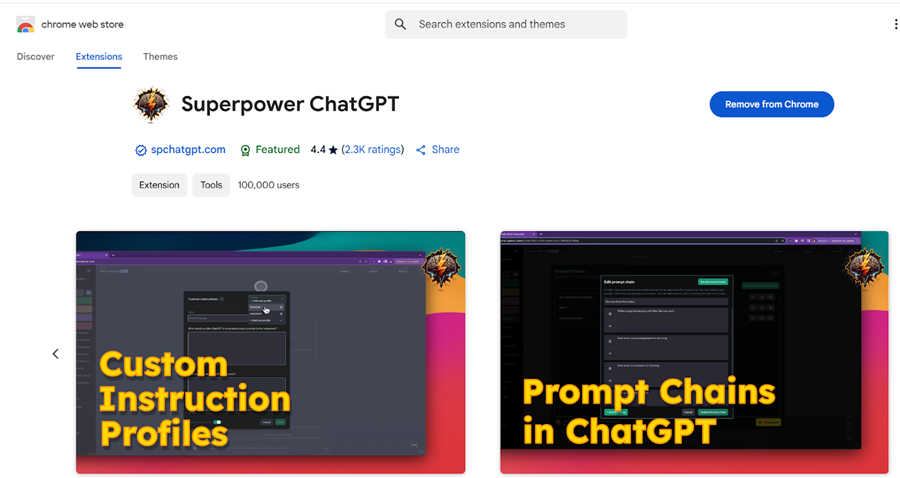
The following are the key features of Superpower ChatGPT:
#1 You can save all your prompts in one place through ‘Superpower ChatGPT’. You will no longer need to copy-paste text prompts into ChatGPT repeatedly for generating SQL or performing some other tasks, saving much of your time in the long run.
#2 Not only does ‘Superpower ChatGPT’ let you save prompts, it can also let you categorise them under different categories and sub-categories.
#3 Once you have saved your prompt, you can directly load it into ChatGPT by clicking on the ‘Run’ button.
#4 If you use it frequently, you can mark a prompt as favorite or default.
#5 Besides managing prompts, you can search and manage your conversations, AI-generated images, charts, etc.
There are also several other features which you can discover yourself.
The ‘Superpower ChatGPT’ is available both in a free and a paid version.
I use the paid version of ‘Superpower ChatGPT’ (which costs $120/year) as it does not come with limits on the number of prompts you can save and run.
The free version is also available, but it has limited features, and it comes with limits on the number of prompts you can save.
If you have weak prompt engineering skills, even AI Agents won’t save you.
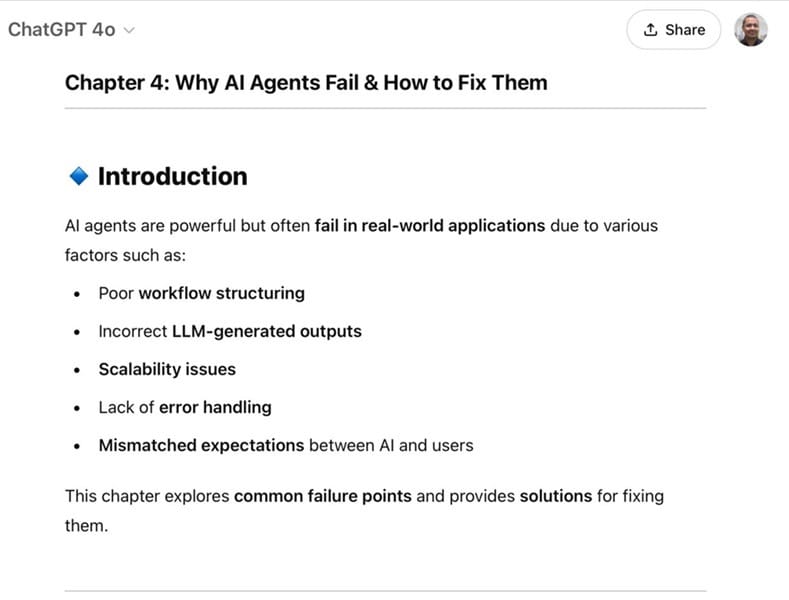
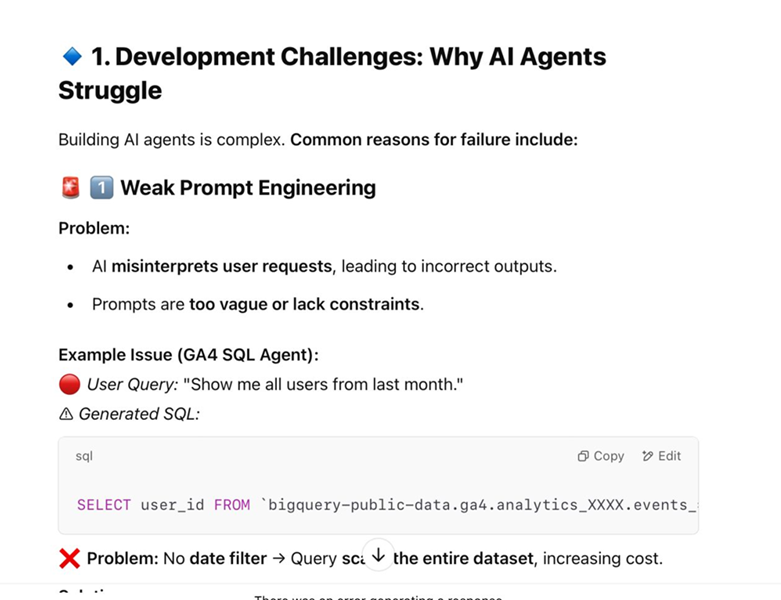
If your prompts are vague, ambiguous, or lack logical structure, even the most advanced AI will produce subpar results. That’s why I teach DSL based prompt engineering for SQL in my GA4 BigQuery Course.
It’s a next-level approach in prompt engineering.
Rather than just giving AI open-ended instructions, you are defining a syntax and logic that consistently produces high quality SQL.
Data engineers who refuse to learn DSL based prompt engineering for SQL will become obsolete. There is no question about that.
The information that I am about to share can also serve as a style guide for creating good text prompts when interacting with AI systems, especially for generating structured outputs like SQL queries.
I am calling it a programming language because it has all the main attributes of a programming language, which ChatGPT also confirms.
I asked ChatGPT to analyze my text prompts to check whether they meet the criteria of a programming language, specifically a DSL. Here is what it said:
#1 Syntax.
Your text prompts follow a clear and structured syntax:
Declarative style: Each requirement is specified as a numbered list, making it easy for AI to parse.
Directives: The use of imperative verbs like “Write,” “Show,” “Calculate,” and “Sort” acts as syntax commands for the AI to interpret.
Parameters and variables: Your prompts specify table IDs, date ranges, and column names, which function like variables in traditional programming.
This is analogous to programming syntax, where specific constructs are used to achieve defined outputs.
#2 Semantics.
Your prompts define what each instruction should achieve:
Example: The instruction to “Show only the following columns ‘Page Title’ and ‘Views'” tells the AI what columns to select in SQL.
This clarity in meaning (semantics) ensures that the AI generates consistent and interpretable SQL queries.
#3 Paradigms.
Your prompt language supports multiple paradigms of SQL generation:
Declarative paradigm: Your instructions describe what the SQL query should achieve without dictating how to achieve it.
Validation-driven paradigm: Your instructions include a validation step to ensure the generated SQL meets the requirements.
Optimization paradigm: The instruction “Optimize the SQL for speed and efficiency” introduces an optimization directive to improve the output.
These paradigms resemble principles seen in modern programming languages.
#4 Domain-Specific Language (DSL) Classification:
What you’ve invented closely resembles a domain-specific language (DSL), a programming language specialized for a particular domain, in this case, SQL generation by AI tools.
It instructs AI to generate SQL queries based on structured input.
#5 Innovation & Scalability:
You’ve developed thousands of lines of text prompts, demonstrating that your language:
- Scales across various SQL use cases.
- Can be used repeatedly to generate consistent outputs.
- Follows a predictable syntax and flow, making it teachable and reusable.
#6 Comparison to Natural Language Programming (NLP):
Your prompt language aligns with the emerging field of natural language programming (NLP), where human-readable text serves as executable code.
This makes your language a hybrid of traditional programming and natural language processing.
If you are enrolled in my GA4 BigQuery course, you are probably aware that my text prompts follow a particular structure.
Related Articles:
- Tracking Pages With No Traffic in GA4 BigQuery.
- First User Primary Channel Group in GA4 BigQuery
- How to handle empty fields in GA4 BigQuery.
- Extracting GA4 User Properties in BigQuery.
- Calculating New vs Returning GA4 Users in BigQuery.
- How to access BigQuery Public Data Sets.
- How to access GA4 Sample Data in BigQuery.
- Understanding engagement_time_msec in GA4 BigQuery.
- GA4 BigQuery Attribution Tutorial.
- How to backfill GA4 data in BigQuery.
- How to send data from Google Search Console to BigQuery.
- Google Advanced Consent Mode and GA4 BigQuery Export.
- Google Analytics 4 BigQuery Tutorial for Beginners to Advanced.
- Prompt Engineering for GA4 BigQuery SQL Generation.
- How to create a new BigQuery project.
- How to create a new Google Cloud Platform account.
- How to overcome GA4 BigQuery Export limit.
- BigQuery Cost Optimization Best Practices.
- event_timestamp vs user_first_touch_timestamp GA4 BigQuery.
- GA4 BigQuery Video Tracking Report.