

Google recently launched two new audience templates in GA4 that directly target your best customers and revenue leakage.
These two new audience templates are:
#1 High Value Purchasers.
#2 Disengaged purchasers.
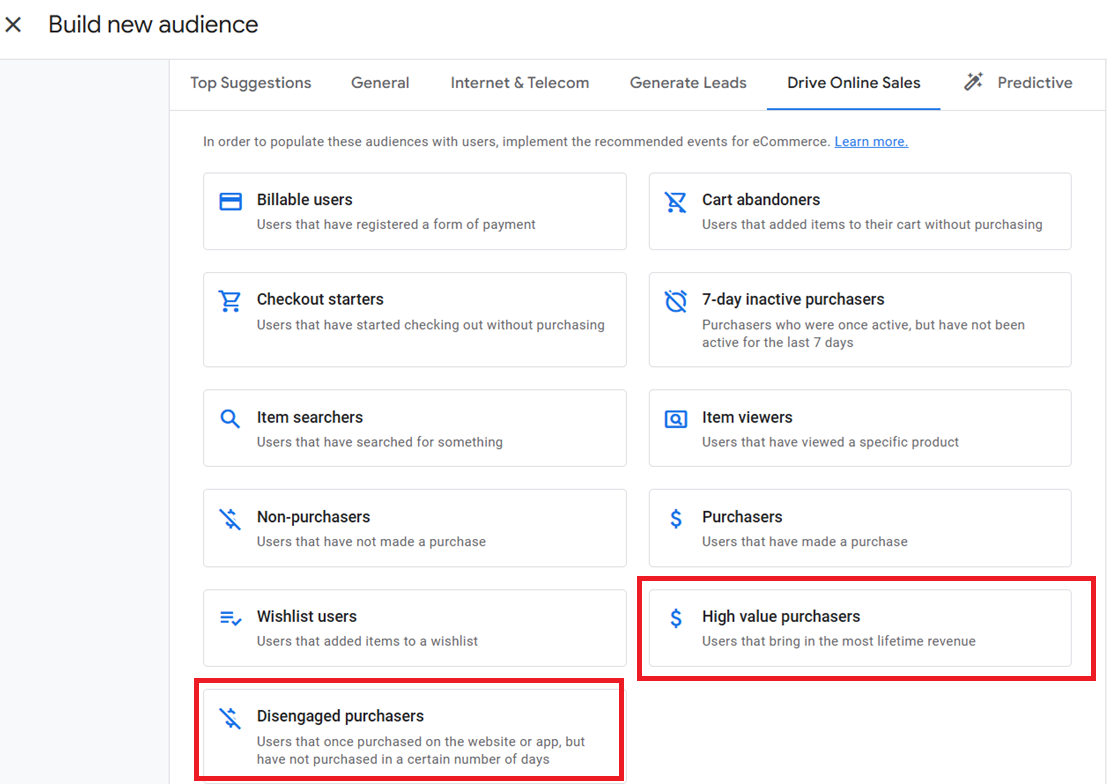
High Value Purchasers.
Purchasers who generate the highest lifetime revenue.
GA4 Setup (Include):
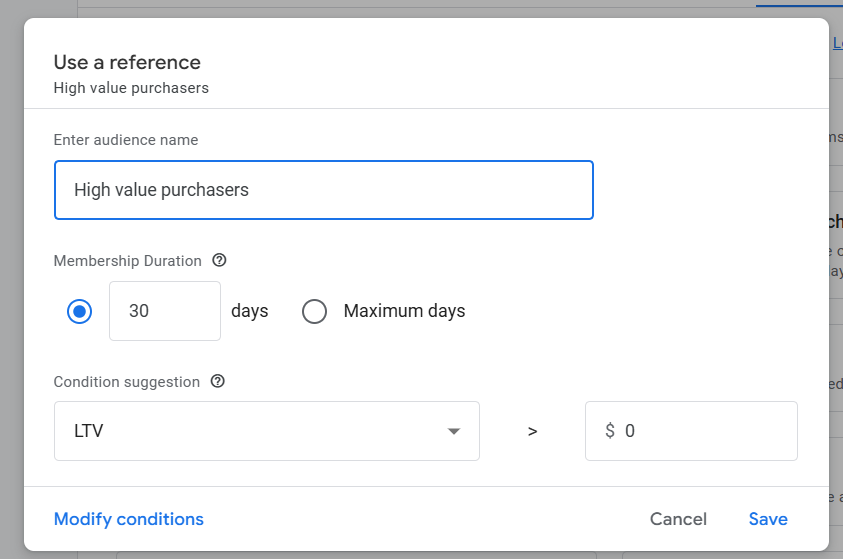
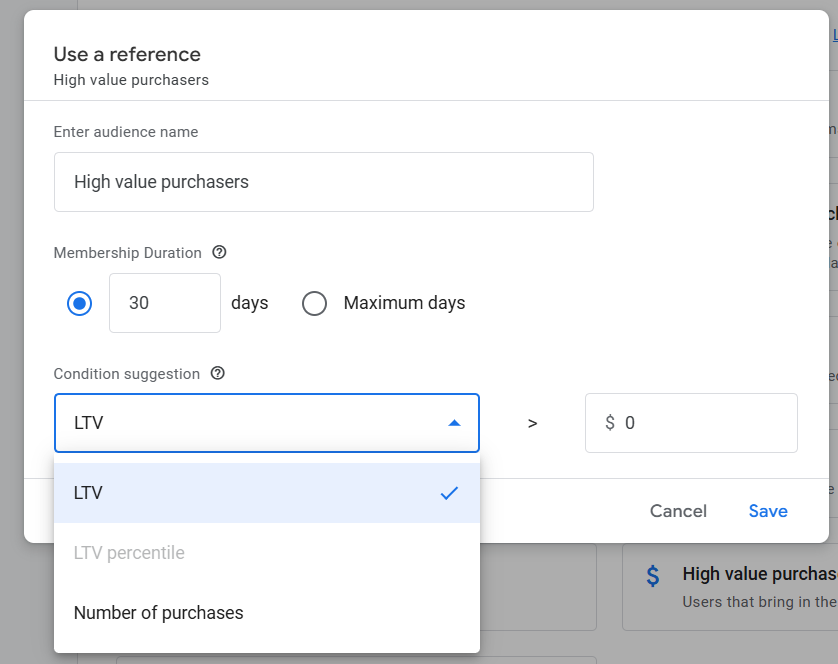
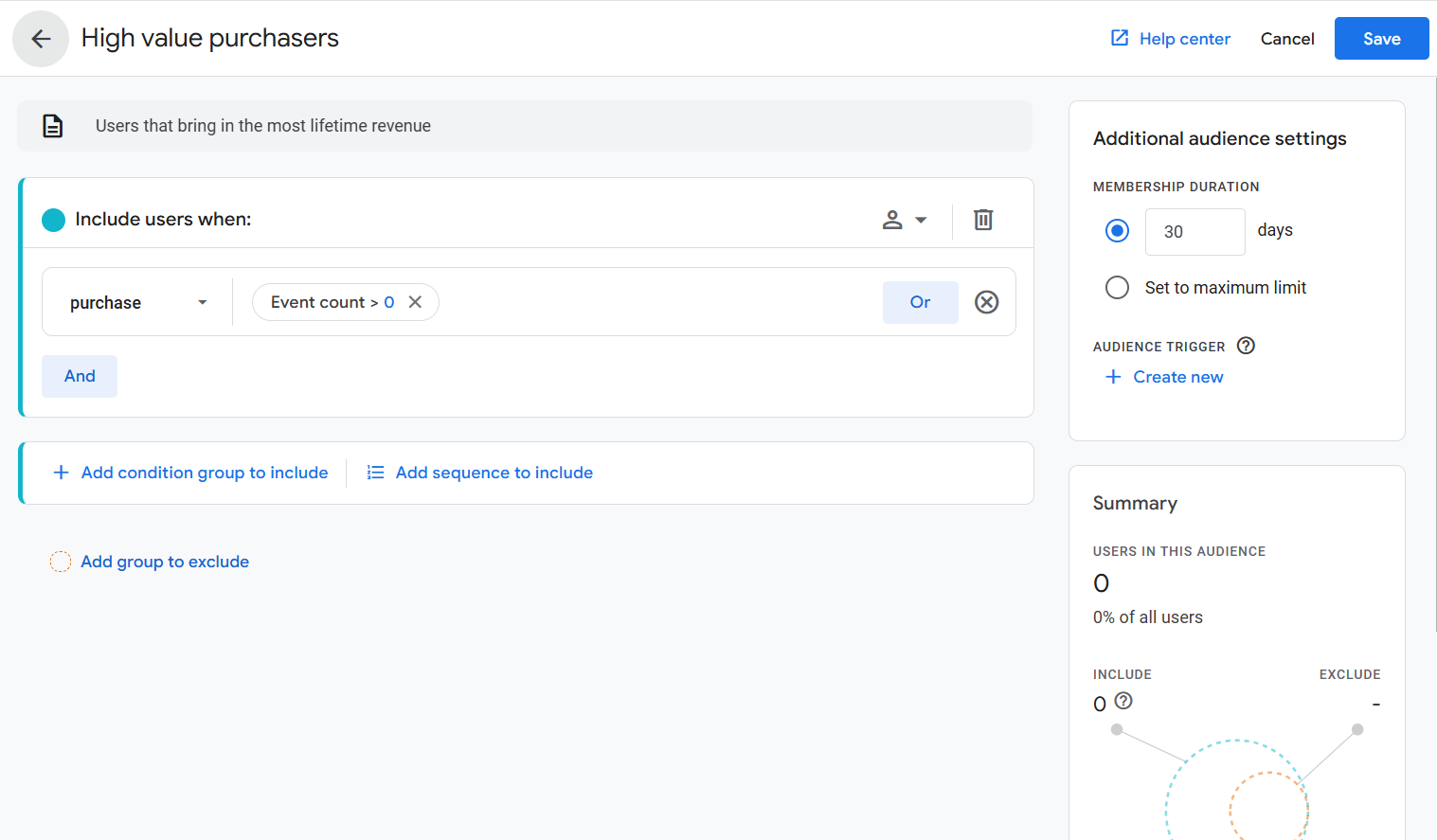
This audience captures users with strong historical value defined through purchase count, LTV, or LTV percentile, allowing advertisers to isolate their top-performing customers.
Disengaged Purchasers.
Previous purchasers who have not bought again within your defined time window.
GA4 Setup (Include):
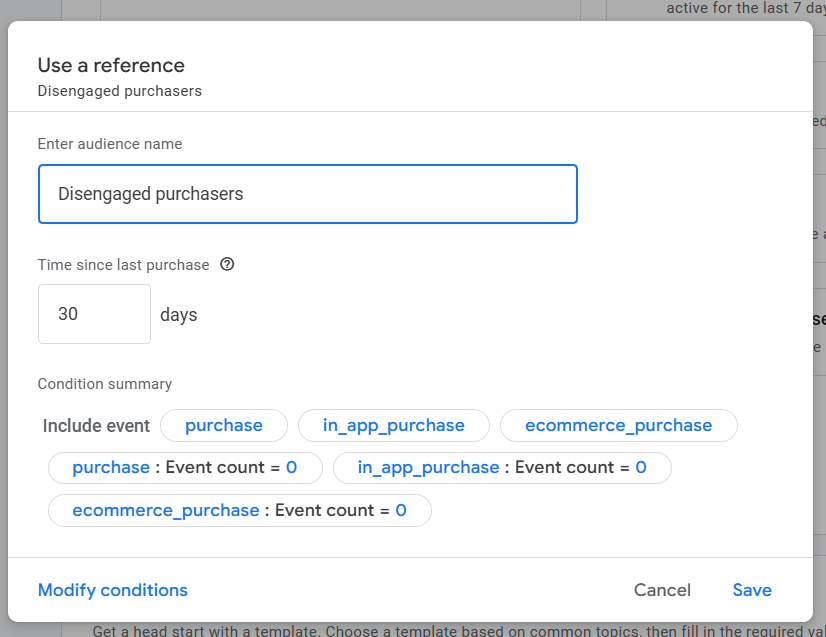
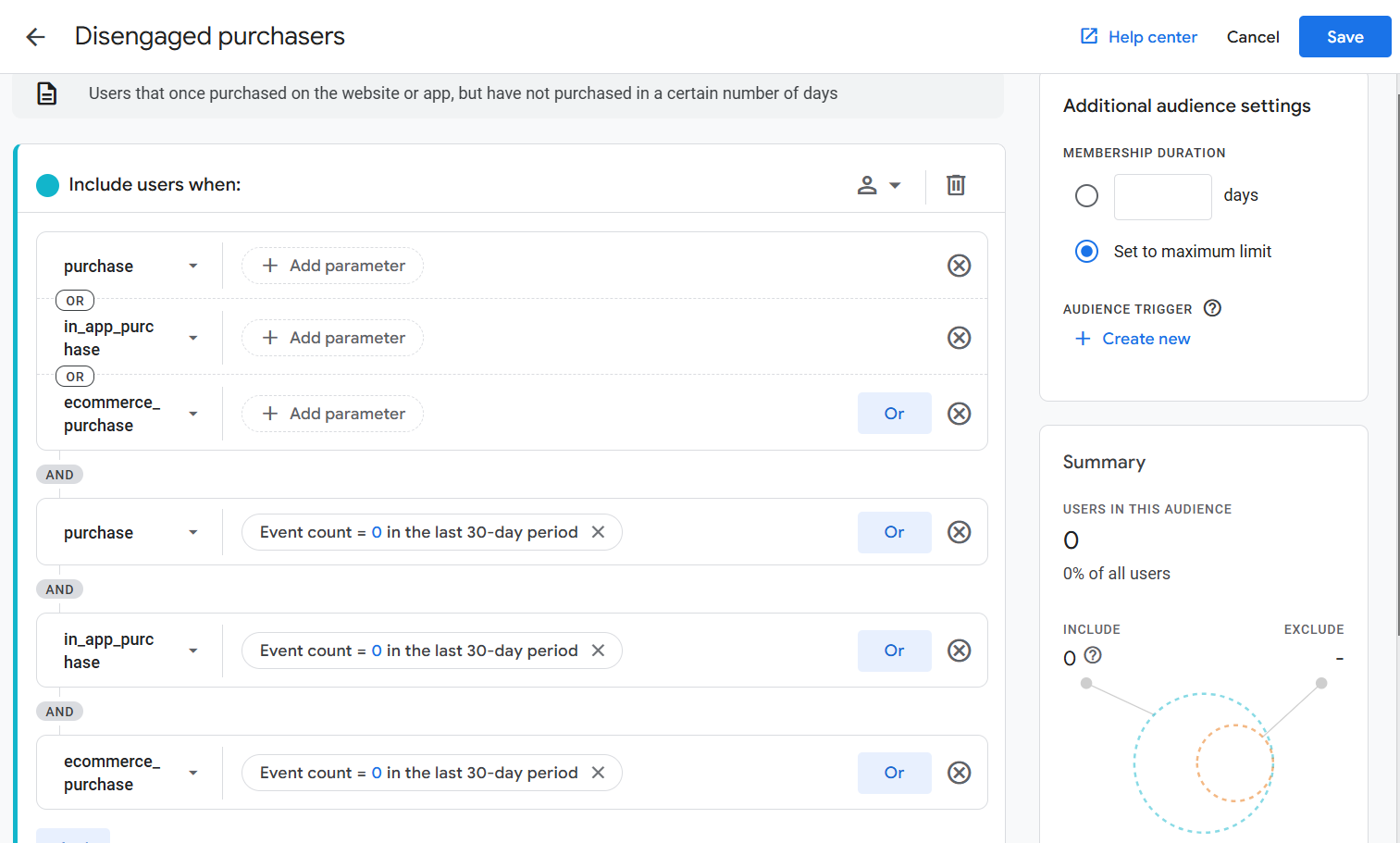
This audience identifies customers who have bought before but haven’t returned, making it ideal for win-back and retention campaigns.
These two audiences matter most for Ecommerce websites.
High-value and disengaged purchasers are the most impactful retargeting segments in GA4’s “Drive Online Sales” category because they focus directly on:
- Revenue concentration: your top spenders.
- Revenue leakage: customers drifting away.
Other templates (cart abandoners, product viewers, searchers, etc.) capture earlier-stage intent and typically show lower conversion value and higher volatility.
By contrast, these two audiences sit deeper in the customer lifecycle.
They combine proven value with high incremental opportunity, making them ideal for budget prioritisation, value-based bidding, and personalised lifecycle messaging.
Both audiences can be exported to Google Ads.
They align with lifecycle bidding strategies such as:
- High-Value New Customer Mode (customer acquisition).
- Re-engagement or Retention Mode (win-back and loyalty).
These retargeting audiences perform best with tailored creatives (VIP or loyalty offers) for high-value purchasers and time-bound win-back incentives for disengaged purchasers, while broader remarketing lists help extend reach beyond these core segments.

Other Articles on GA4.
- Google Analytics 4 Migration Checklist - Upgrade to GA4.
- How to Install Google Analytics 4 on Shopify.
- How to link Google Analytics 4 with AdSense.
- Google Analytics 4 Subproperties Tutorial.
- How to connect Google Analytics 4 with Google Data Studio.
- Advertising Snapshot in Google Analytics 4 (GA4).
- Manage automatic event detection in Google Analytics 4.
- How to use Google Analytics 4 Event Builder.
- Is Safari Undermining Your GTM Server-Side Tagging?
- Guide to Google First Party Mode.
- You Can’t Really Trust Google Analytics 4 Engagement Metrics.
- Google Analytics 4 Metrics Tutorial.
- Google Analytics 4 Custom Metrics Tutorial.
- Don't Configure Google Tag via GTM, Google Ads and GA4.
- Retargeting Audiences in GA4 For Ecommerce Websites.
- Google Analytics 4 often report inflated conversion counts by default.
- The Best Reporting Identity for Google Analytics 4.
- 'Days to key events' metric in Google Analytics 4.
- Advertising Reports in Google Analytics 4.
- Google Analytics 4 Data Delays Guidelines.